Income and Tax Estimator User Manual
1. Overview
The Income and Tax Estimator service enables registered e-filing users to estimate their tax as per the provisions of Income Tax Act, Income Tax Rules, and Notifications by providing inputs with respect to income(s) earned and deductions claimed as per the Act. This service also provides an estimation of tax under the old or new tax regime with a comparison of tax as per the old and new regime.
2. Prerequisites to Avail of This Service
• Registered user on the e-filing portal with valid user ID and password
Please Note: This user manual has been prepared as per Income Tax Act, 2025 for estimating /Calculating tax for Tax Year (TY) 2026-27. If You want to estimate/calculate tax for Assessment Year (AY) 2026-27, you need to select Applicable Act as Income Tax Act, 1961 in step 3(a).
3. Step-by-Step Guide
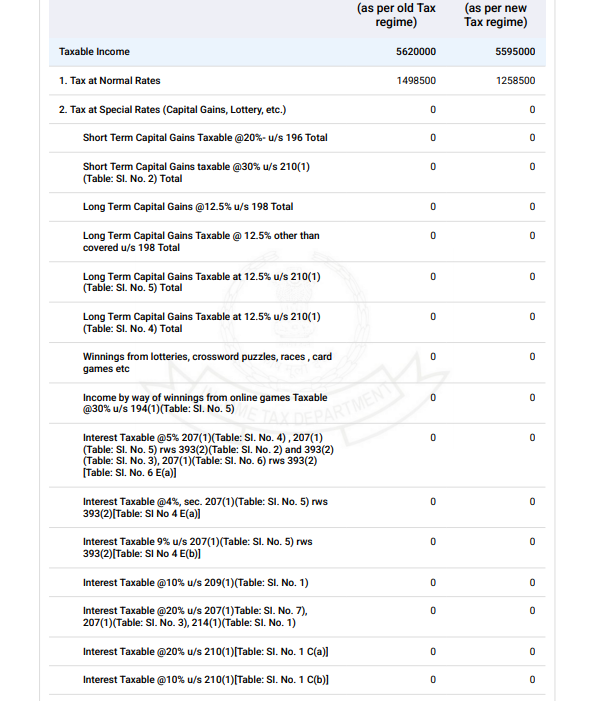
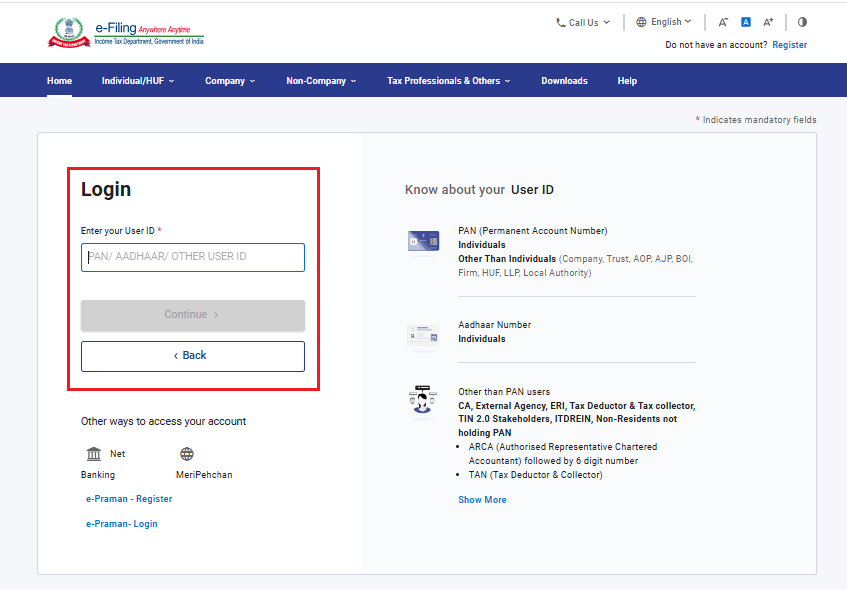
Step 1: Log in to the e-filing portal using your user ID and password.
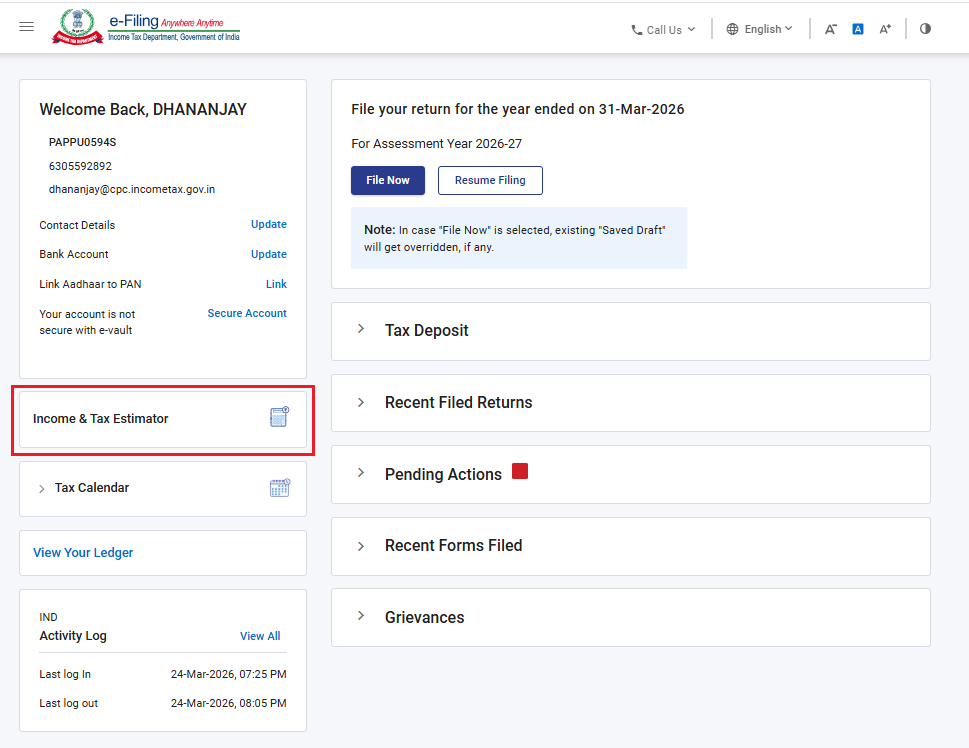
Step 2: On your Dashboard, click ‘Income and Tax Estimator’.
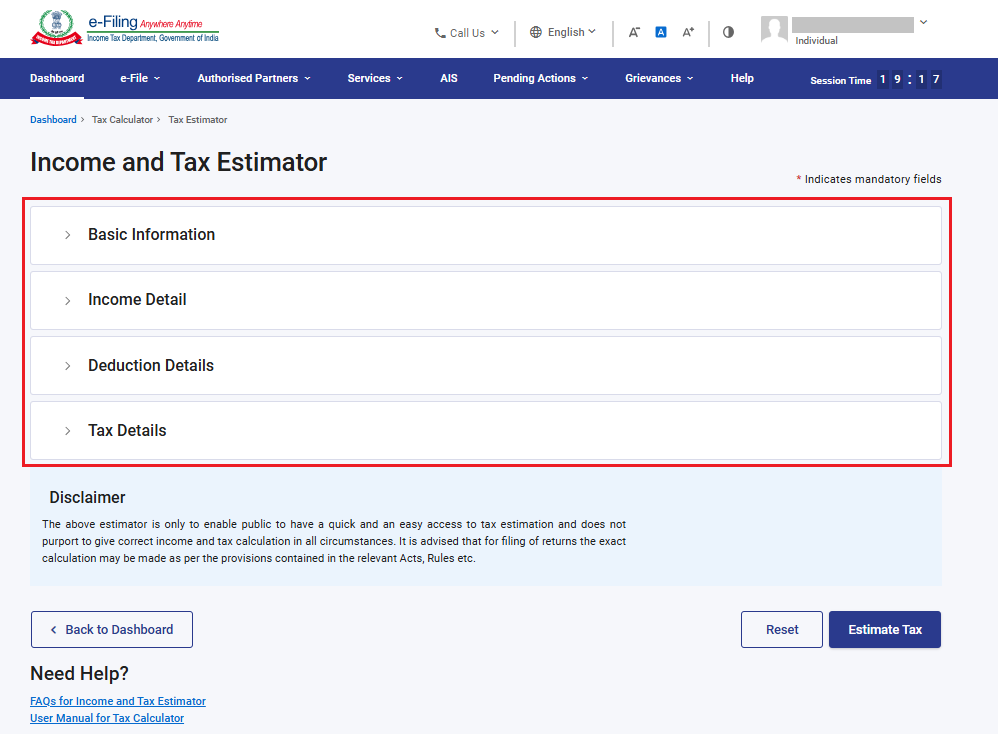
‘Income and Tax Estimator’ has four tab you must furnish your details in these tabs:
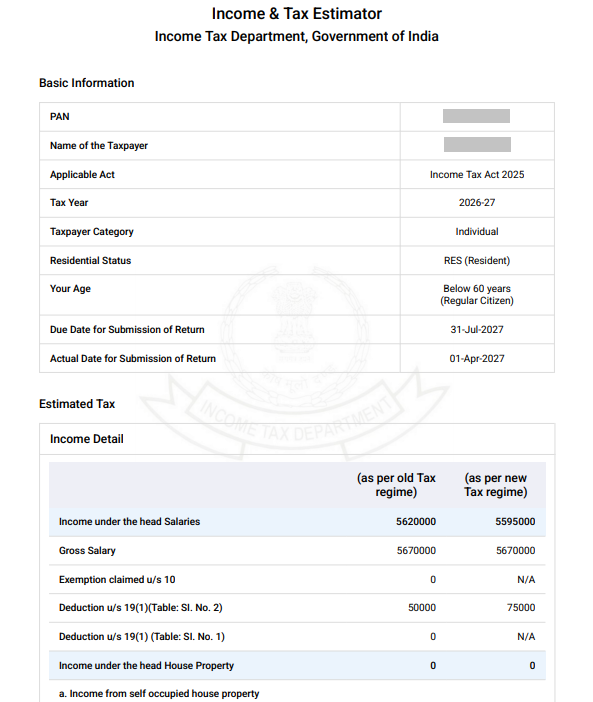
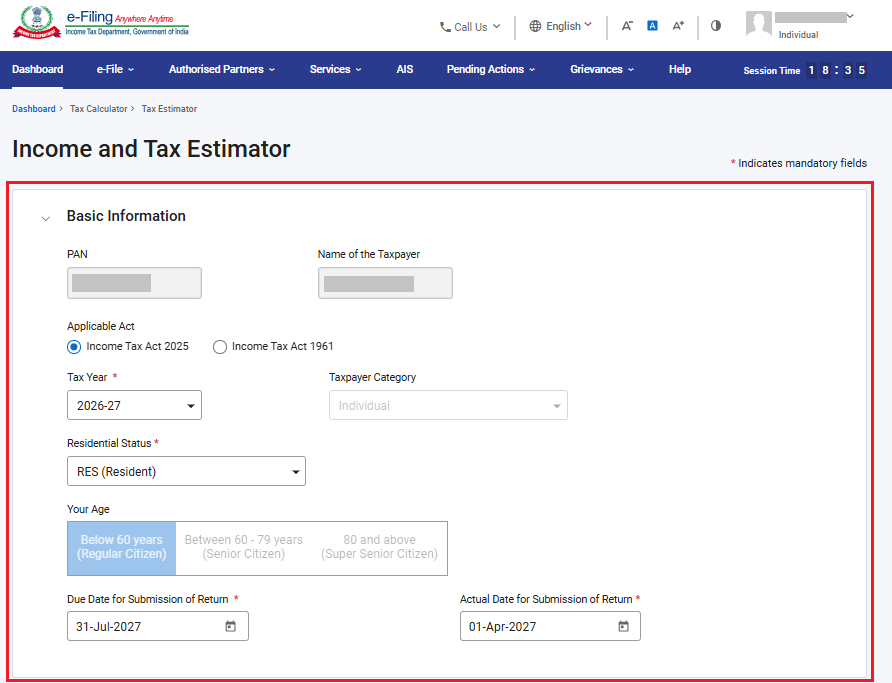
Step 3a: In the ‘Basic Information’ tab, enter the required details such as PAN, Name of Taxpayer, Select Applicable Act (Income Tax Act 2025 or Income Tax Act 1961), AY or TY as per Selection of Act, Taxpayer category, residential status, age, Due date and actual date of submission of return.
Please Note: This user manual has been prepared as per Income Tax Act, 2025 for estimating /Calculating tax for Tax Year (TY) 2026-27. If You want to estimate/calculate tax for Assessment Year (AY) 2026-27, you need to select Applicable Act as Income Tax Act, 1961 in step 3(a).
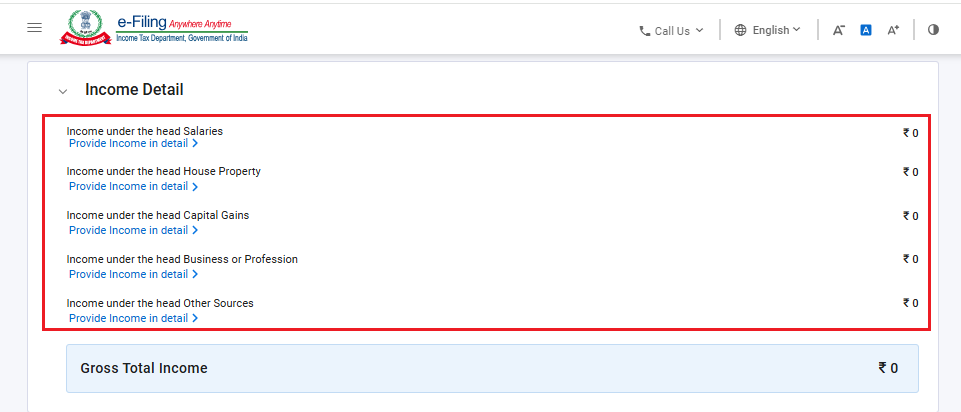
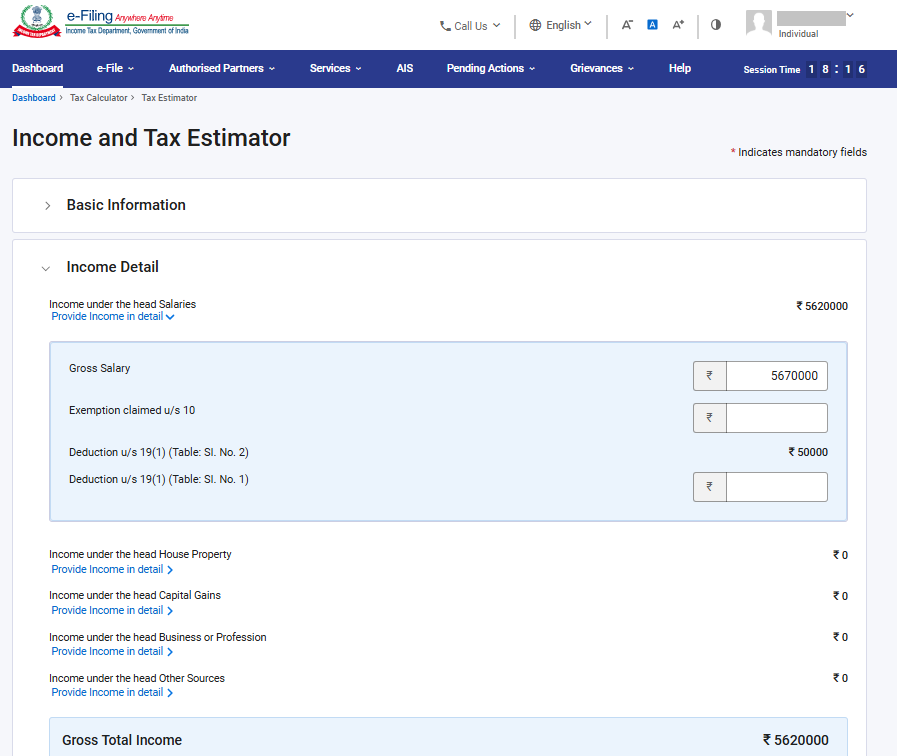
Step 3b: In the ‘Income Details’ tab, enter the required details of:
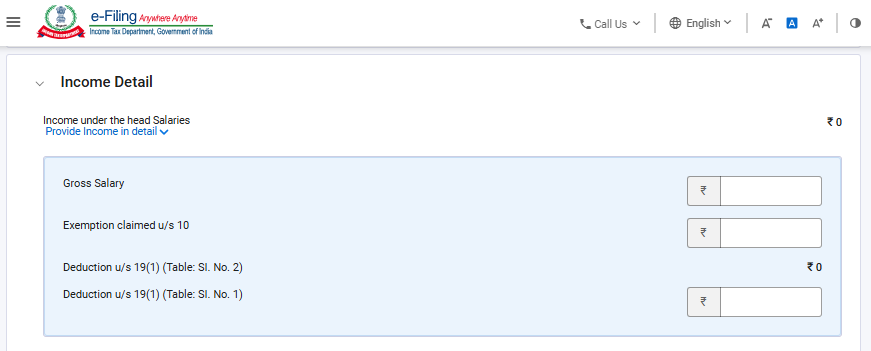
• Income under the head Salaries,
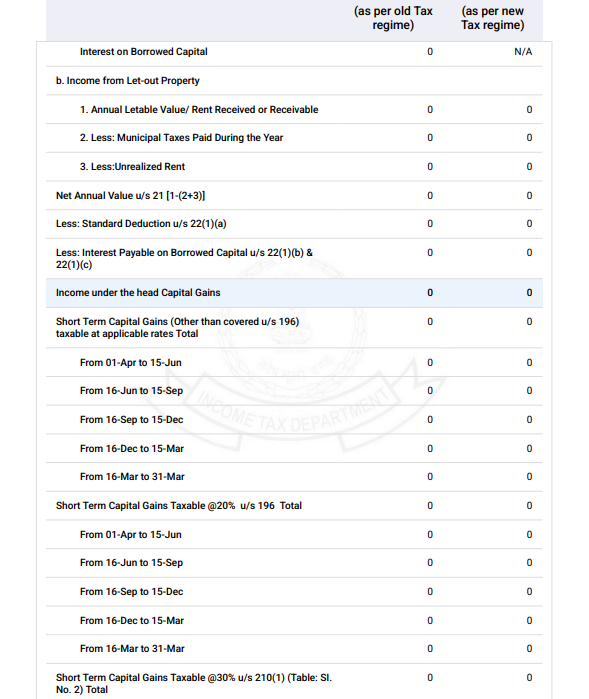
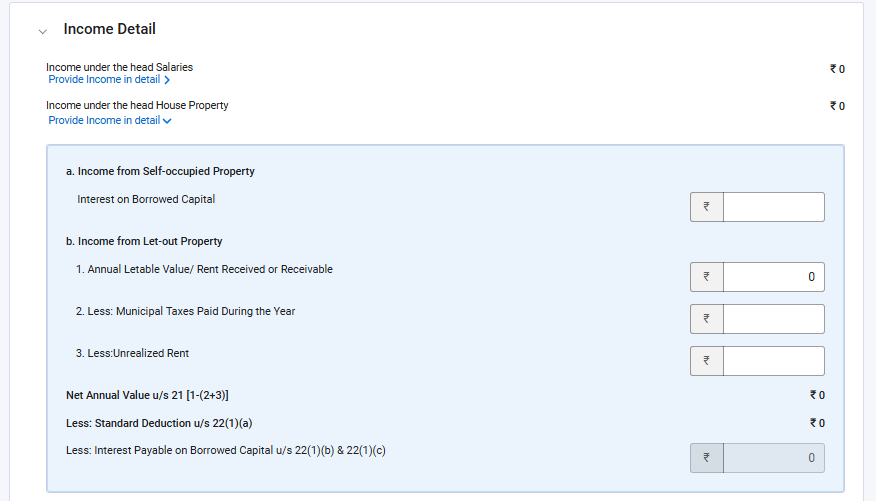
• Income under the head House Property,
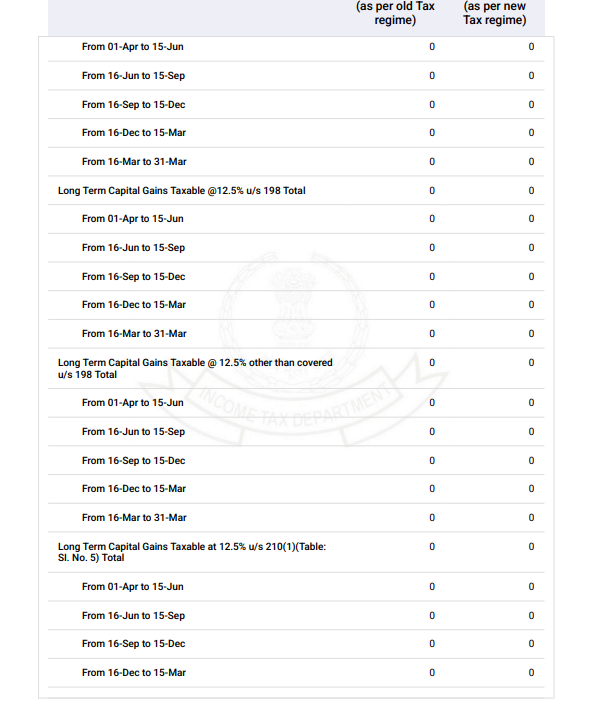
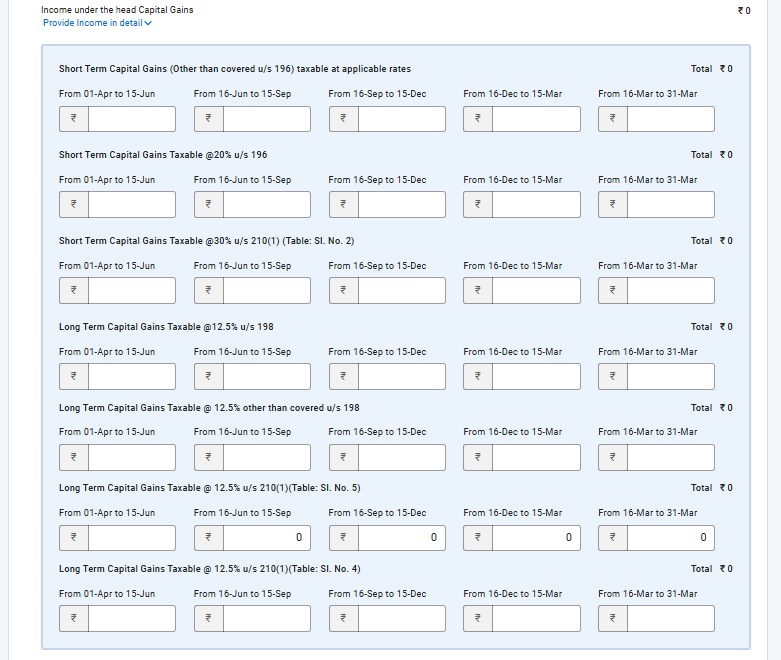
• Income under the head Capital Gains,
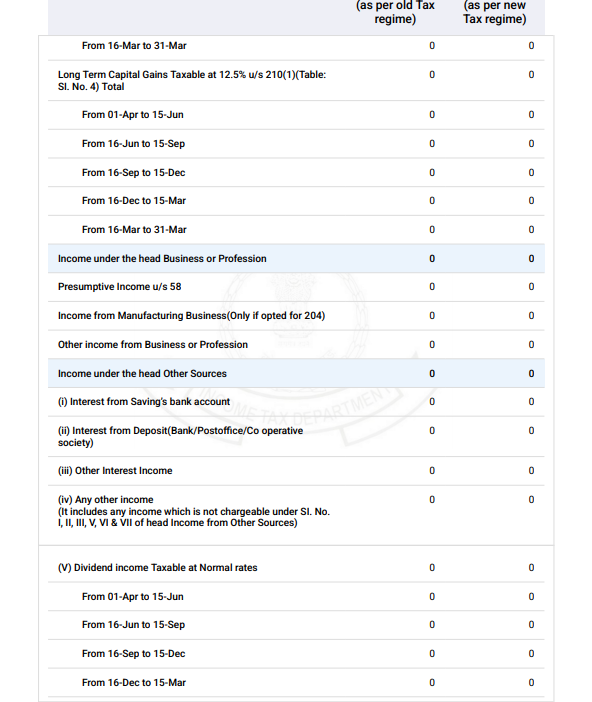
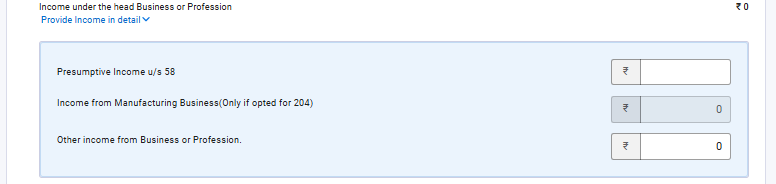
• Income under the head Business or Profession, and
• Income under the head Other Sources
Salary Income details:
House property Income details:
Capital gains details:
Income from business or profession:
Income from other sources:
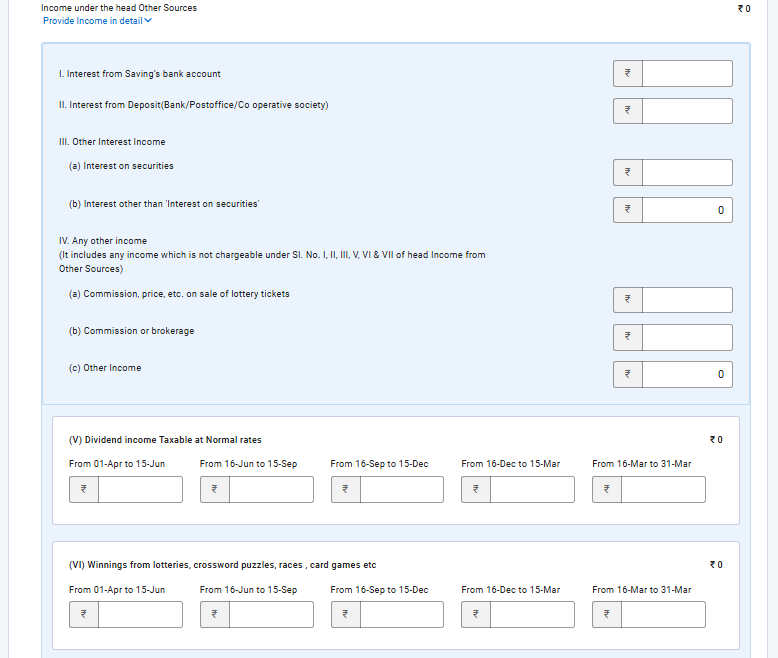
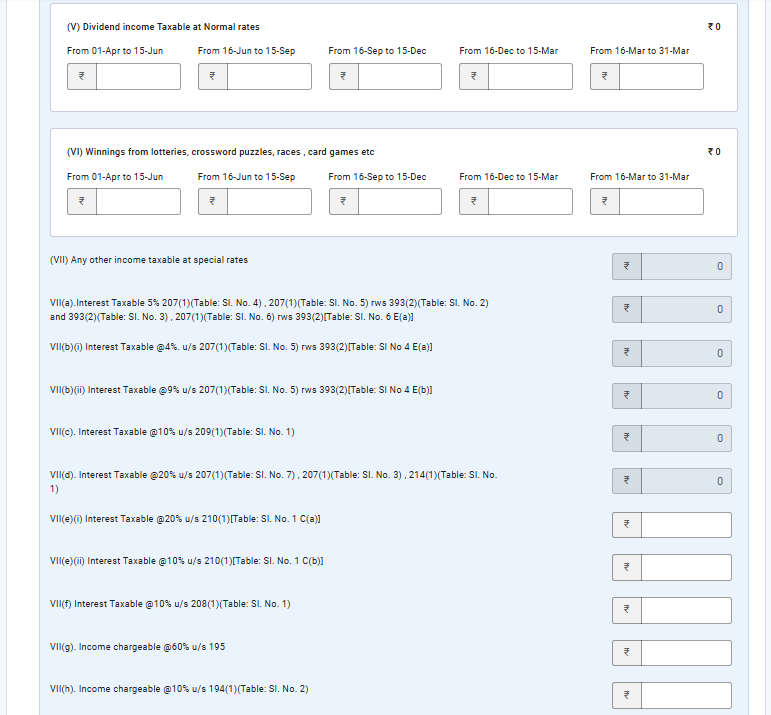
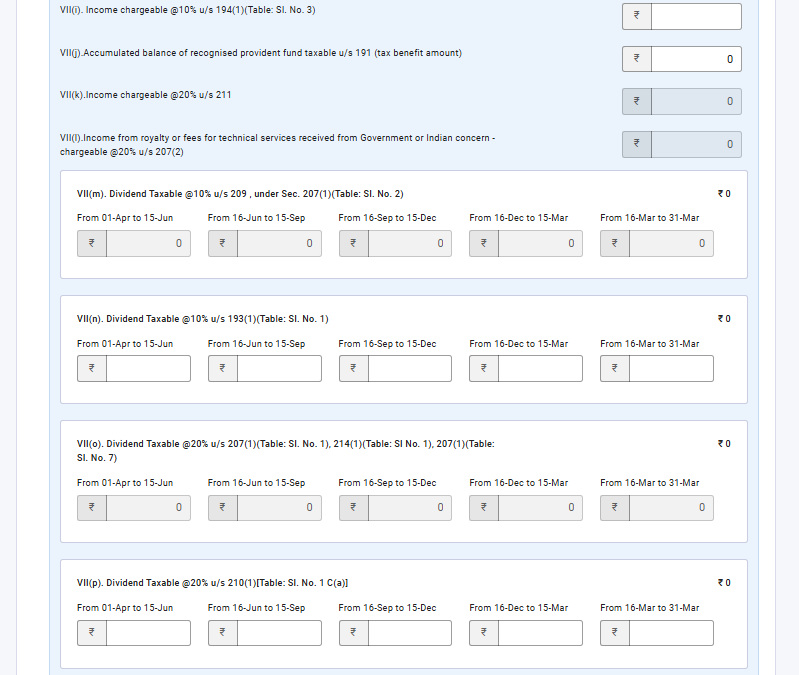
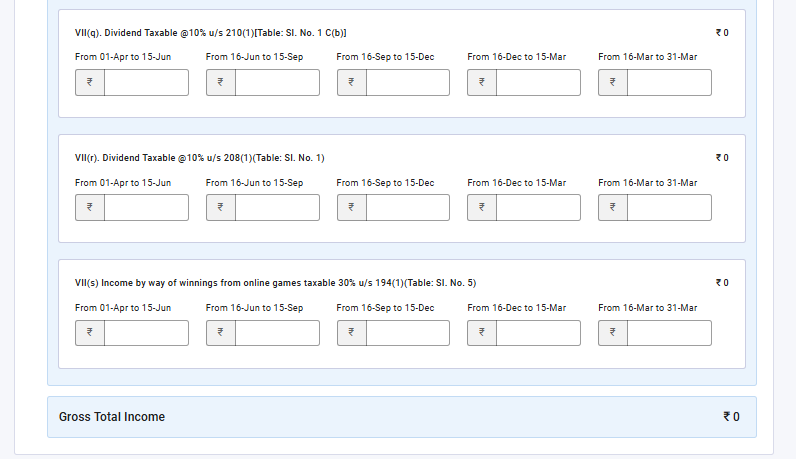
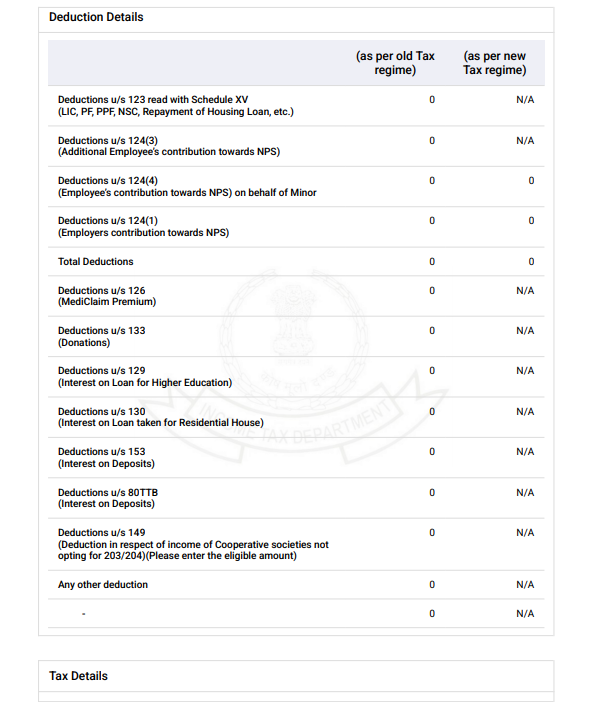
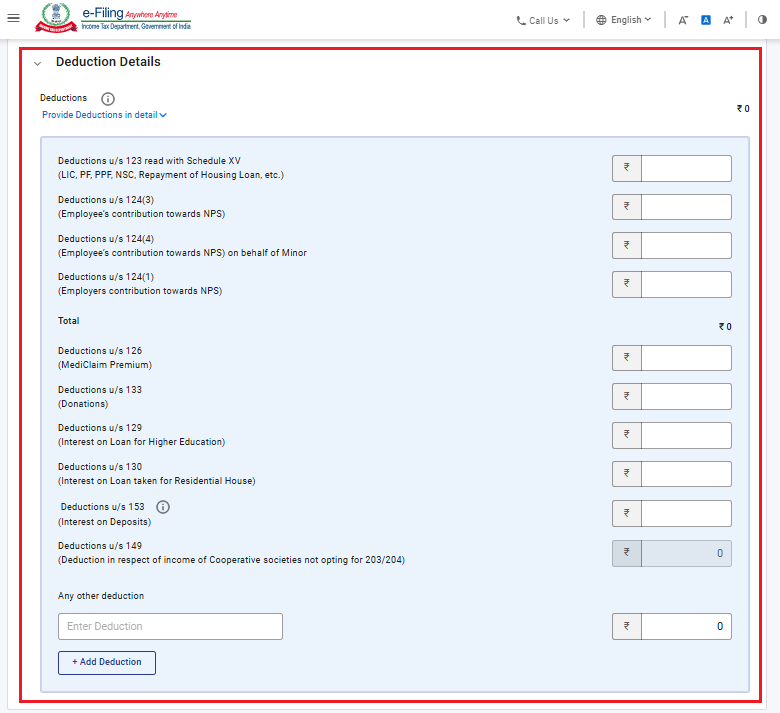
Step 3c: In the ‘Deduction Details’ tab, enter the relevant deductions applicable to you including but not limited to PPF, LIC, Housing Loan, NPS, Mediclaim, Loan on Higher Education.
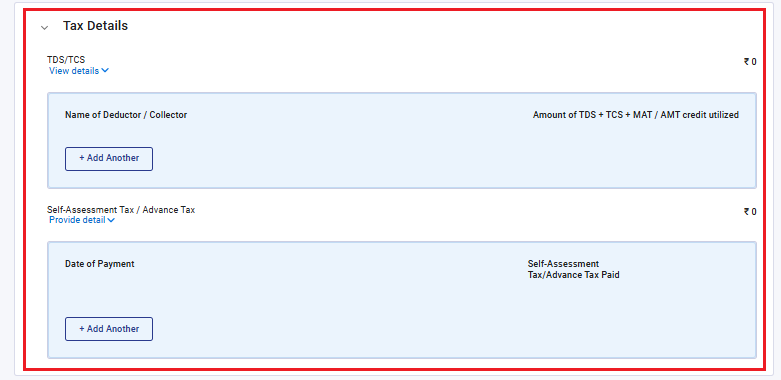
Step 3d: In the ‘Tax Details’ tab, view TDS/TCS details and enter/edit the details of Self-Assessment Tax/ Advance Tax where you have substantiating evidence available.
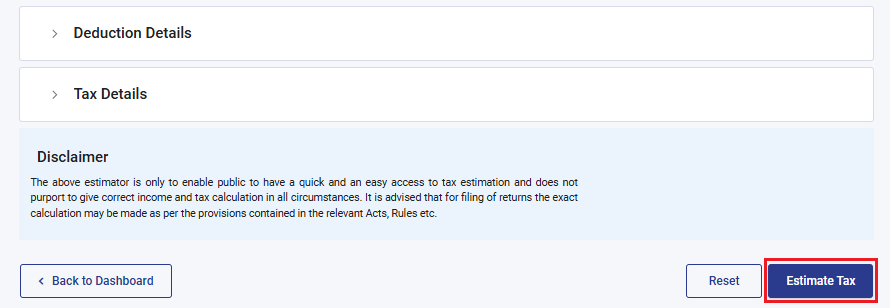
Step 4: Once done, click ‘Estimate Tax’.
Step 5: The estimated tax payable by you will be computed and displayed.
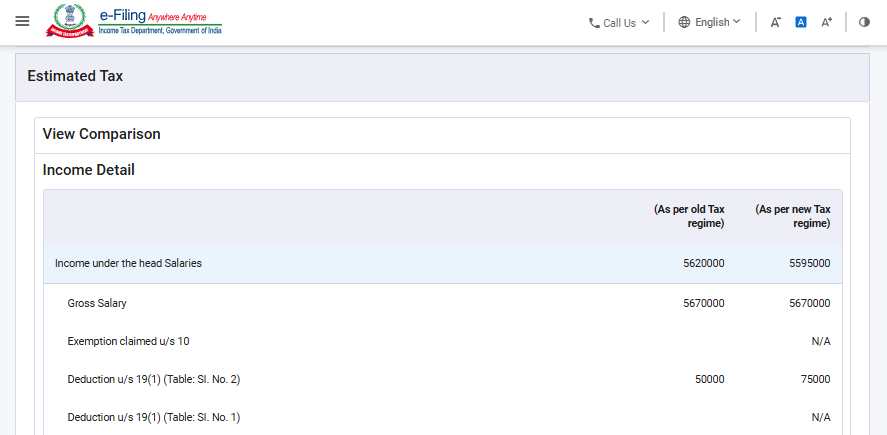
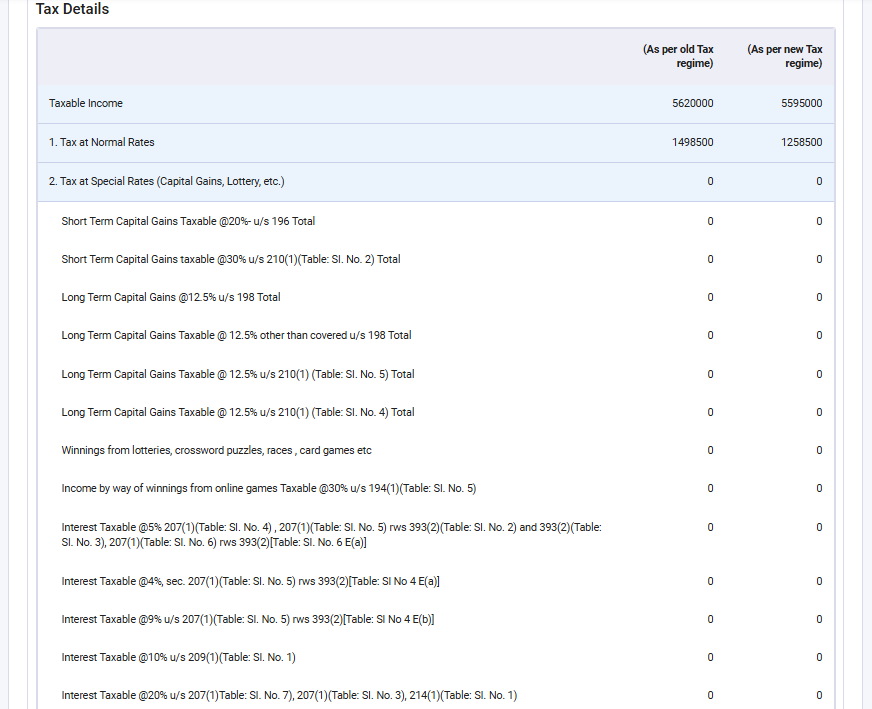
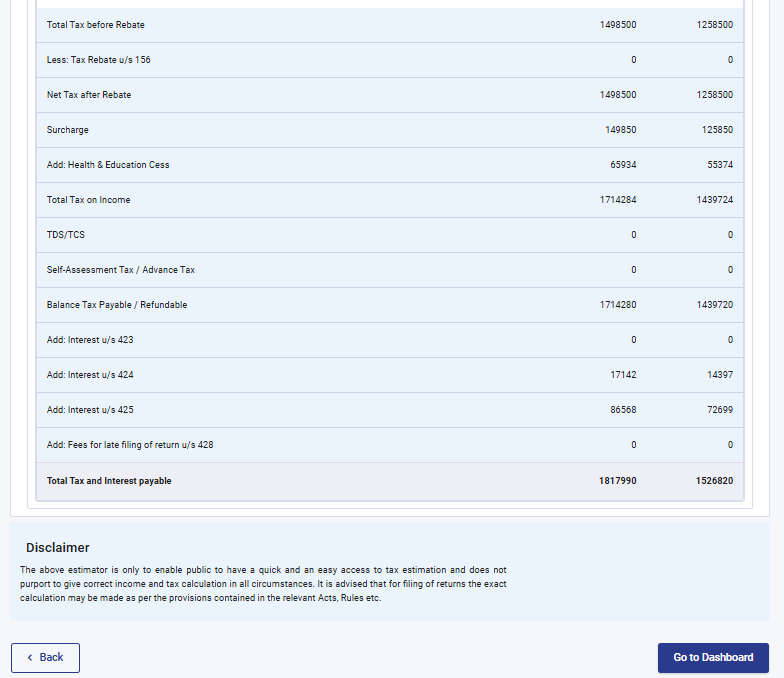
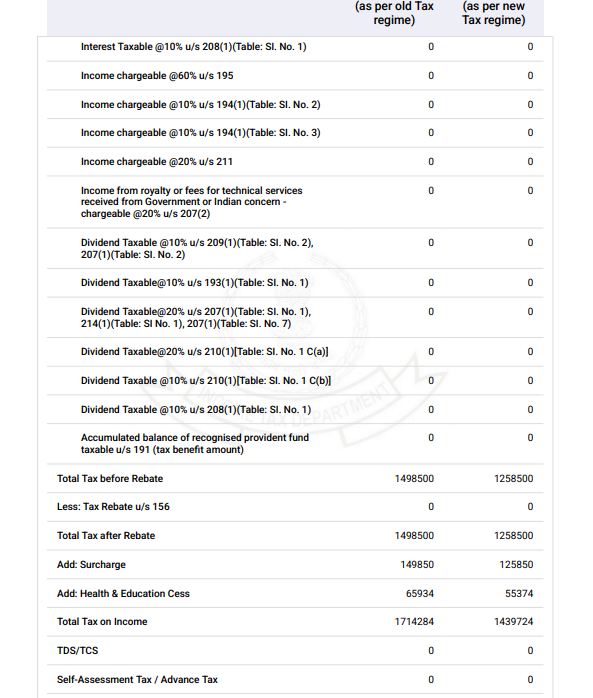
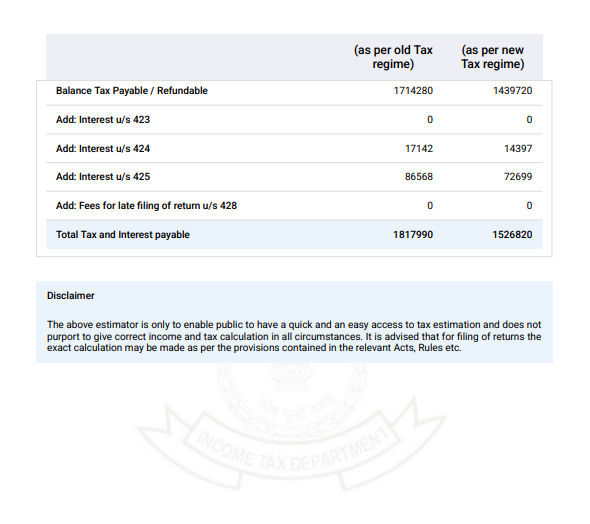
Step 6: If you want to download the pdf of Estimated/calculated Tax, click ‘Download’ to save the estimated tax computation as a PDF on your computer.
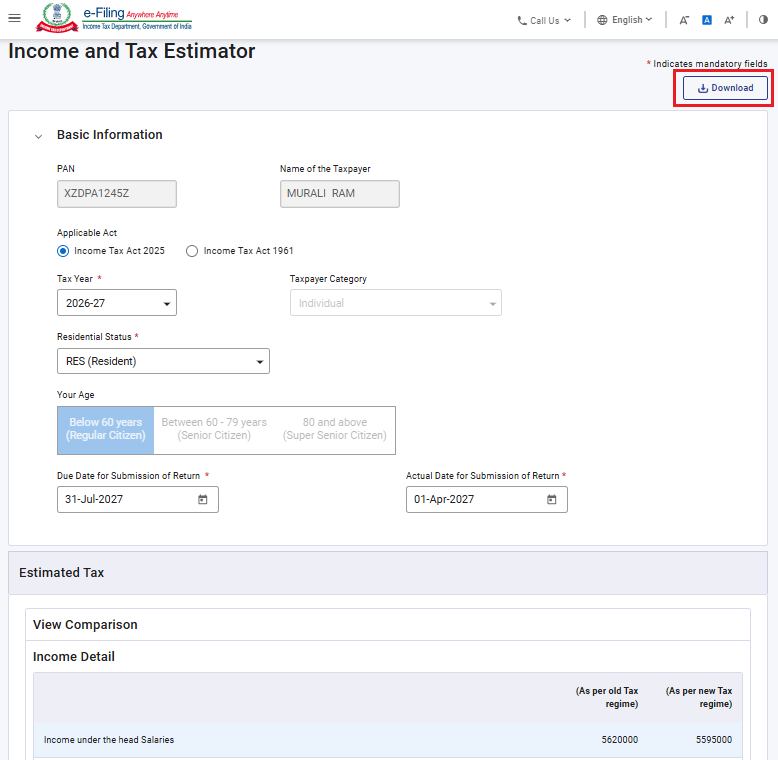
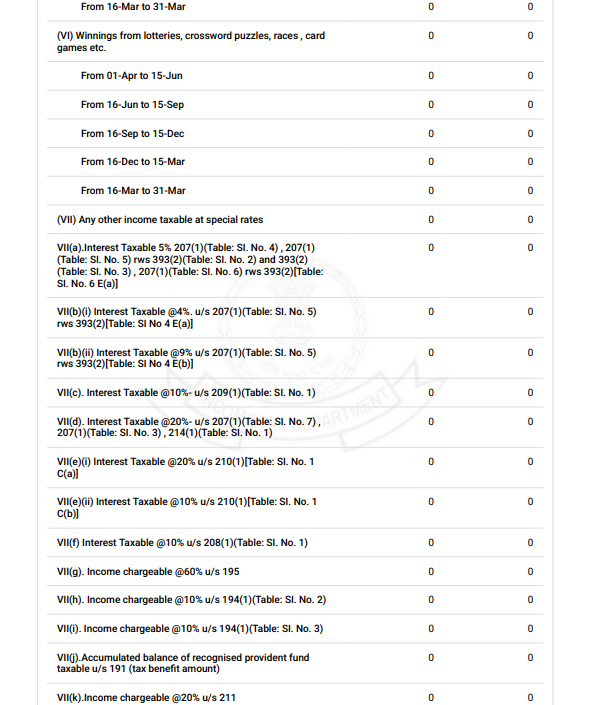
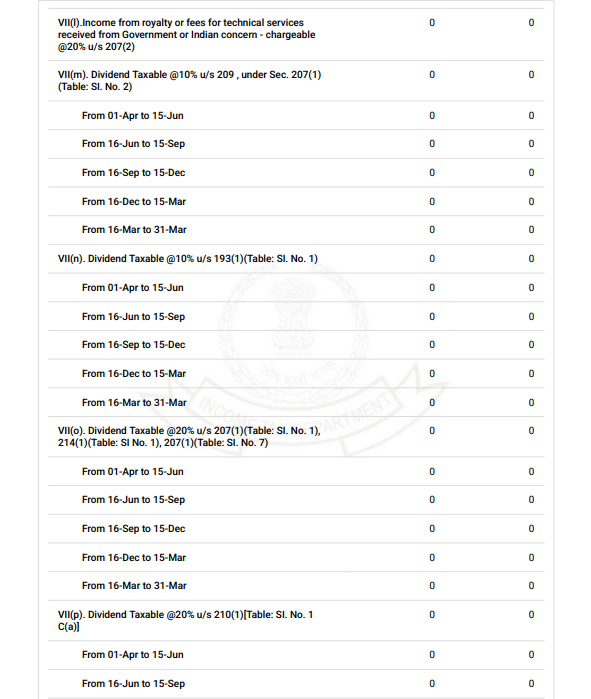
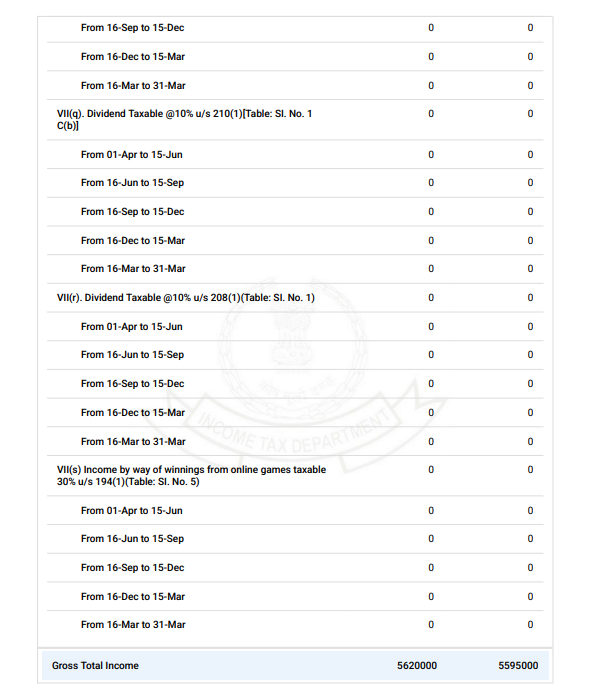
Step 7: Here is your pdf of tax estimated/calculated as per information provided by you: