Login through Net Banking- User Manual
1. Overview
The Login service enables a registered user of the e-Filing portal to access the e-Filing portal and all the services available on e-Filing portal.
There are various methods to login to the e-Filing portal. All the login methods along with credentials to be entered are listed below:
| Login Method | Credentials to be entered |
|
Net Banking (e-Filing Vault Higher Security not enabled) |
Net banking User ID and password |
|
Net Banking (e-Filing Vault Higher Security enabled) |
User ID (PAN) & Password + Net banking User ID and password for second factor authentication |
|
Bank/Demat Account EVC (e-Filing Vault Higher Security enabled) |
User ID (PAN) & Password + Bank EVC for 2nd factor authentication |
| DSC | User ID (PAN) & Password + DSC for 2nd factor authentication |
| Login using User ID – for CA, TAN User, ERI, External Agency, ITDREIN user | User ID & Password |
Most major banks allow you to access the e-Filing portal through their net banking services. It's a safe and easy way to login to e-filing accounts for tax related services.
To check if your bank offers it, you can look for the Net Banking option on the Income Tax e-Filing website.
In this user manual we will discuss how to login to e-Filing portal through Net banking (if e- Filing Vault Higher Security enabled is enabled/not enabled)
2. Prerequisite:
1. E-filing User ID and Password (if e-Filing vault is enabled for login through Net Banking)
2. Bank accounts are validated in the e-Filing portal and nominated for login through net banking should be enabled.
3. Net Banking user ID and Password.
4. Taxpayer should have login net banking at least once before login to e-Filing account through Net Banking.
3. Step by Step process:
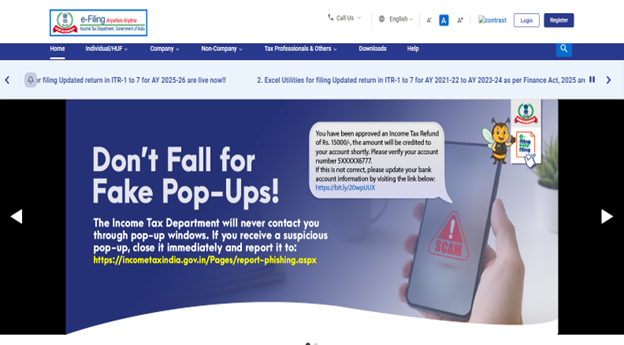
Step 1: Go to the e-Filing portal homepage. Click ‘Login.’
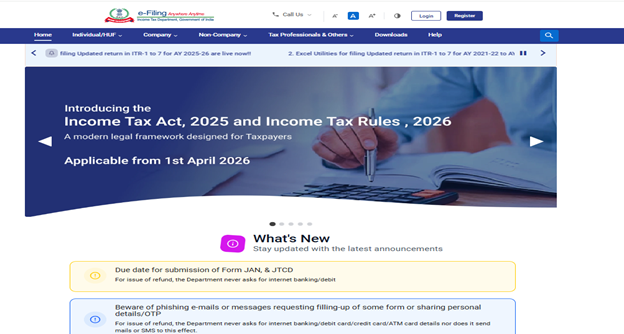
Step 2: On Login page, Click on ‘Net Banking’.
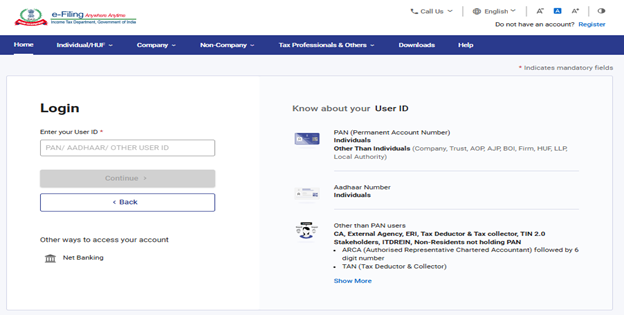
Please Note:
1. If e-Filing Vault Higher Security is enabled for login through net banking- First, you must enter e-filing user ID and Password then select the net banking bank.
2. If e-Filing Vault Higher Security is not enabled for login through net banking- On login Page, click on Net Banking option.
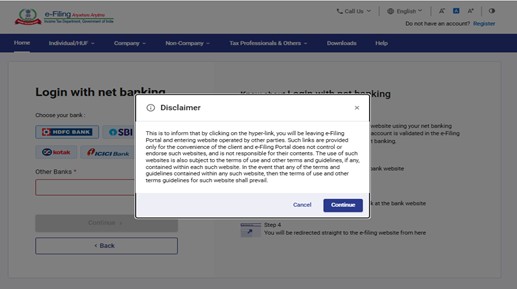
Step 3: On Login with Net Banking page select the bank.
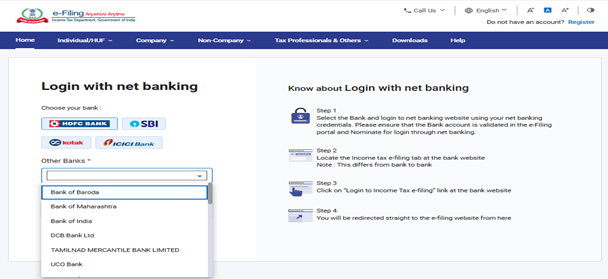
Step 4: On Selecting the bank, pop up message will come that ‘You will be leaving e-Filing Portal and entering website operated by other parties. Click ‘Continue.’
Step 5: Login to net banking website using your net banking credentials.
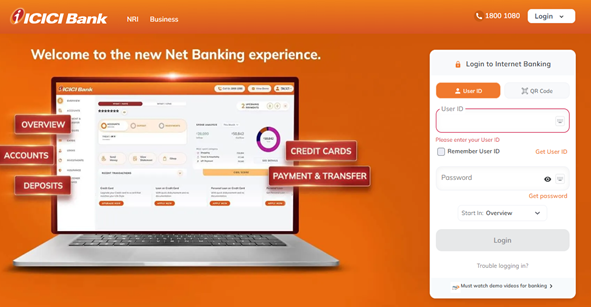
Please Note: Net banking Bank account should be validated on the e-Filing portal and nominate for login through net banking.
Step 6: Locate the Income tax e-filing tab at the bank website (Navigation on bank website differs bank to bank) Click on ‘Login to Income Tax e-filing’ at the bank website.
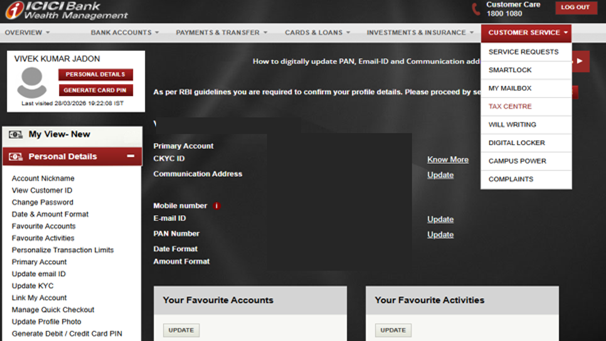
Step 7: You will be redirected straight to the e-filing website from here