Form 1 of FADS 2026 (Foreign Assets of Small Taxpayers Disclosure Scheme, 2026)- User Manual
1. Overview:
The Government has introduced ‘The Foreign Assets of Small Taxpayers - Disclosure Scheme, 2026’ (FADS, 2026) through the Finance Act, 2026.
This Scheme provided small taxpayers a time-bound opportunity to declare Undisclosed Foreign assets, Undisclosed foreign Income or Undeclared foreign assets, on payment of specified tax or fee.
Background of the Scheme
• Applicability:
This scheme is applicable to person -
- who is resident in India, (as per section 6 of the Income-tax Act, 1961), in the relevant previous year; or
- who is a non-resident, or resident but not ordinarily resident (RNOR), [as per section 6(6) of the Income-tax Act, 1961], in the relevant previous year, but was resident in India either-
- in the previous year to which the undisclosed foreign income under section 4 of the Black Money Act, 2015 relates, or
- in the previous year in which the undisclosed asset located outside India was acquired
• Opportunity: Provides a time-bound window to eligible taxpayers to declare eligible taxpayers to declare certain undisclosed foreign assets, undisclosed foreign income” or undeclared foreign assets by paying a specified tax or fee.
• Undisclosed Asset Located Outside India: Defined as an asset (including financial interest in any entity) located outside India, held by the taxpayer in their name or as a beneficial owner, where there is no explanation about the source of investment or the explanation given is unsatisfactory to the Assessing Officer.
• Undisclosed Foreign Income: The total income from a source located outside India that was chargeable to tax in India but has not been offered to tax.
• Declaration Timeline: From 16 August 2026 to 31 December 2026.
Taxpayers making a valid declaration and payment receive immunity from further tax, penalty, and prosecution under the Black Money (Undisclosed Foreign Income and Assets) and Imposition of Tax Act, 2015 (‘the Black Money Act’), subject to prescribed conditions.
Prescribed Forms & Timelines:
| Form | Description | Action By | Timeline |
| Form 1 | Declaration of foreign assets/income | Taxpayer | 16 August 2026 to 31 December 2026 |
| Form 2 | Order by Tax Authorities determining amount payable | Income Tax Department | Within 1 month from end of the month in which Form 1 is submitted |
| Form 3 | Intimation of payment by taxpayer | Taxpayer | Within 4 months from end of the month in which Form 2 is issued |
| Form 4 | Order certifying validity of declaration and payment | Income Tax Department | Within 1 month from end of the month in which Form 3 is submitted |
Categories of Declaration in Form 1 and Amount Payable:
| Ctg. | Type of Undisclosed Assets or Income | Amount Payable |
| 1 | • Undisclosed asset located outside India or undisclosed foreign income • Aggregate value does not exceed Rs 1 crore |
The total amount payable would be the aggregate of – (i) tax of 30% of the value of the undisclosed asset located outside India or 30% of the undisclosed foreign income declared; and (ii) amount equal to the tax paid in (i) |
| 2 |
• Asset located outside India acquired from income accruing/arising outside India while a non-resident and not declared upon becoming a resident or
|
A flat fee of Rs 1 lakh |
This User manual covers the step-by-step process of filing Form 1 of FADS 2026 on the e-Filing portal.
2. Prerequisites:
● A valid PAN registered on the e-Filing portal.
● Complete details of the foreign asset(s) and/or foreign income being declared – e.g., bank account details, immovable property, jewellery, artistic work, shares and securities, or other assets, along with their fair market value.
●Supporting documents where applicable – e.g., passport details, valuation reports for immovable property/jewellery/artistic work, and computation of income/value (PDF or ZIP, up to 5 MB per attachment).
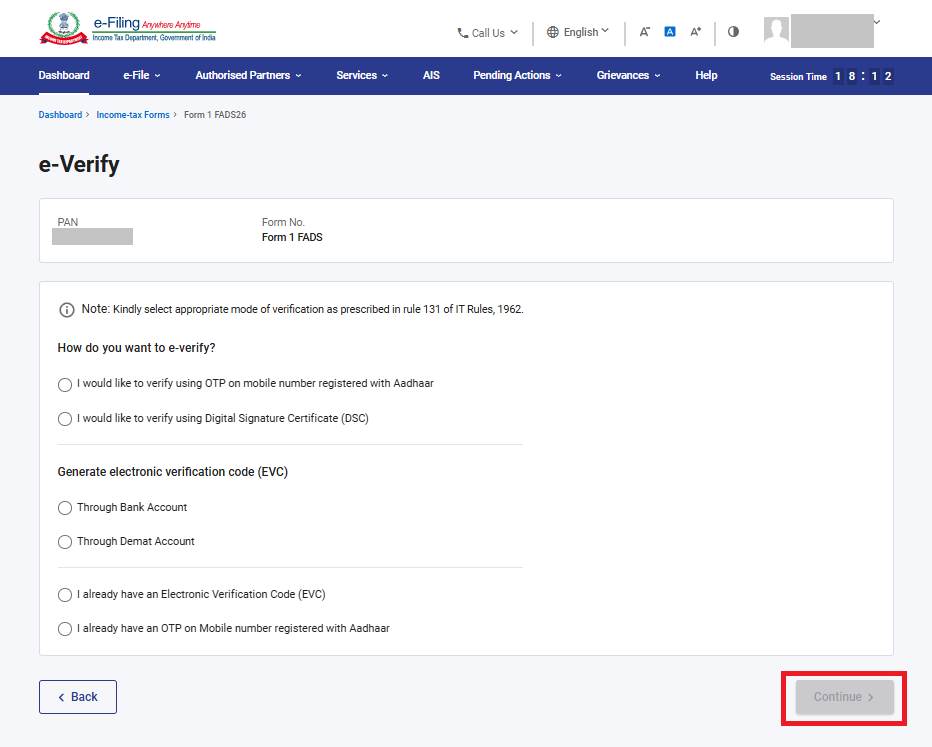
● A mode of e-Verification ready – Aadhaar-registered mobile OTP, Digital Signature Certificate (DSC), or Electronic Verification Code (EVC) through a bank or demat account.
3. Step-by-Step process
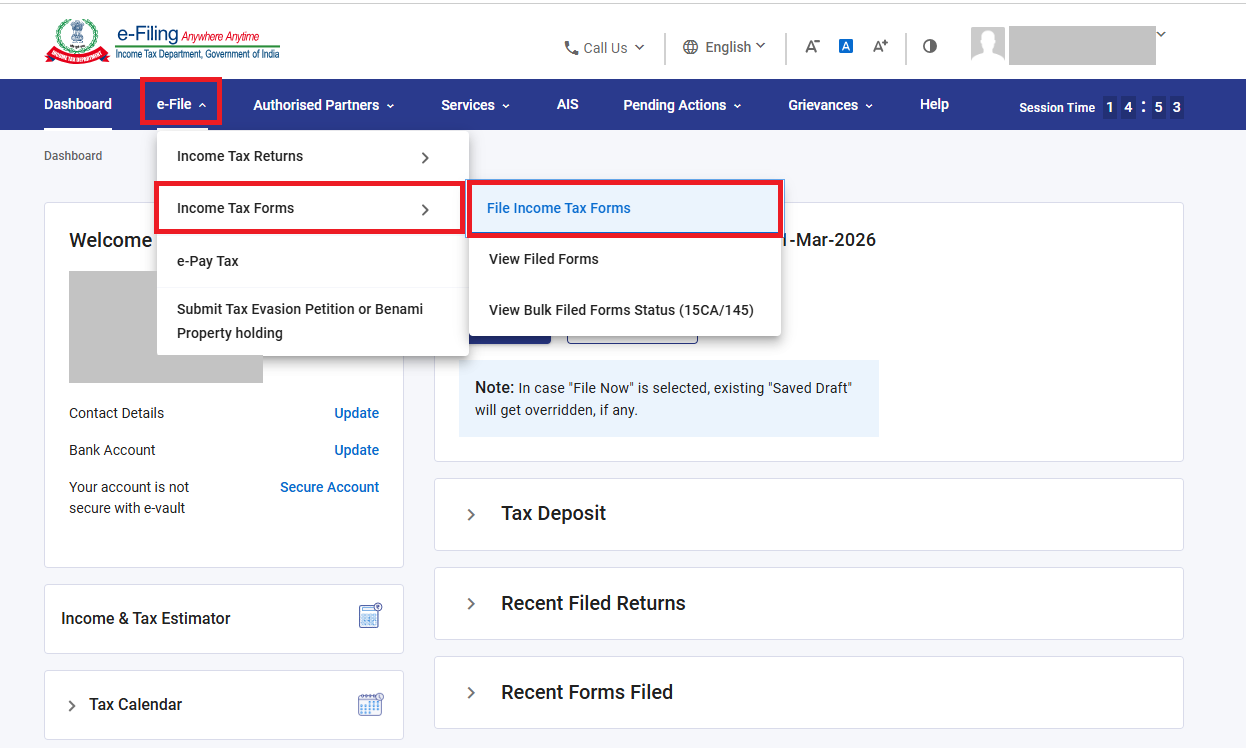
Step 1: On the e-Filing portal dashboard, Go to e-file > Income Tax Forms > File Income Tax Forms
Step 2: In the ‘Forms as per other Acts’ category. Locate ‘FOREIGN ASSETS OF SMALL TAXPAYERS’ DISCLOSURE SCHEME 2026 (Form 1 of FADS 2026)’ and click ‘File Now’.
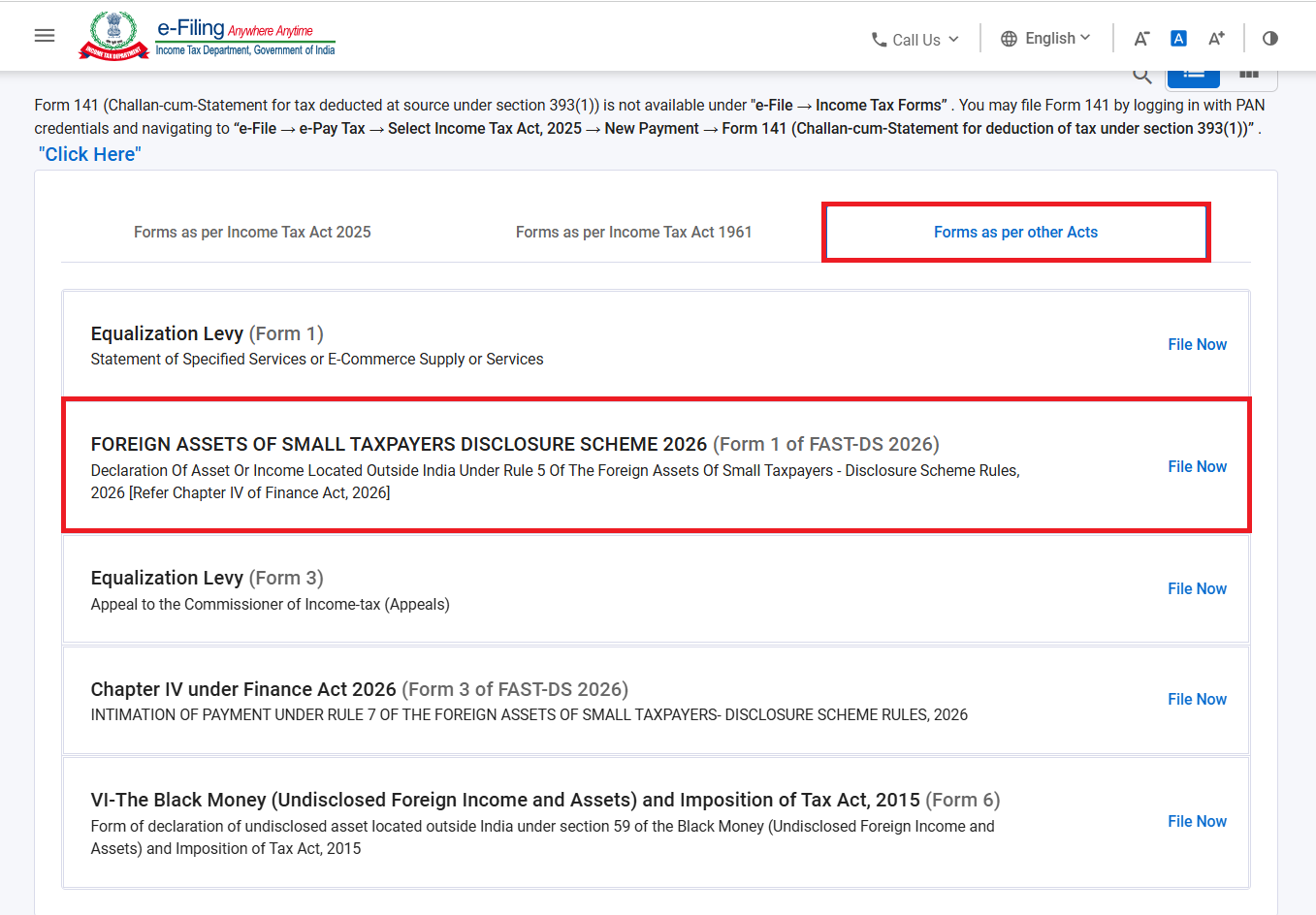
Forms as per other Acts – Form 1 of FADS 2026
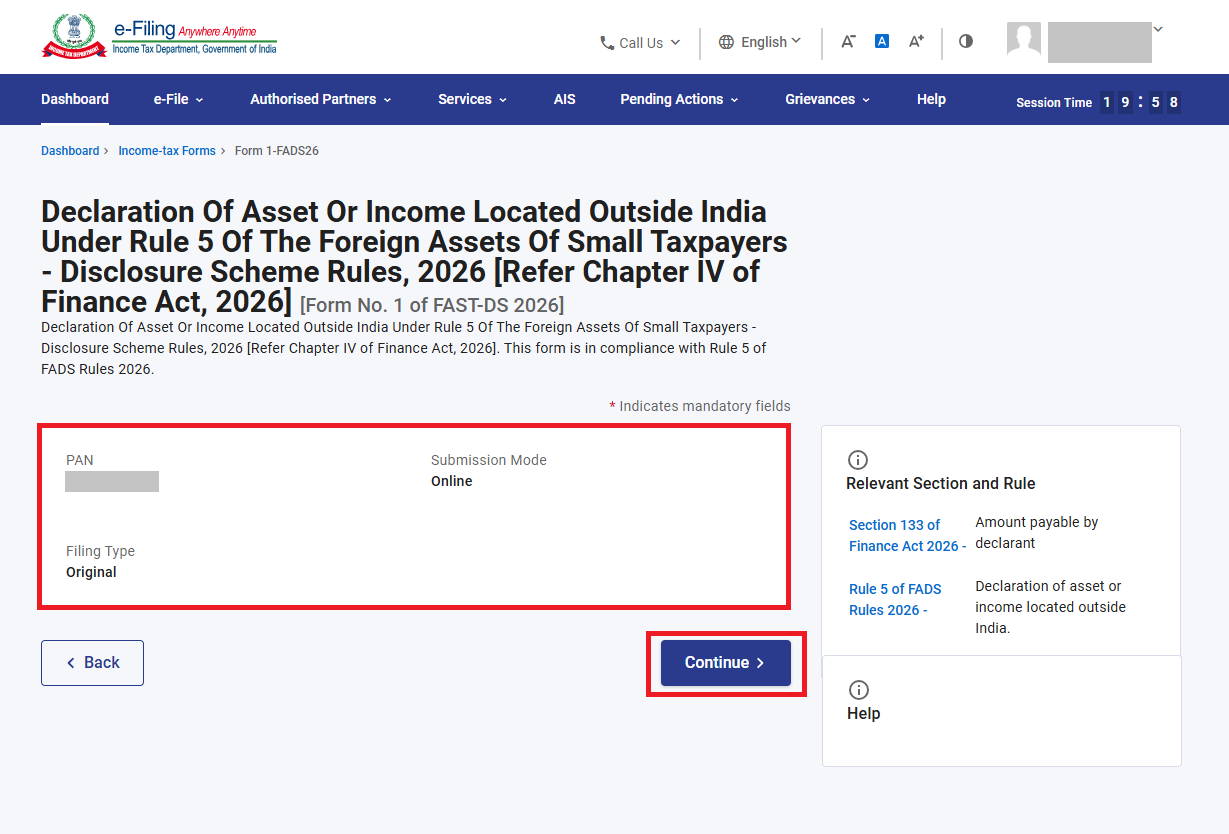
Step 3: On the form landing page, your PAN, Submission Mode (Online), and Filing Type (Original) are shown. Click ‘Continue’.
Note:
1. If you have already uploaded Form 1 of FADS 2026, a confirmation pop-up appears warning that re-uploading will make the earlier filed form non-actionable, and that the newly filed form will be treated as valid with the current date and all consequences of law attached.
2. Click ‘Proceed’ to continue with a fresh filing, or ‘Cancel’ to go back without filing again.
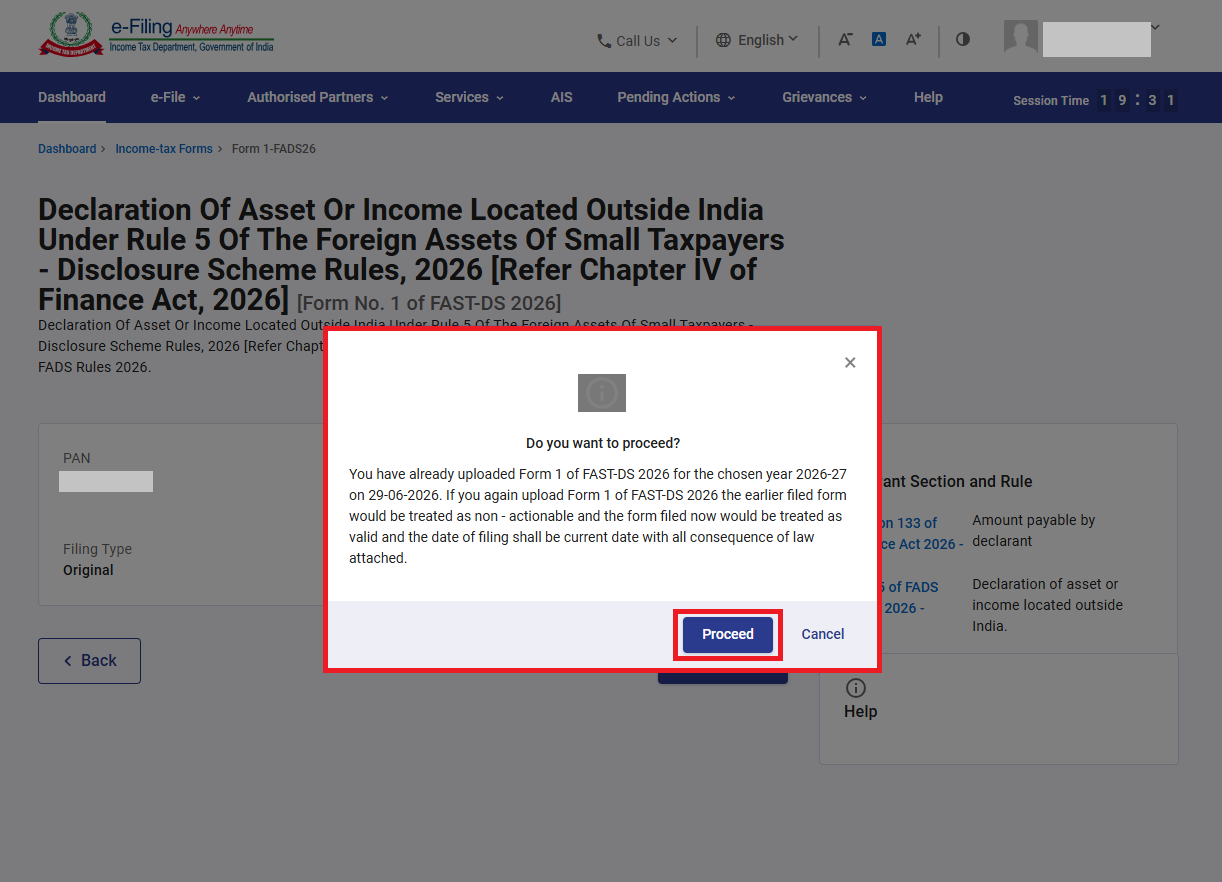
Confirmation pop-up shown when a Form 1 already exists
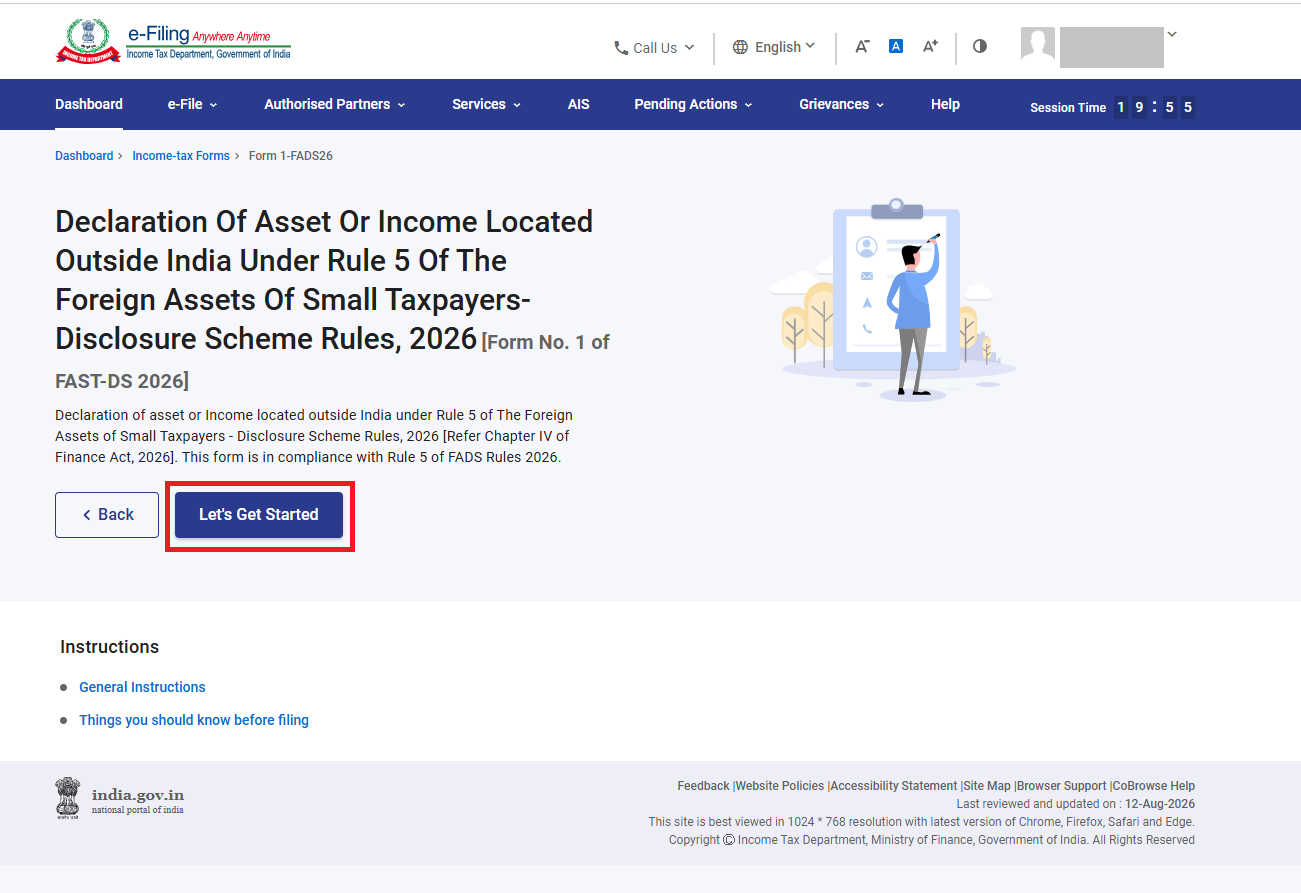
Step 4: Click ‘Let’s Get Started’.
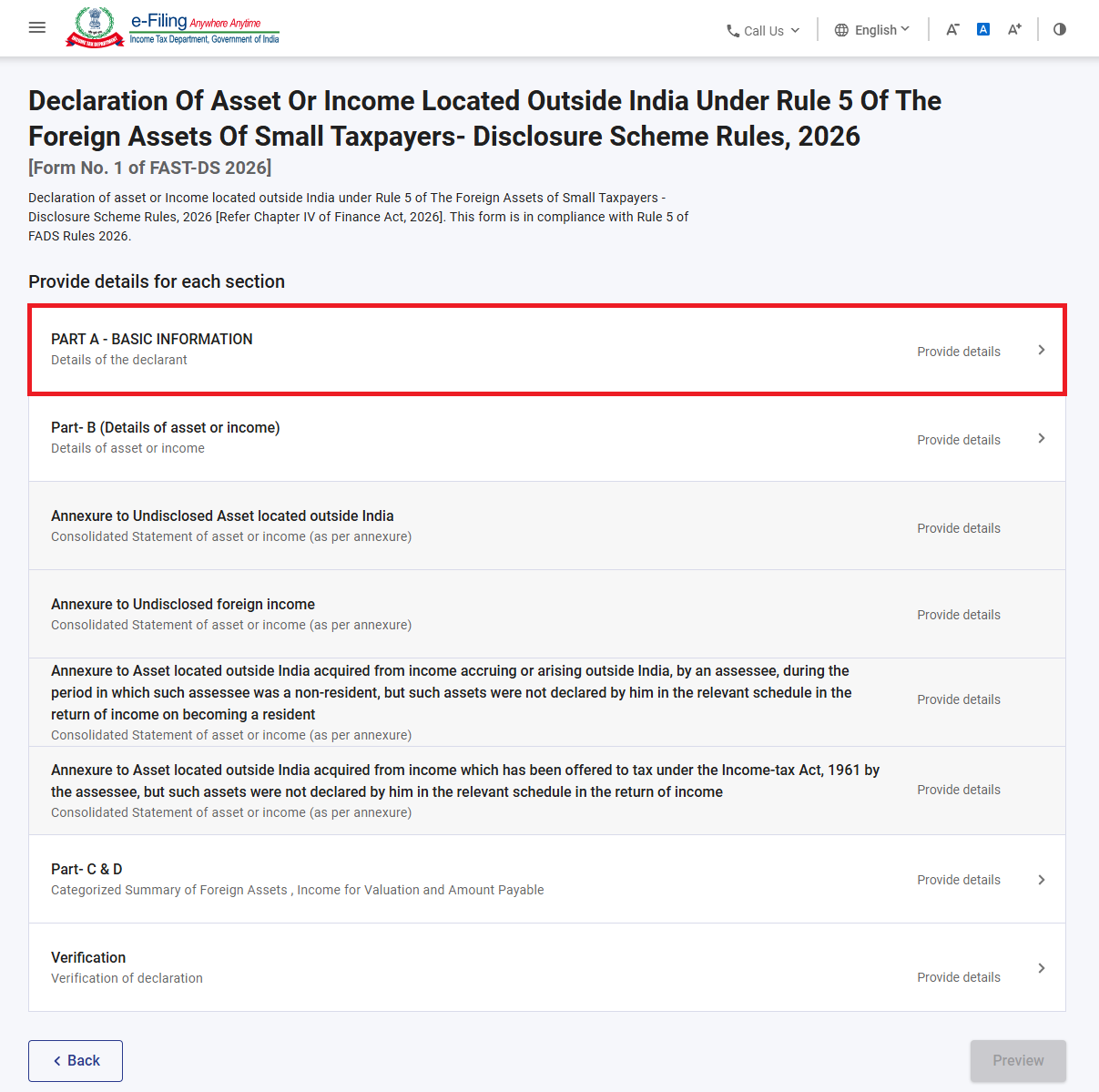
Step 5: Form 1 has eight tabs:
● Part A – Basic Information (details of the declarant)
● Part B – Details of asset or income
● Annexure to Undisclosed Asset located outside India
● Annexure to Undisclosed foreign income
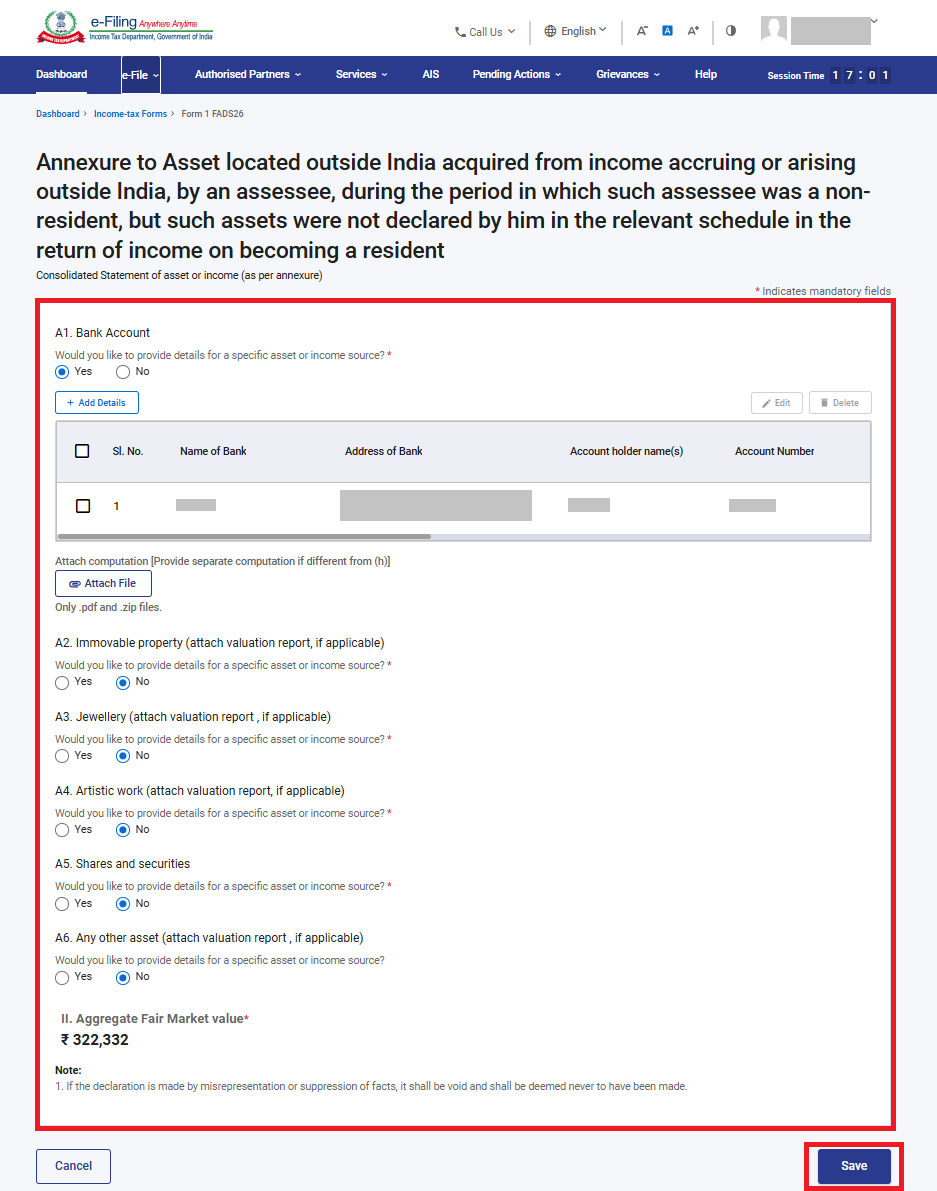
● Annexure to Asset located outside India acquired from income accruing or arising outside India, by an assessee, during the period in which such assessee was a non-resident, but such assets were not declared by him in the relevant schedule in the return of income on becoming a resident
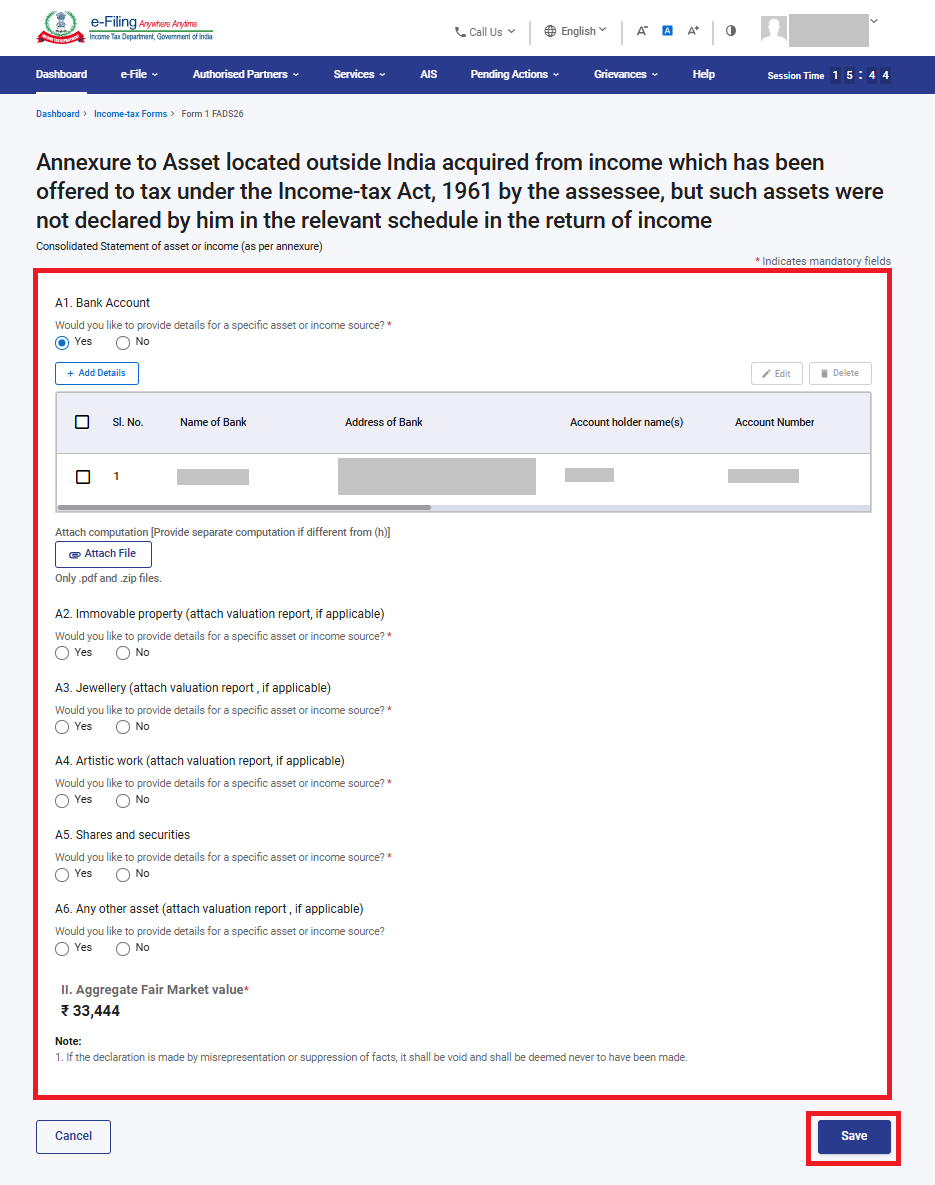
● Annexure to Asset located outside India acquired from income which has been offered to tax under the Income-tax Act, 1961, by the assesee but such assets were not declared by him in the relevant schedule of the return of income
● Part C & D – Categorized Summary of Foreign Assets, Income for Valuation and Amount Payable
● Verification
Confirm each (applicable) tab. Click on Part-A Basic Information.
Step 6: Confirm the declarant’s (i)First, Middle and Last name, (ii)Address, and (iii)PAN (auto-populated). Optionally enter (iv) Passport Number and (v) attach passport details (.pdf or .zip, up to 5 MB). Click ‘Save’.
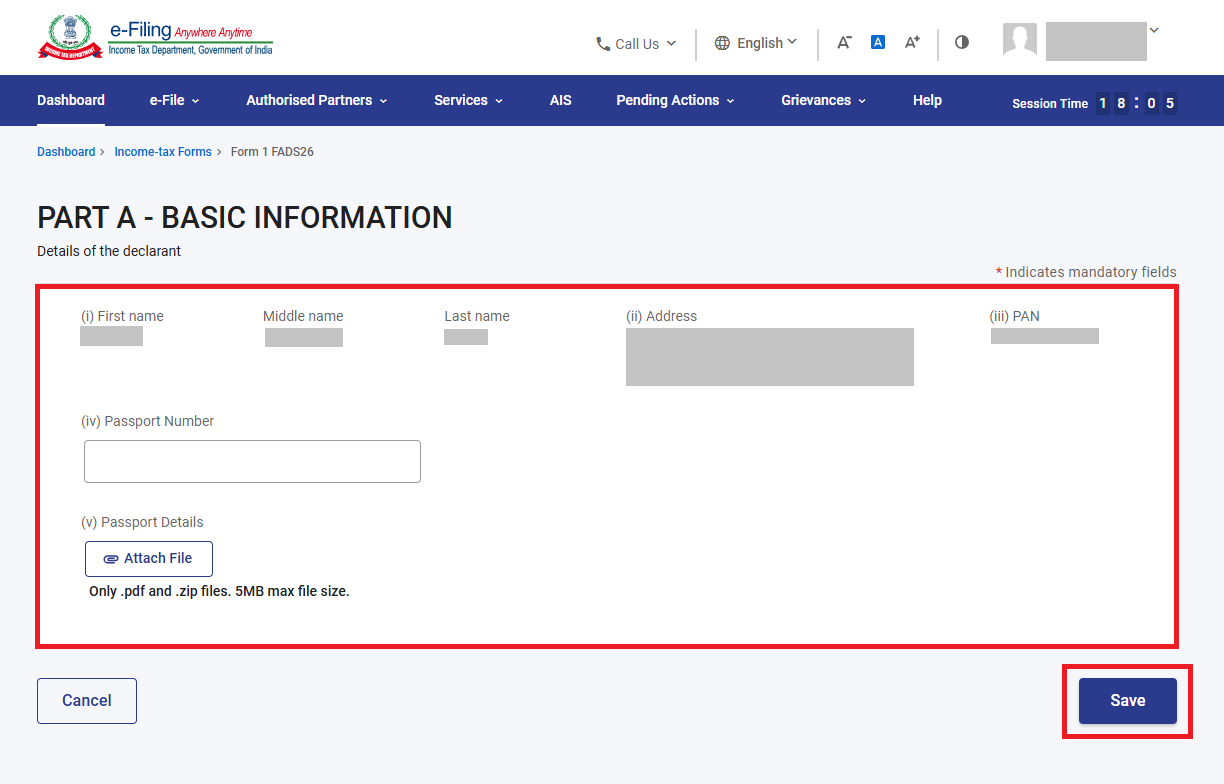
Part A – Basic Information
Step 7: Part-A Basic Information is confirmed. Click on Part-B (Details of assets or income).
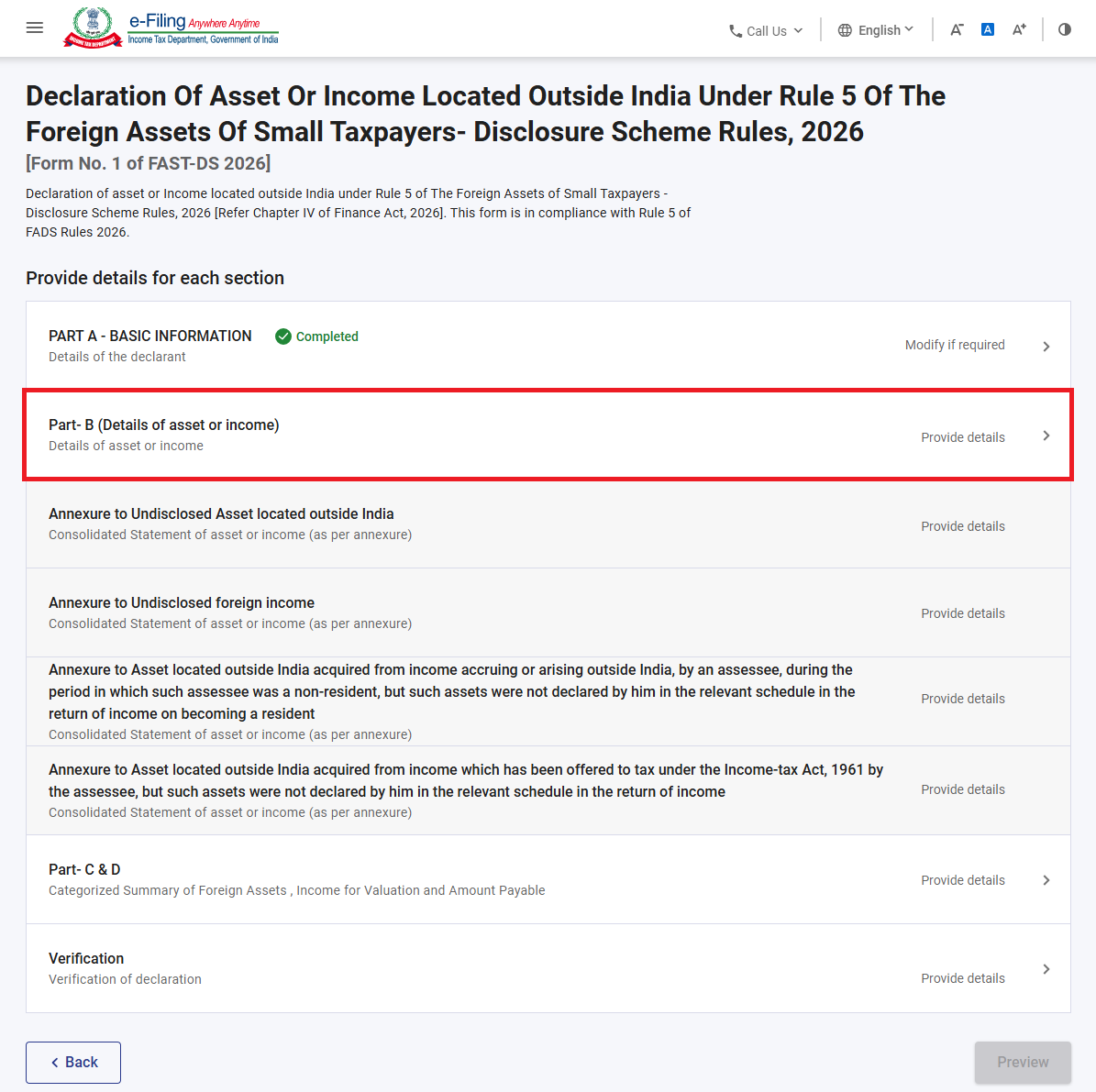
Step 8: In Part B (Details of assets or Income) Select the applicable type(s) of asset or income as per column (2) of the Table in Section 133 – you may select more than one:
1. Undisclosed asset located outside India
2. Undisclosed foreign income
3. Asset located outside India acquired from income accruing or arising outside India, by an assessee, during the period in which such assessee was a non-resident, but such assets were not declared by him in the relevant schedule in the return of income on becoming a resident
4. Asset located outside India acquired from income which has been offered to tax under the Income-tax Act, 1961, by the Assessee but such assets were not declared by him in the relevant schedule of the return of income
Click ‘Save’. Based on the selection here, annexures will enable.
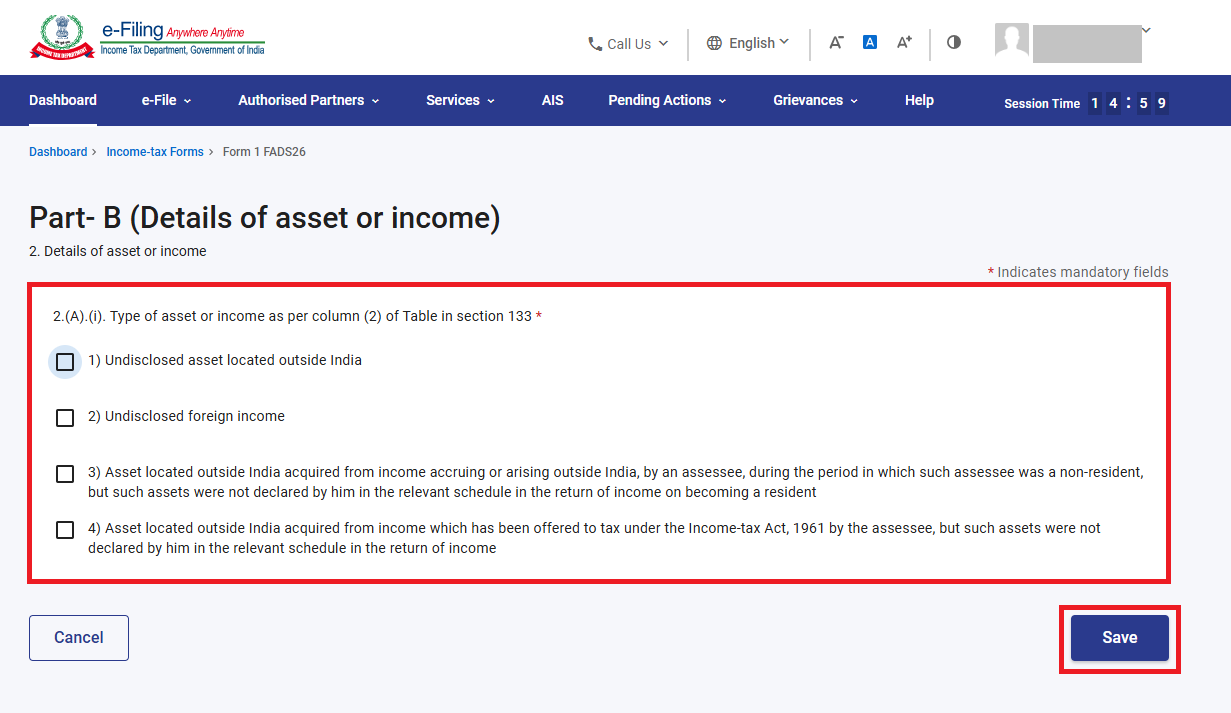
Part B – Type of asset or income
Step 9: Part-B (Details of Asset or Income) is confirmed. Click on applicable annexures (annexures will be enabled based on selection in Part B).
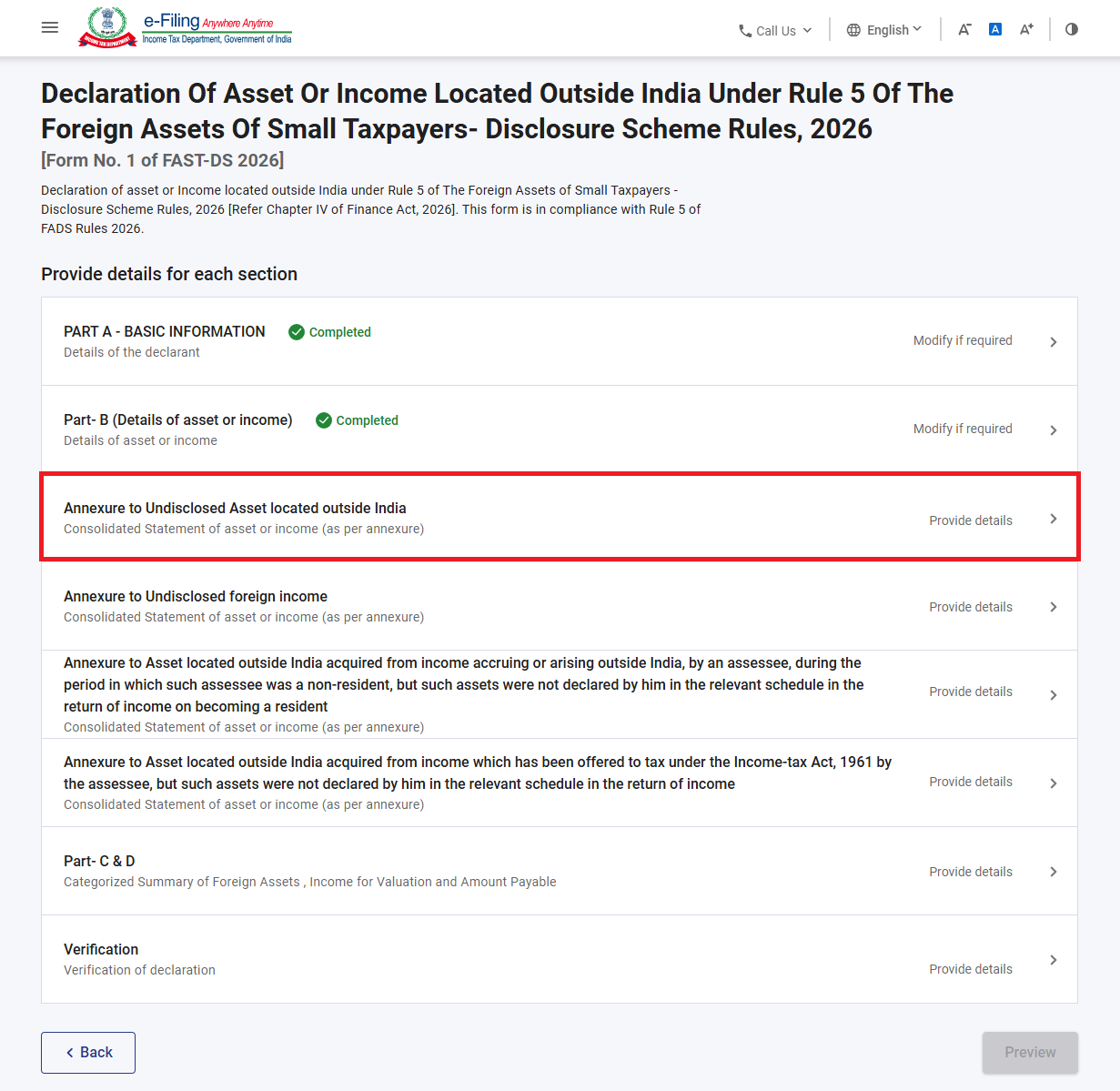
Annexures – Consolidated Statement of Asset or Income
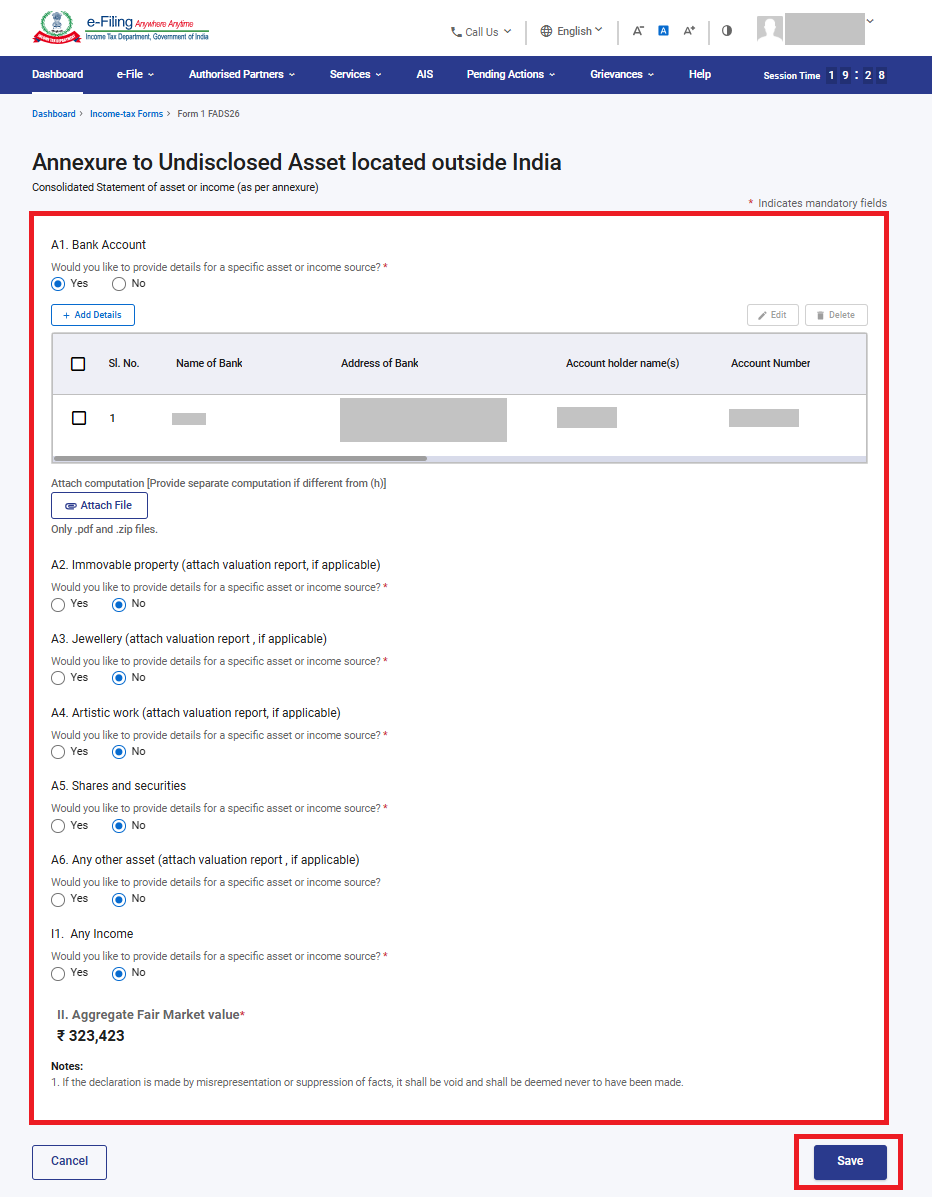
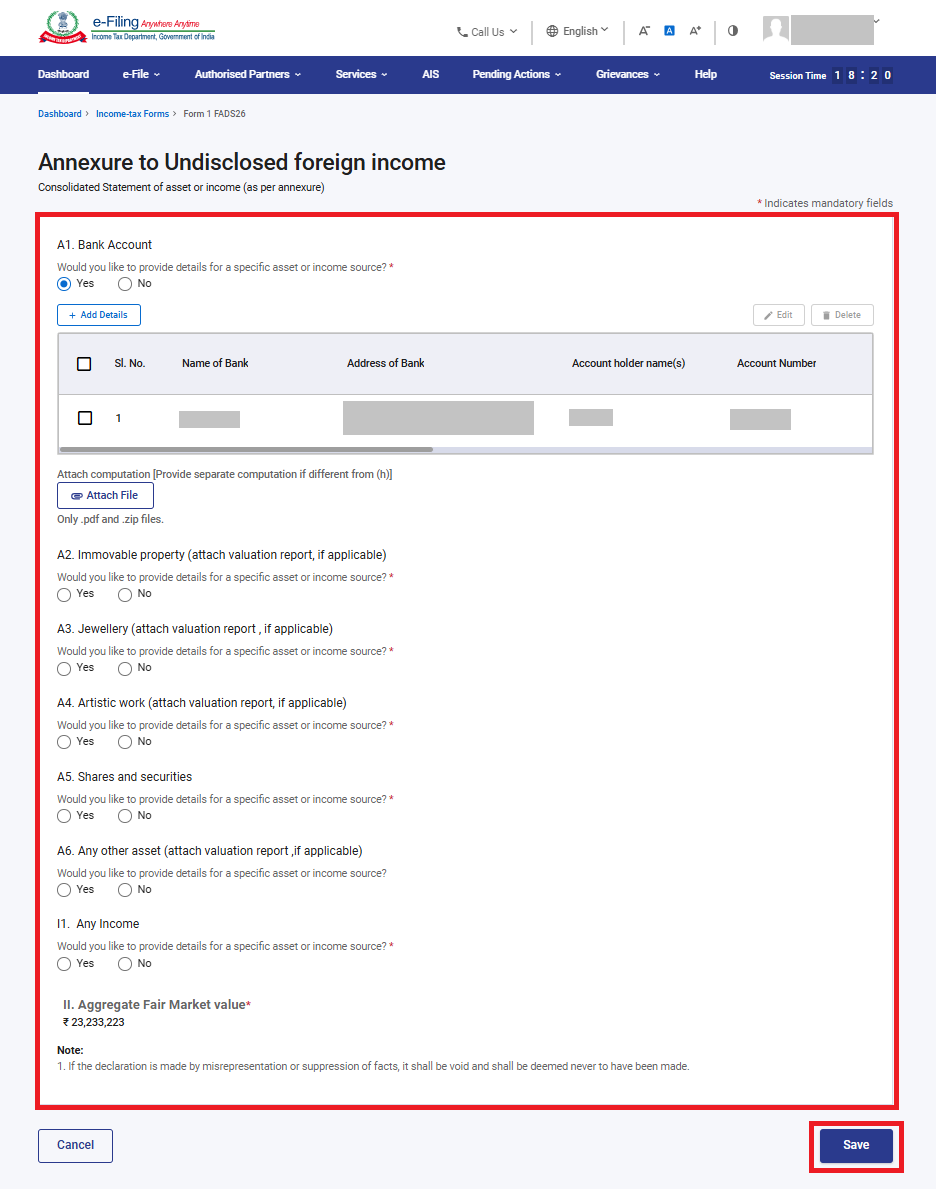
For each type selected in Part B, a corresponding annexure page opens. All four annexures follow the same structure, comprising asset categories A1 to A6. In addition, Annexures 1 and 2 include income category I1, whereas Annexures 3 and 4 do not contain the I1 section.
● A1. Bank Account
● A2. Immovable property (attach valuation report, if applicable)
● A3. Jewellery (attach valuation report, if applicable)
● A4. Artistic work (attach valuation report, if applicable)
● A5. Shares and securities
● A6. Any other asset (attach valuation report, if applicable)
● I1. Any Income
For each category, answer ‘Would you like to provide details for a specific asset or income source?’ (Yes/No). If ‘Yes’, click ‘+ Add Details’ to add a record – for a bank account this captures Name of Bank, Address of Bank, Account holder name(s) and Account Number,etc which then appears as a row in a table with ‘Edit’ and ‘Delete’ options.
You may attach a separate computation (.pdf or .zip) if it differs from the aggregate shown. The ‘Aggregate value as per Rule 3’ updates automatically based on the entries made. Click ‘Save’ once done.
Annexure to Undisclosed Asset located outside India:
If in Part B you have selected "Undisclosed asset located outside India" you need to fill this annexure. Fill the details across categories A1–A6 (bank accounts, immovable property, jewellery, artistic work, shares/securities, and any other asset) that fall into this undisclosed-asset category.
Annexure to Undisclosed foreign income:
If in Part B you have selected, "Undisclosed foreign income" — i.e., income from a source outside India that was taxable in India but was never offered to tax, you need to fill this annexure.you need to fill this annexure. Provide the details in Category I1 (Any Income) - details of the income source, amount, and period, in addition to any related asset categories A1–A6 (bank accounts, immovable property, jewellery, artistic work, shares/securities, and any other asset) purchased from that income.
Annexure to Asset located outside India acquired from income accruing or arising outside India, by an assessee, during the period in which such assessee was a non resident, but such assets were not declared by him in the relevant schedule in the return of income on becoming a resident
Annexure to Asset located outside India acquired from income which has been offered to tax under the Income-tax Act, 1961 by the assessee, but such assets were not declared by him in the relevant schedule in the return of income
Step 10: All (applicable) annexures are confirmed. Click on Part- C&D
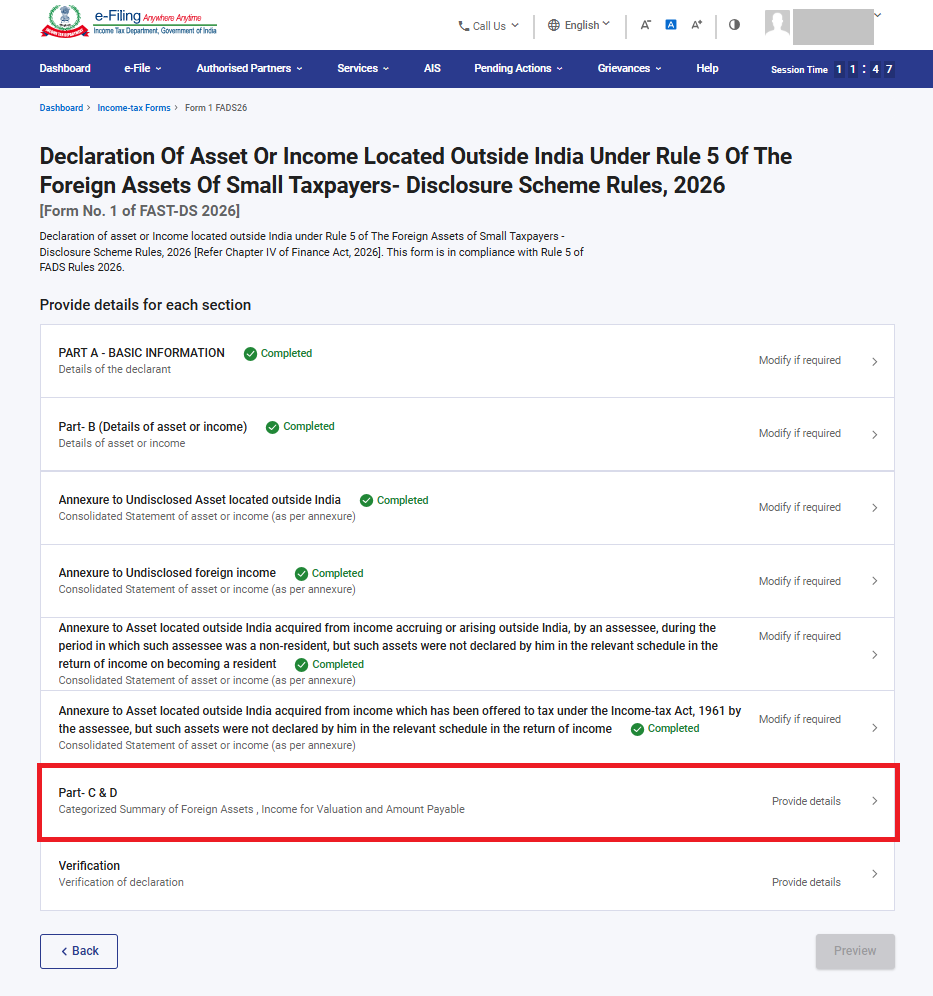
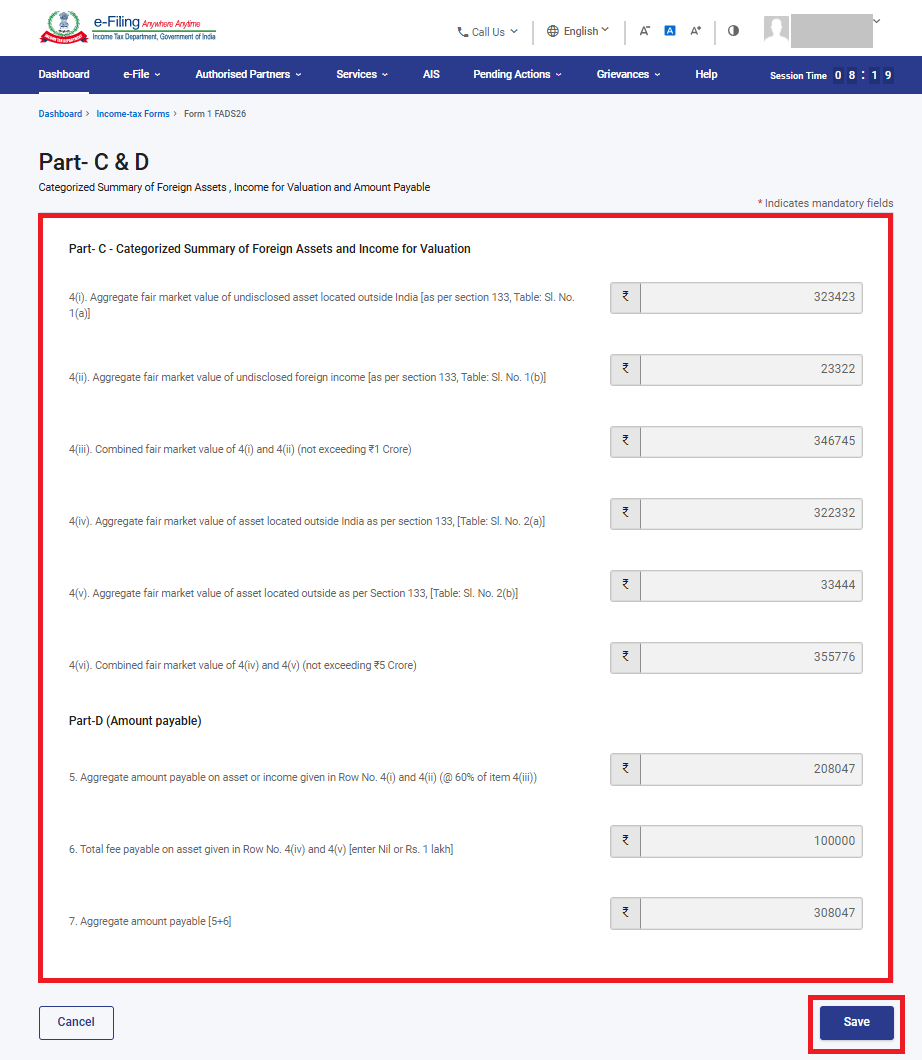
Step 11: Part C & D – Categorized Summary and Amount Payable
Review the auto-computed values displayed on the Part C & D page-
Part C:
Verify the following auto-calculated amounts:
• 4(i): Aggregate Fair Market Value (FMV) of undeclared assets
• 4(ii): Aggregate undisclosed foreign income
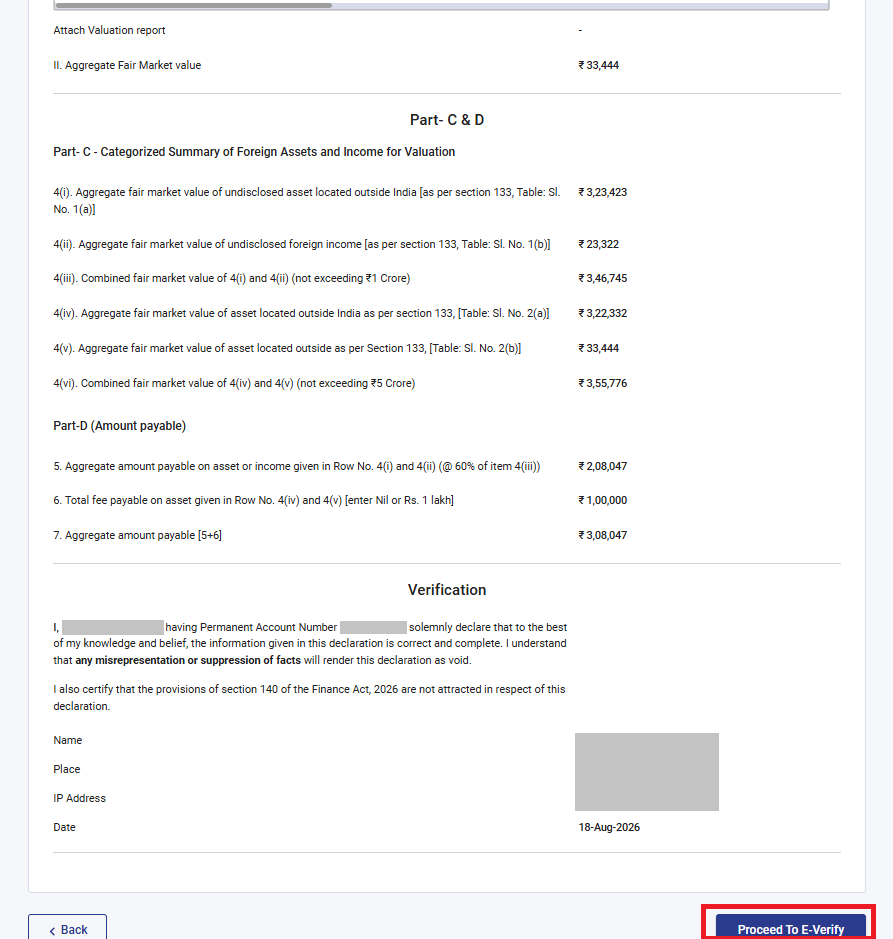
• 4(iii): Combined value of items 4(i) and 4(ii), subject to a maximum limit of ₹1 crore
• 4(iv): Value of assets acquired during the non-resident period
• 4(v): Value of assets acquired from income already offered to tax
• 4(vi): Combined value of items 4(iv) and 4(v), subject to a maximum limit of ₹5 crore
Part D:
Review the following auto-computed figures:
• 5: Aggregate amount payable on the amounts reported in 4(i) and 4(ii), calculated at 60% of item 4(iii)
• 6: Total fee payable on the amounts reported in 4(iv) and 4(v) (Nil or ₹1,00,000, as applicable)
• 7: Total amount payable (Item 5 + Item 6)
Click ‘Save’ once you have reviewed these figures.
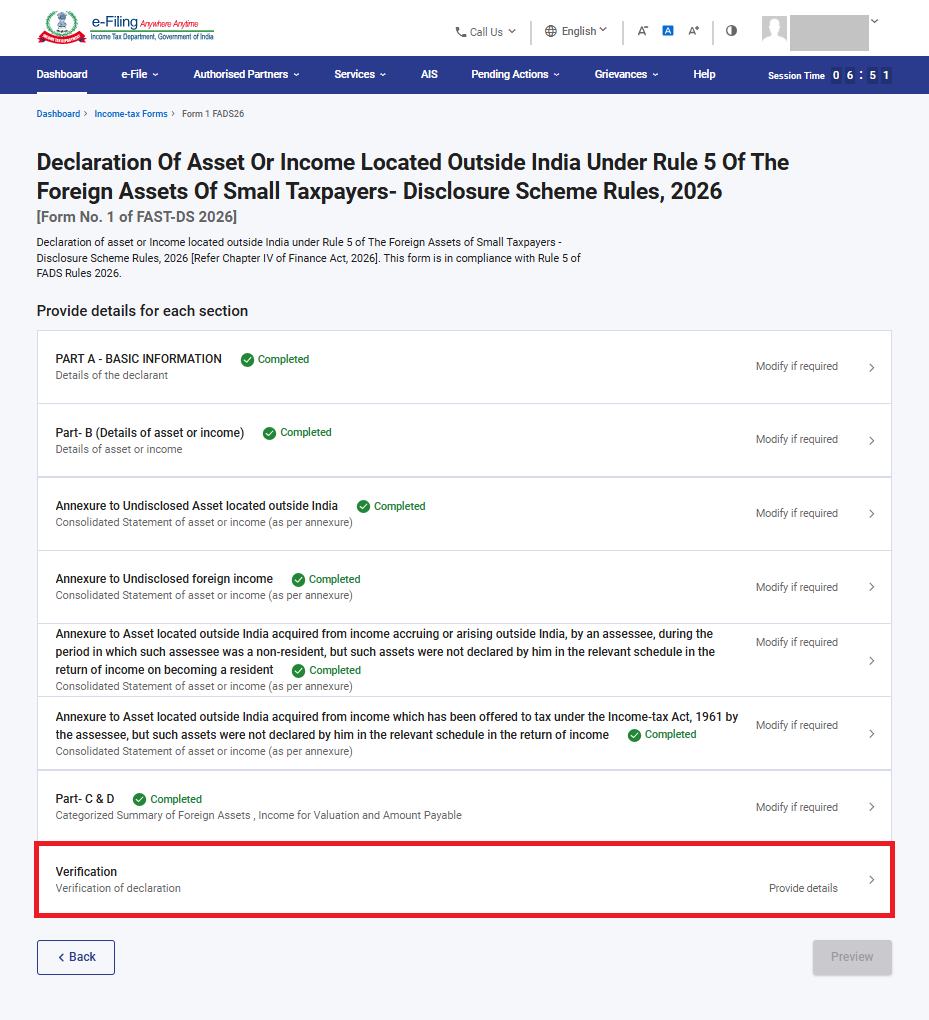
Step 12: Part-C&D are confirmed. Click on Verification.
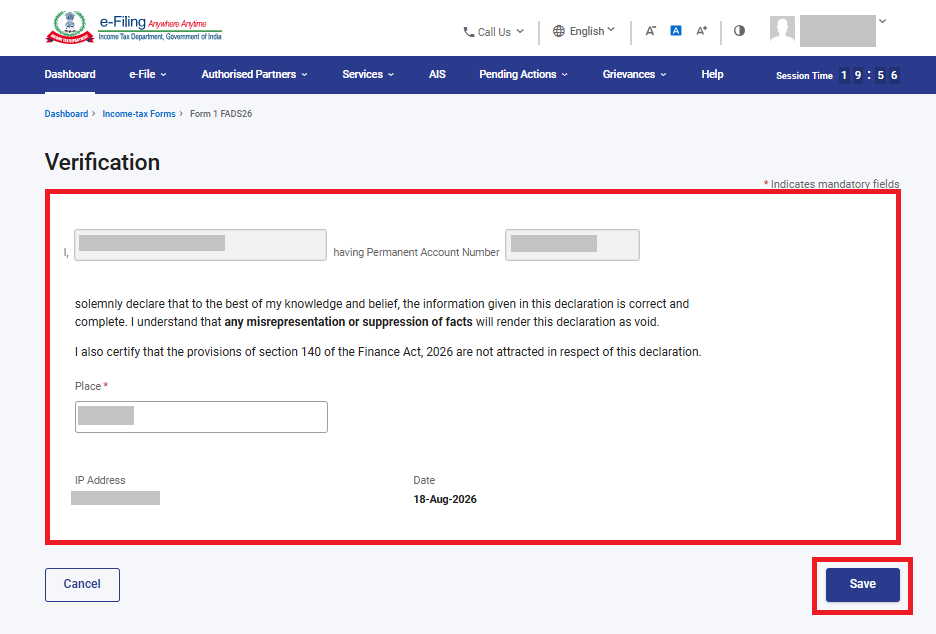
Step 13: Confirm the declarant’s name and PAN (auto-populated), enter the ‘Place’ of declaration, and Click ‘Save’.
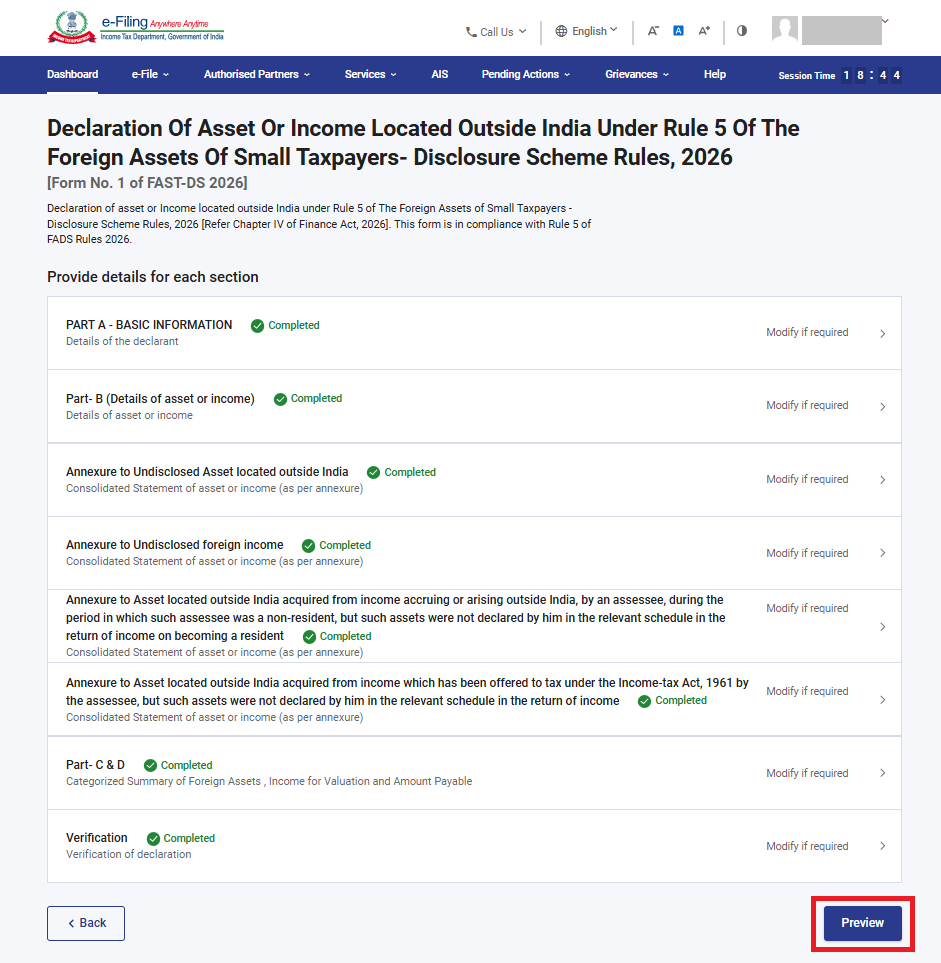
Step 14: Every completed mandatory section shows a green ‘Completed’ tag. Once all sections are complete, the ‘Preview’ button becomes active – click it to proceed.
Step 15: On the Preview page, review the complete form – Part A, Part B, the applicable annexures, Part C & D, and Verification. Use ‘Edit’ to return and make changes, or ‘Download’ to save a copy of the form as filed. When ready, click ‘Proceed To E-Verify’.
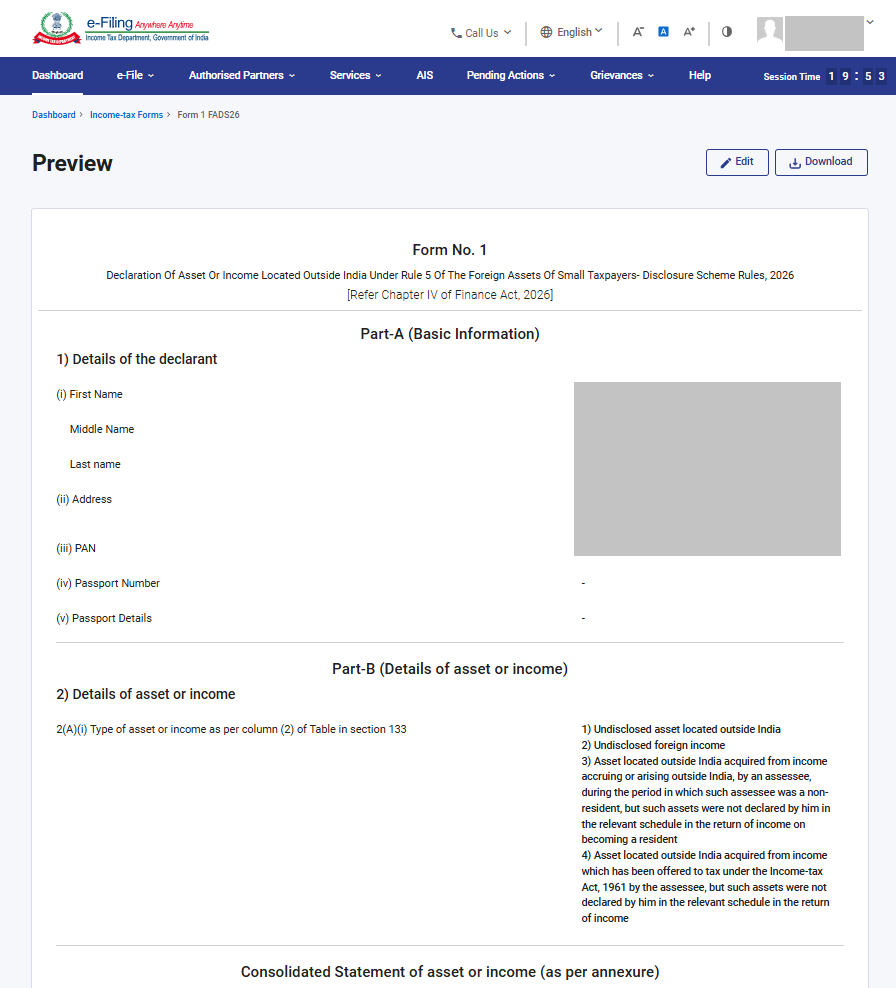
Step 16: On the e- Verify page, select your preferred mode of verification, click ‘Continue’ to complete the e-Verification.
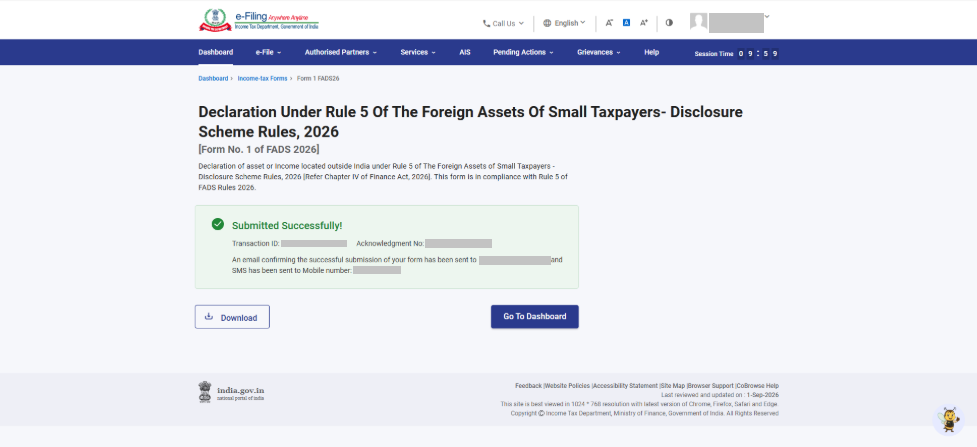
Step 17: Once the form is submitted you will see success message that form is submitted successfully.