


Form 3 of FADS 2026 (Foreign Assets of Small Taxpayers Disclosure Scheme, 2026) _User Manual
1. Overview:
Form 3- FADS 2026 is the intimation of payment of liability by the declarant under the Foreign Assets of Small Taxpayers Disclosure Scheme, 2026 (FADS 2026).
Form 3 is required to be filed by the declarant after payment of the tax amount (with interest, if paid late) as determined by the Income Tax Department in Form 2. Form 3 is an intimation of payment by the declarant to the Income Tax Department on the e-Filing portal.
1.1 Background of the Form:
• Applicable Rule: Form 3 is prescribed under Rule 7 of the Foreign Assets of Small Taxpayers – Disclosure Scheme Rules, 2026 (Chapter IV of the Finance Act, 2026).
• Who files: The declarant who filed Form 1 , received the order in Form 2 and has made payment through FADS challan (ITNS 289).
• Filing type and mode: Form 3 can be submitted online and only once for a PAN. Further/revision/withdrawal of Form 3 is not permitted.
• Outcome: After Form 3 is submitted and e-verified, the Income Tax Department Issues Form 4, the order certifying the validity of the declaration and payment (Rule 8).
Important: As Form 3 can be filed only once, please file it only after full and final payment of tax/fee and interest, if any is payable.
1.2 Prescribed forms and timelines
| Form | Description | Action by | Timeline |
| Form 1 | Declaration of foreign assets/income | Taxpayer | 16 August 2026 to 31 December 2026 |
| Form 2 | Order determining amount payable | Income Tax Department | Within 1 month from end of the month in which Form 1 is submitted |
| Form 3 | Intimation of payment | Taxpayer | Within 4 months (2+2 months) from end of the month in which Form 2 is issued |
| Form 4 | Order certifying validity of declaration and payment | Income Tax Department | Within 1 month from end of the month in which Form 3 is submitted |
1.3 Payment timelines and interest
• Time for payment: The declarant must pay the amount determined in the Form 2 order within two months from the end of the month in which the order is received. For example, if Form 2 is received on 31/08/2026, the due date is 31/10/2026.
• Further period: If the full amount is not paid within the two months, it may be paid within a further period not exceeding two months. The outer limit is four months from the end of the month of the Form 2 order (31/12/2026 in the example).
• Interest: For the further period (two months), simple interest at 1% for every month or part of a month of delay is payable on the amount remaining unpaid. (Part B of Form 3 reports this month by month.)
• Consequence of non-payment: If the full amount and interest are not paid within the outer limit (four months), the benefit of the Scheme ceases for that declaration.
• Matching on the portal: The total of the challans in Part C must equal the amount payable under Form 2 plus the interest shown in Part B. e-Filing portal does not accept Form 3 until they match.
1.4 How to pay through challan ITNS 289
All payments under FADS 2026 are made through challan ITNS 289, using the same PAN with which Form 1 was filed.
1. Log on to the e-Filing portal and go to e-File > e-Pay Tax. Select ‘Income Tax Act 1961’ and click ‘New Payment’. (Without logging in: on the Home page, click ‘e-Pay Tax’, select Income-tax Act, 1961, enter your PAN and mobile number and verify the OTP.)
2. Select ‘Foreign Assets of Small Taxpayers Disclosure Scheme, 2026 (ITNS 289)’.
3. Assessment Year 2026-27 is pre-filled and cannot be changed.
4. Select the heads that apply to your PAN: major head 0021 – Income Tax (Other than Companies) with minor head 116 for a non-corporate PAN, or major head 0020 – Corporation Tax with minor head 115 for a corporate PAN.
5. Enter the amount (including interest, if you are paying after the initial due date), choose the payment mode and complete the payment. A single ITNS 289 challan can be used for the whole amount payable.
6. Save the challan receipt and note its BSR code, date of deposit, challan serial number and amount. Part C of Form 3 shows these details.
Note: A payment made under the wrong minor head cannot be corrected or refunded.
1.5 Paying after the initial due date: worked example
Each challan paid after the initial due date (after first two months) covers part of the outstanding amount and the interest on it. Part B of Form 3 shows this split month by month. To clear an outstanding balance in the further period, pay:
Challan amount = outstanding balance + (outstanding balance × 1% × number of months after the initial due date)
A part of a month counts as a full month. Amounts are shown in whole rupees.
Example: The Form 2 order, received on 31/08/2026, determines ₹.31,11,717 as payable. The initial due date is 31/10/2026.
| Payment | Challan Amount | Outstanding amount covered | Interest |
| Paid on or before 31/10/2026 | ₹80,000 | ₹80,000 | – |
| Paid in November 2026 (1 month after the initial due date) | ₹10,10,000 | ₹10,00,000 | ₹10,000 |
| Paid in December 2026 (2 months after the initial due date) | ₹20,72,351 | ₹20,31,717 | ₹40,634 |
| Total | ₹31,62,351 | ₹31,11,717 | ₹50,634 |
The total of the challans (₹31,62,351) equals the amount payable as per Form 2 (₹31,11,717) plus the total interest (₹50,634), so Form 3 can be submitted. If, instead, the whole outstanding balance of ₹ 30,31,717 were paid in November 2026, the challan would be ₹30,62,034 (₹30,31,717 + ₹30,317 interest).
2. Prerequisites:
1. A valid PAN registered on the e-Filing portal, and a login with the PAN used to file Form 1.
2. Form 2 issued by the Income Tax Department.
3. Payment already made through challan(s) for the amount payable in Form 2, plus interest, if any amount was paid after the initial due date.
4. Challan Payment Details.
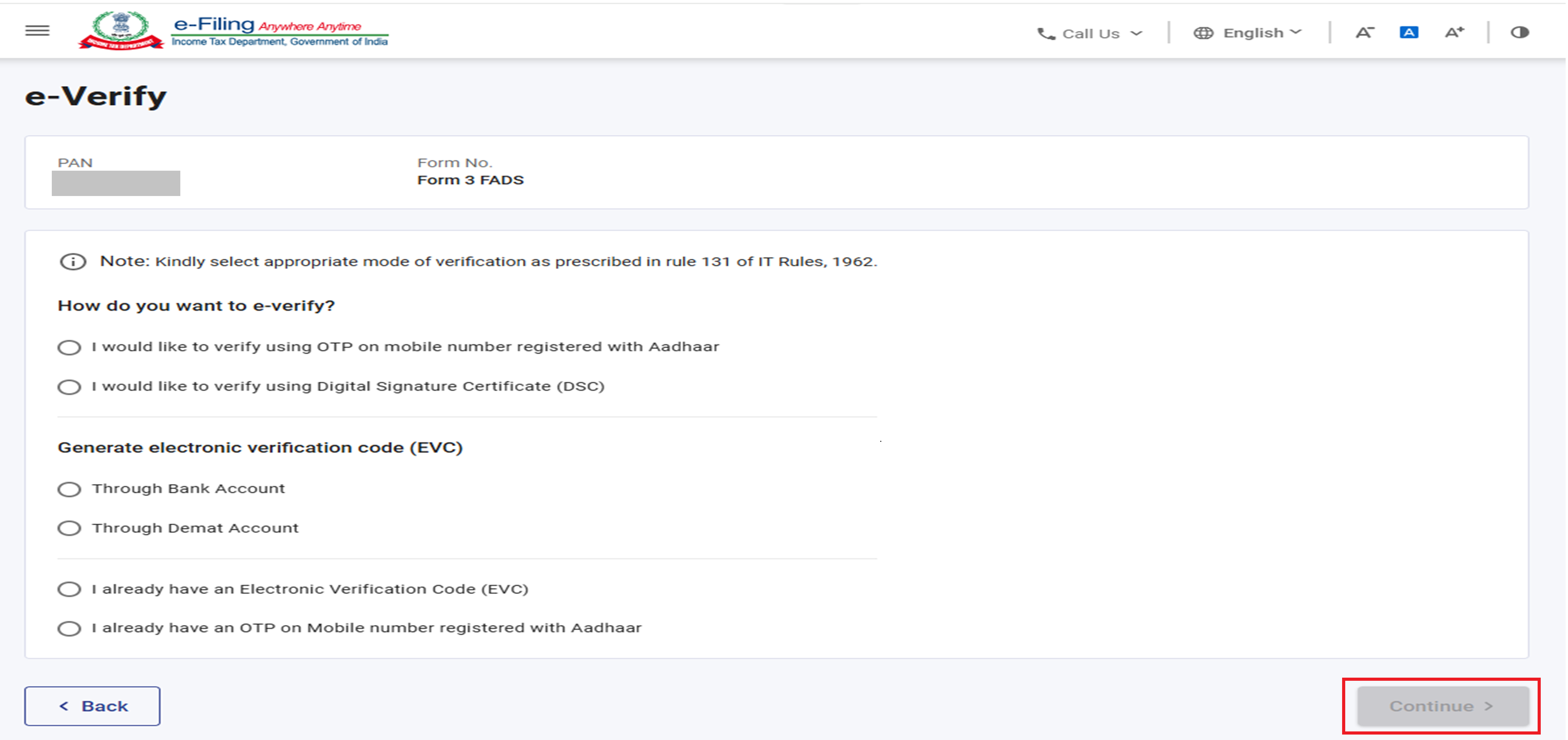
5. A mode of e-Verification: Aadhaar OTP, Digital Signature Certificate (DSC) or Electronic Verification Code (EVC) generated through a bank account or demat account.
3. Step-by-step process:
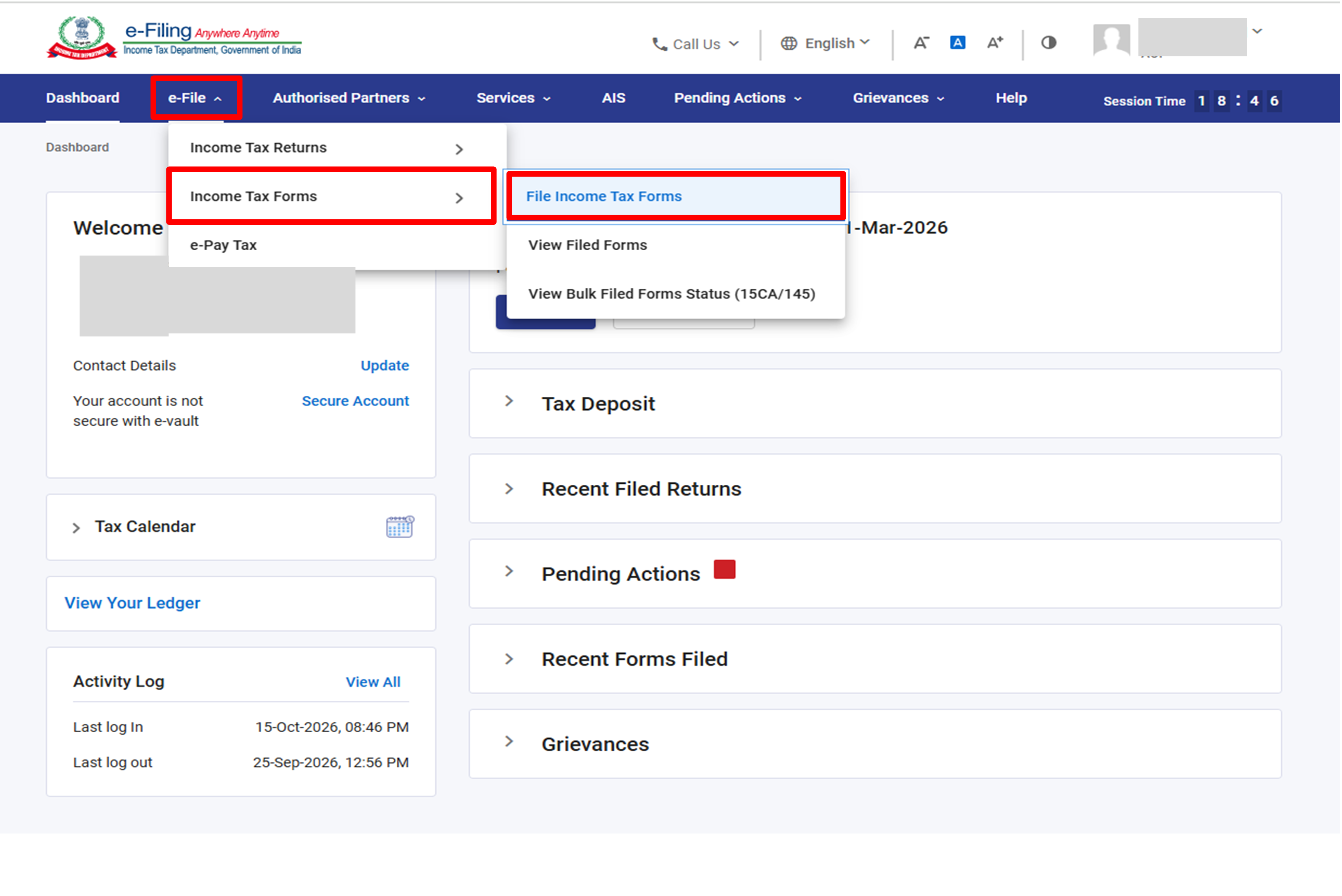
Step 1: Login to the e-Filing portal dashboard, Go to e-File > Income Tax Forms > File Income Tax Forms.
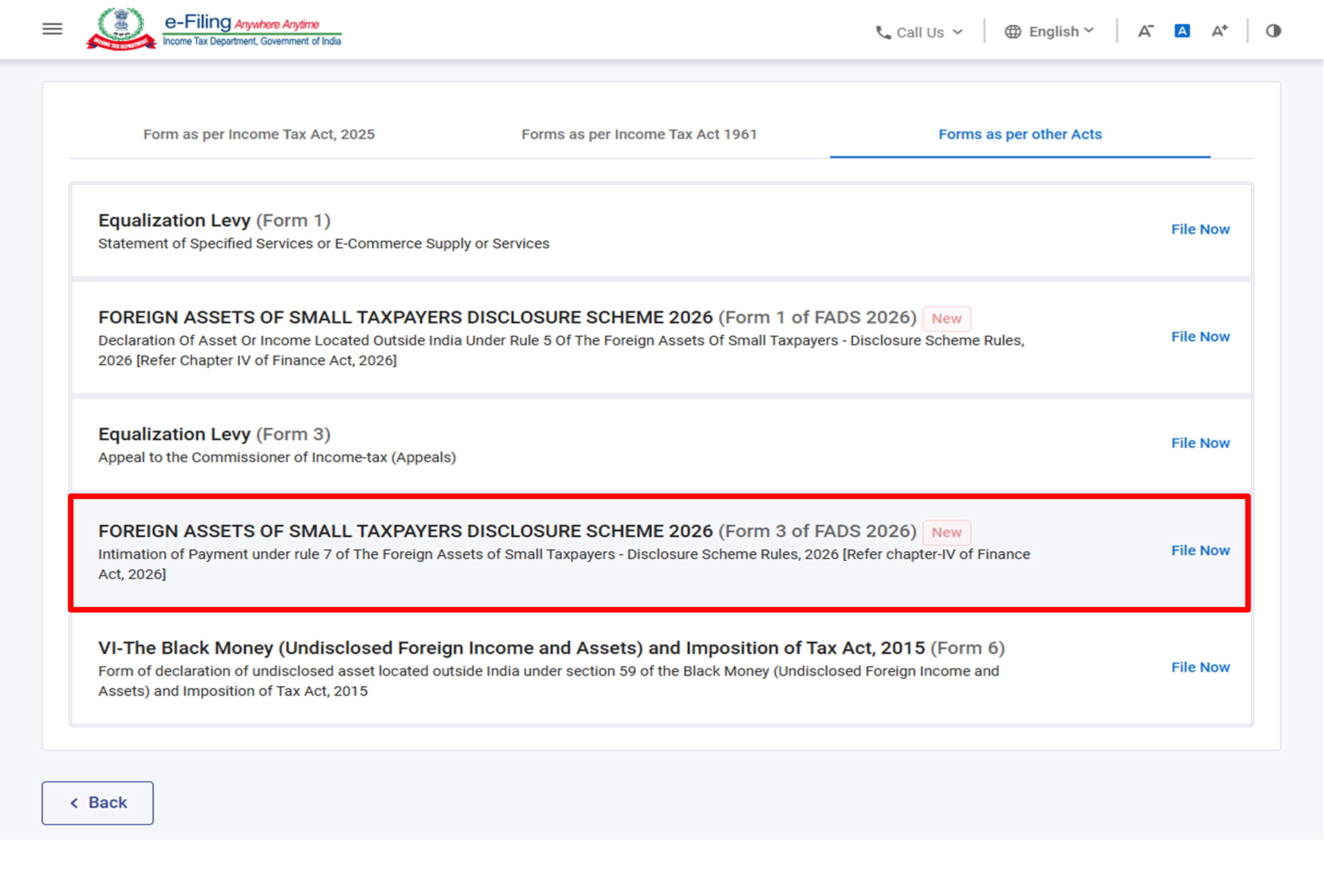
Step 2: In the ‘Forms as per other Acts’ tab. Locate ‘FOREIGN ASSETS OF SMALL TAXPAYERS’ DISCLOSURE SCHEME 2026 (Form 3 of FADS 2026) – Intimation of Payment under Rule 7’ – and click ‘File Now’.
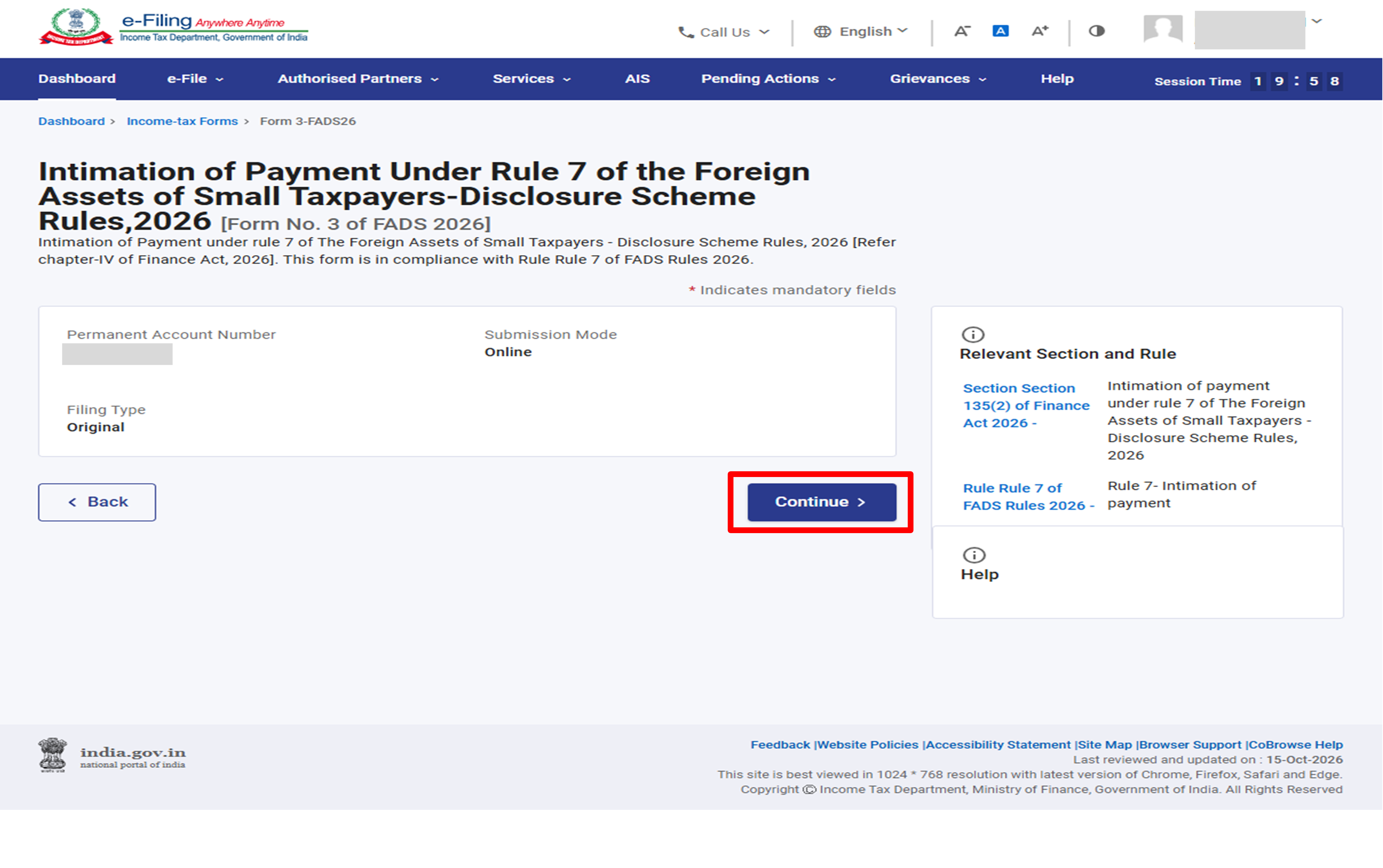
Step 3: On the form landing page, your PAN, Submission Mode (Online) and Filing Type (Original) are shown. Click ‘Continue’.
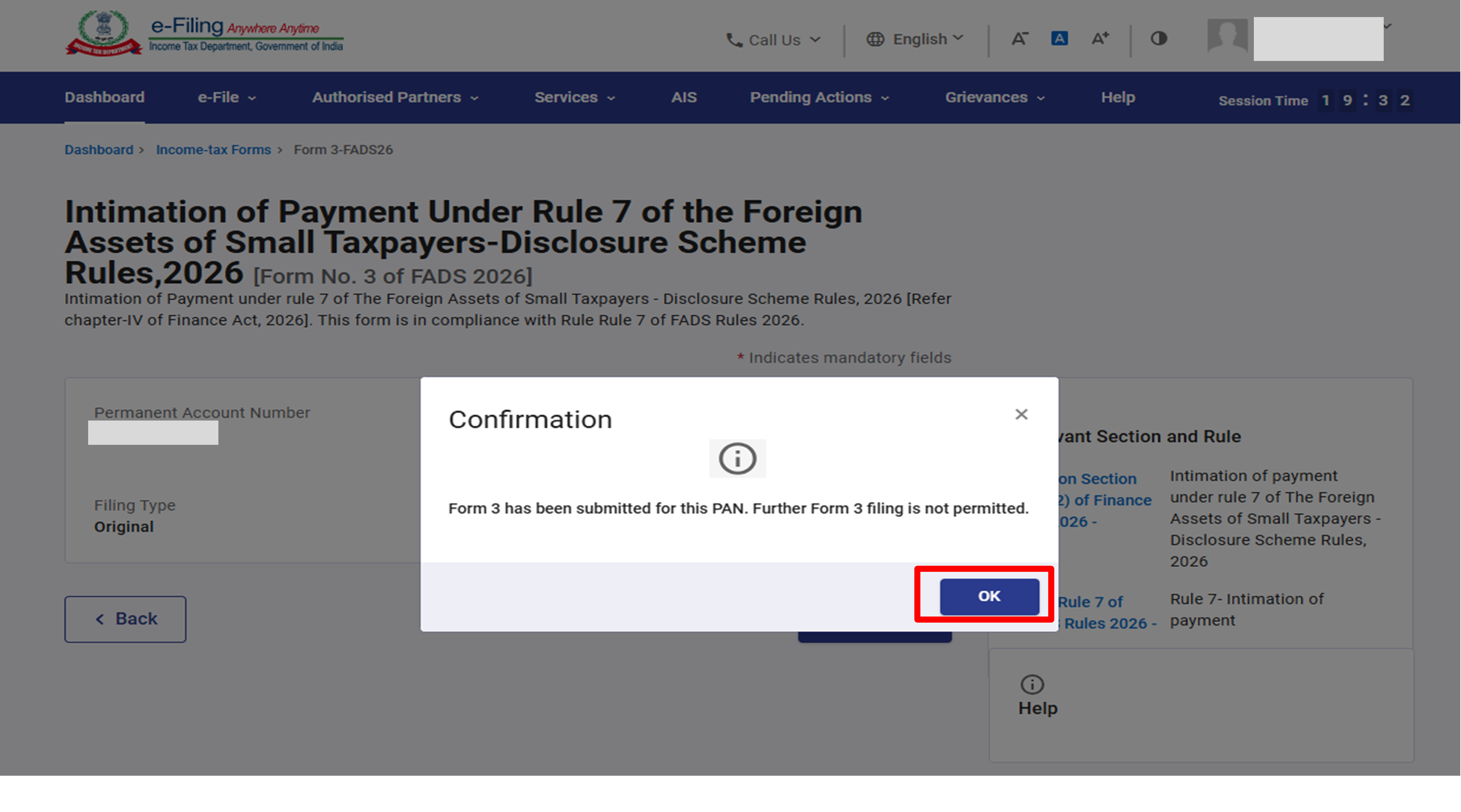
Important: If Form 3 has already been submitted, a confirmation pop-up appears: “Form 3 has been submitted for this PAN. Further Form 3 filing is not permitted.” Click ‘OK’. A second filing is not possible; view the filed form (see Section 4 – View Form 3).
Step 4: If Form 3 has not been submitted, click on ‘Let’s Get Started’.
Keep the Payment details ready –
• BSR Code of the bank,
• date of deposit,
• serial number of the challan and
• amount paid
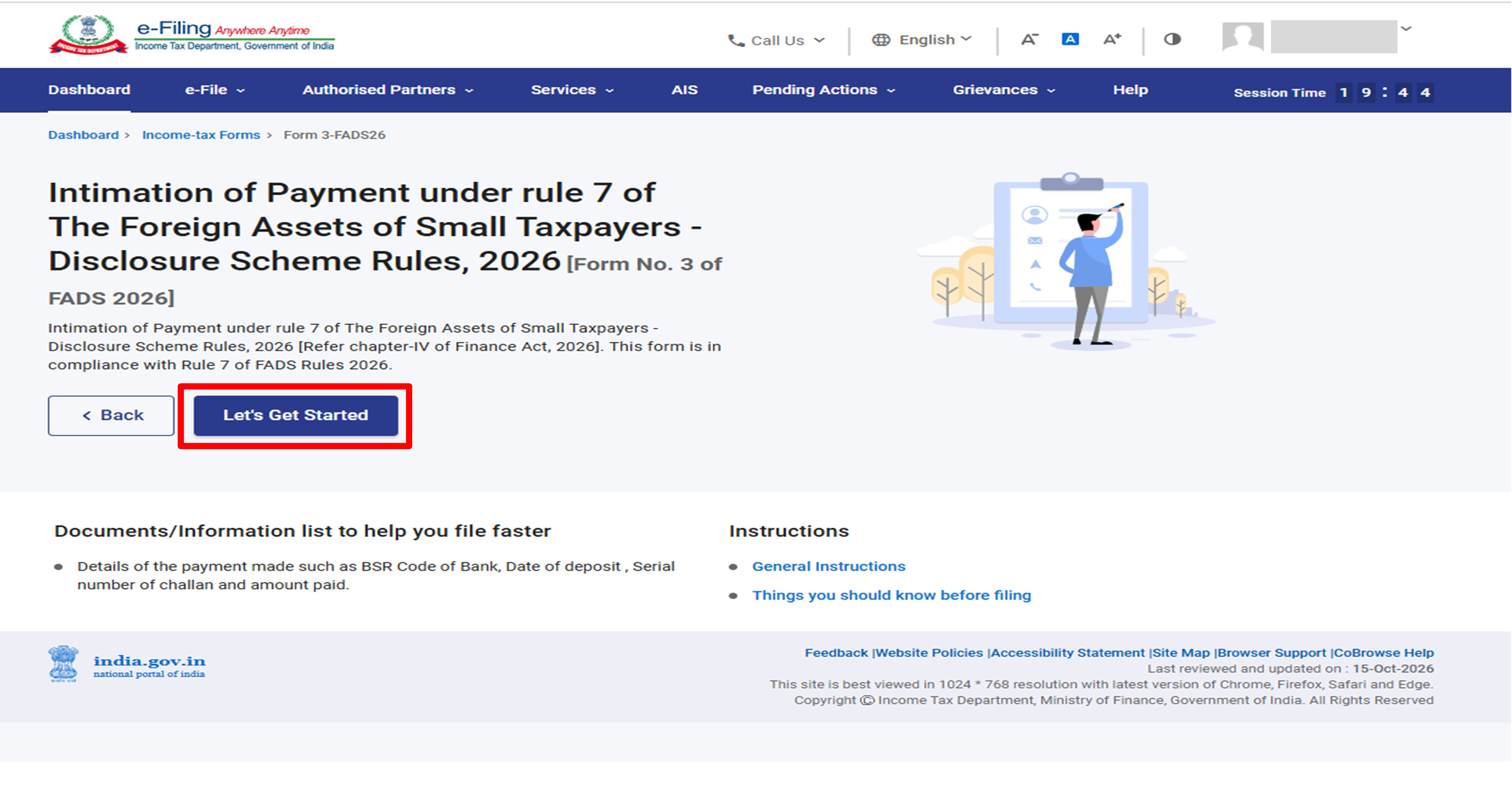
Form 3 has Four parts:
1. Part A- Basic Information
2. Part B -Timeline of payment
3. Part C – Intimation of payment
4. Declaration
The declarant must open, check and save each part. A saved part shows a green Completed tag.
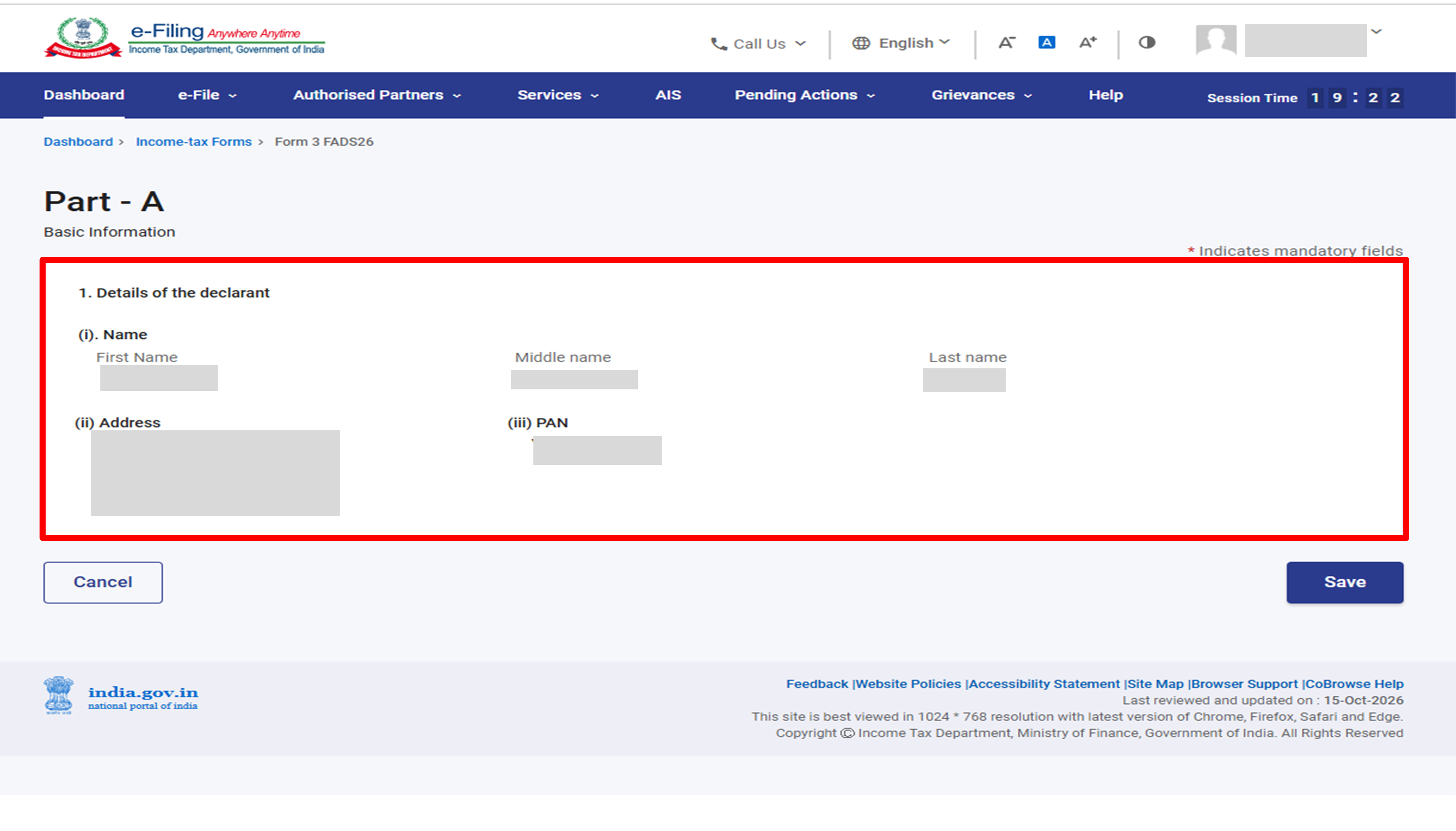
Step 5: In Part A – Basic Information. Confirm the details of the declarant:
(i) First, Middle and Last name,
(ii) Address and
(iii) PAN.
These are pre-filled from your profile. Click ‘Save’. If any detail is incorrect, update it in My Profile before filing Form 3.
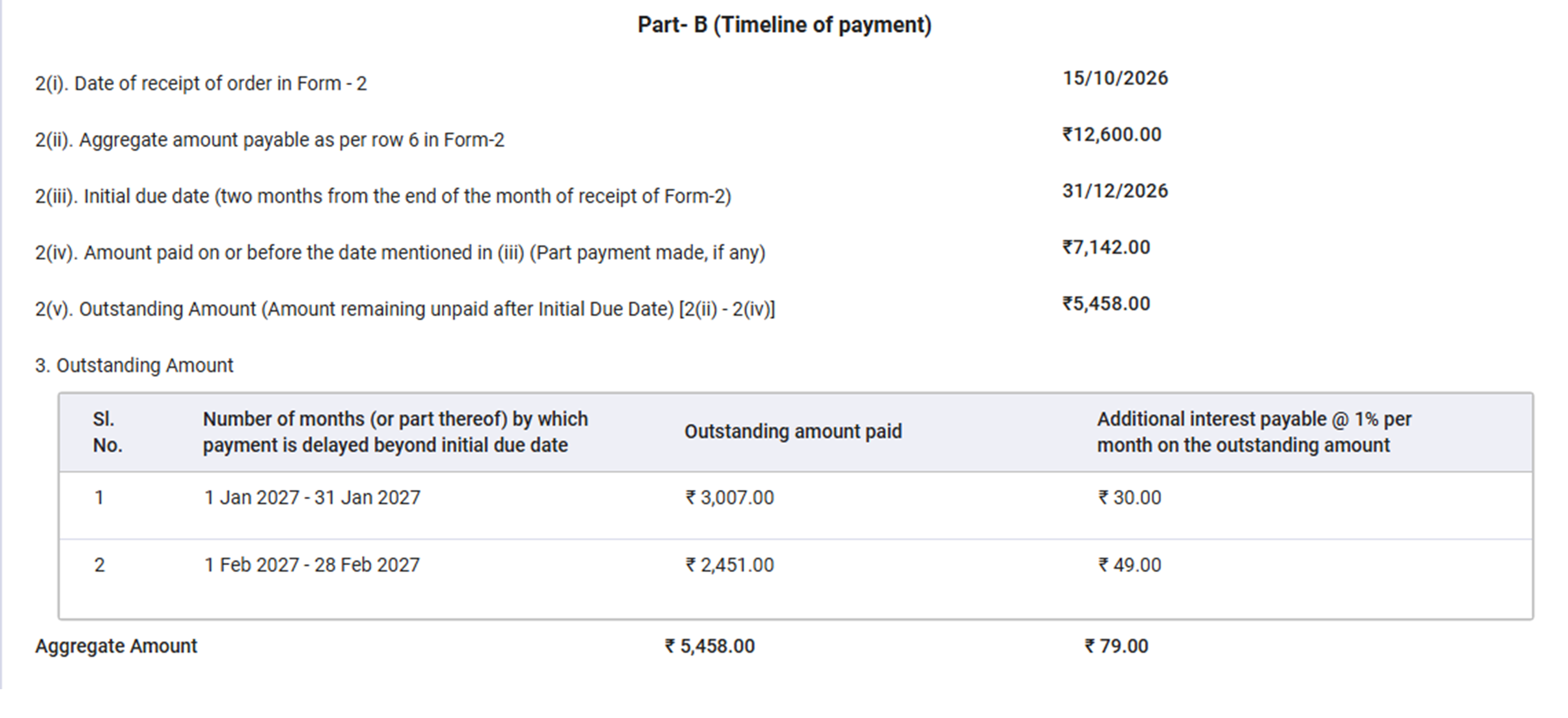
Step 6: In Part B – Timeline of payment. The page shows the following details. Check each against your Form 2 order and your payments, then click ‘Save’. The values in Row 2 and 3 are calculated by the system from Form 2 and the challans.
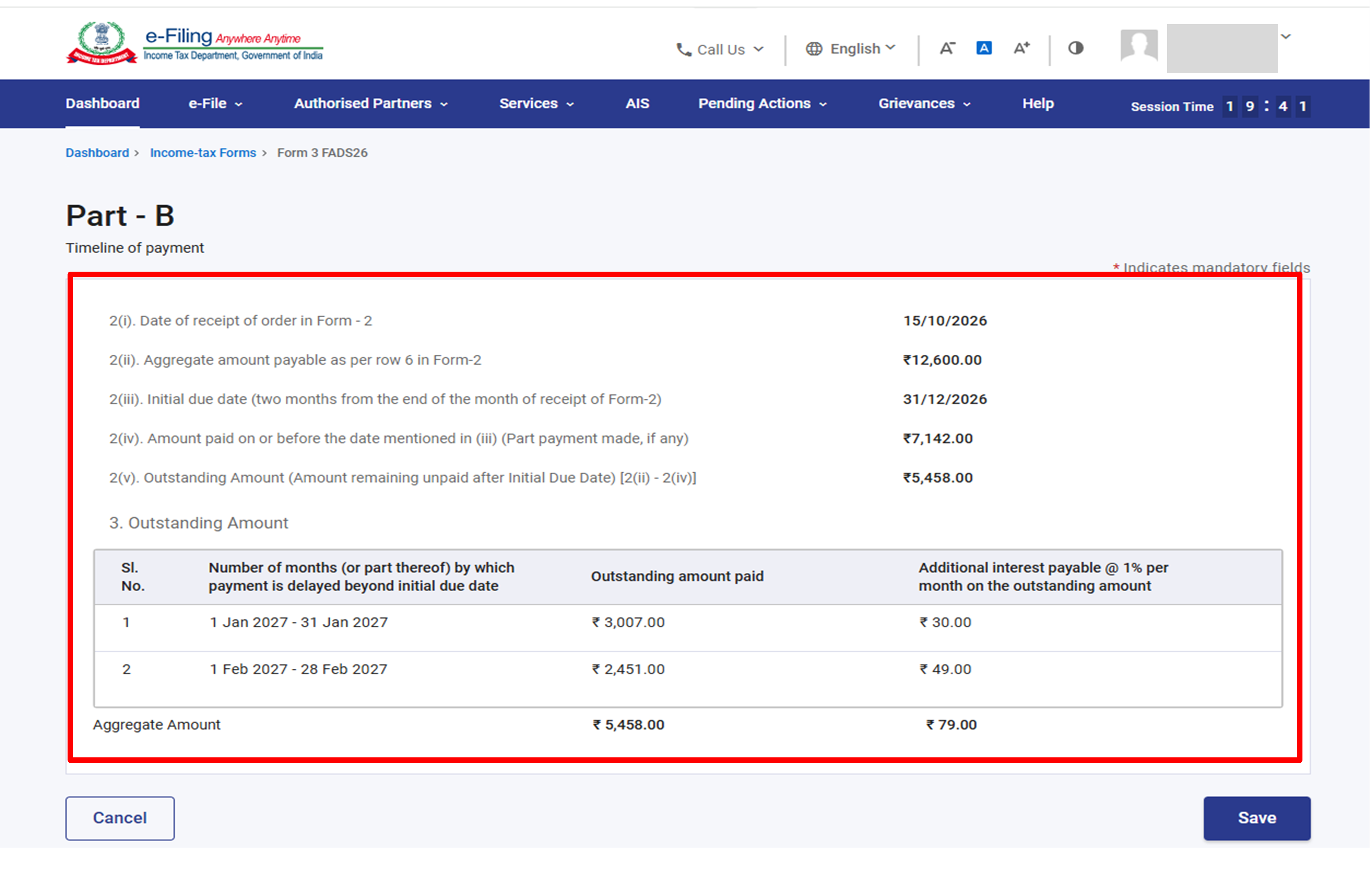
| Row | Detail | Example on Screen |
| 2(i) | Date of receipt of order in Form 2 | 15/10/2026 |
| 2(ii) | Aggregate amount payable as per row 6 in Form 2 | ₹12,600 |
| 2(iii) | Initial due date (two months from the end of the month of receipt of Form 2) | 31/12/2026 |
| 2(iv) | Amount paid on or before the initial due date (part payment, if any) | ₹7142 |
| 2(v) | Outstanding amount remaining unpaid after the initial due date [2(ii) – 2(iv)] | ₹5458 |
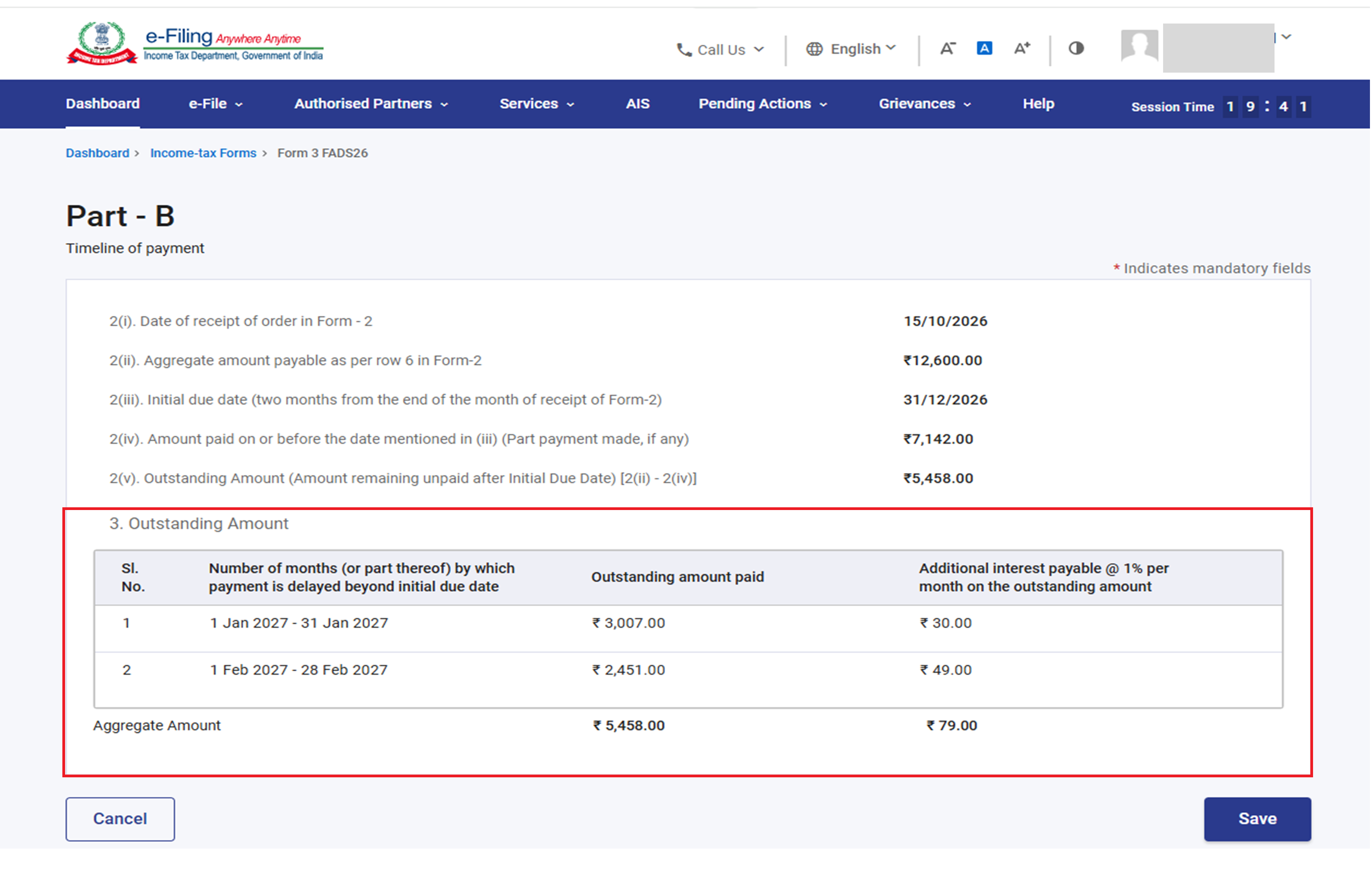
Under Row 3, Outstanding Amount, each month (or part of a month) after the initial due date is listed with the outstanding amount paid in that month and the additional interest at 1% per month on it.
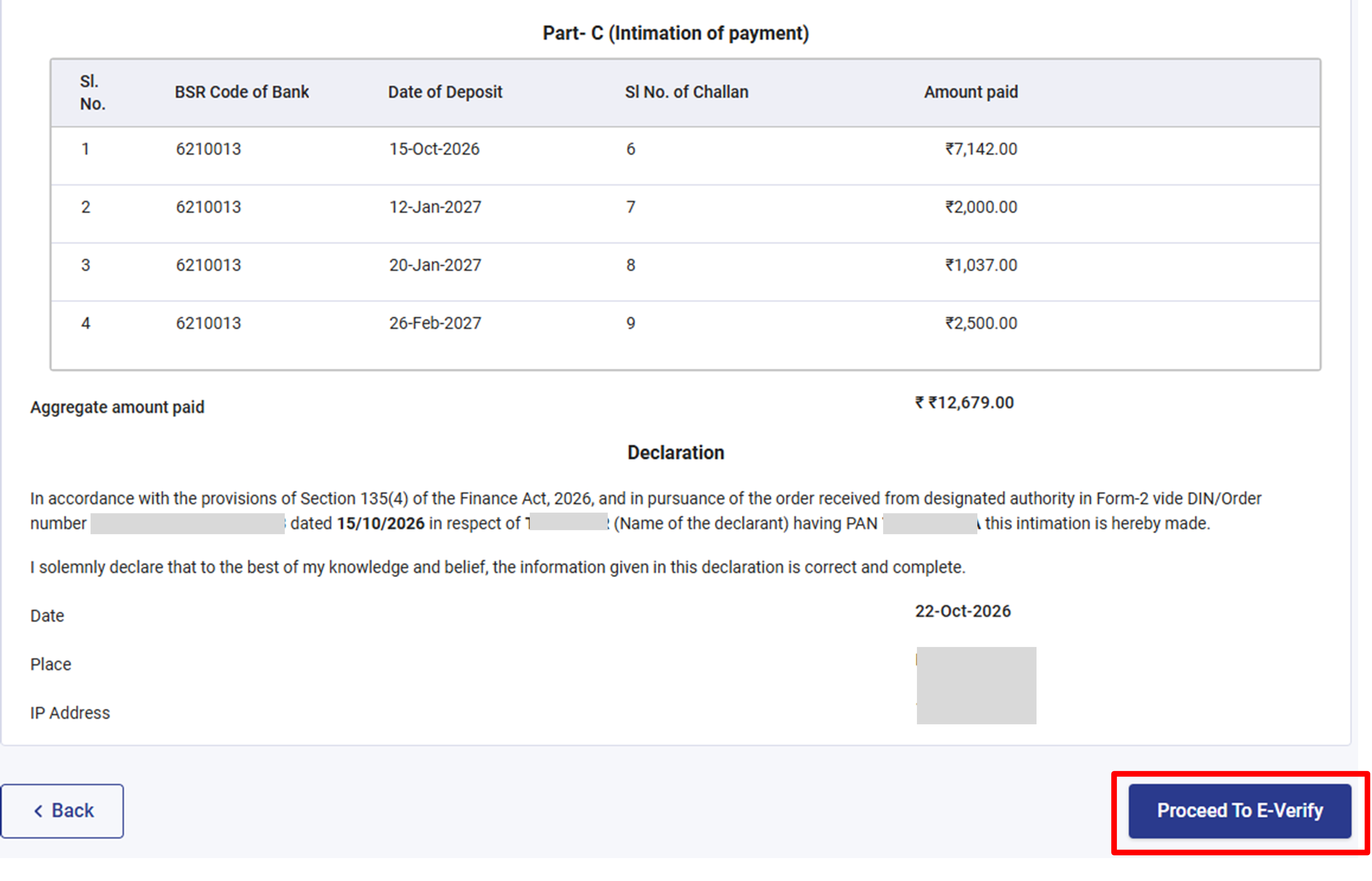
Step 7: In Part C – Intimation of payment. The table at below Sr no. 4. lists each payment with its BSR Code of Bank, Date of Deposit, Sl. No. of Challan and Amount paid, and shows the Aggregate amount paid. Check that every challan is listed. The aggregate must equal the amount payable in Form 2 [row 2(ii)] plus the total interest in Part B [row 3]. Click ‘Save’.
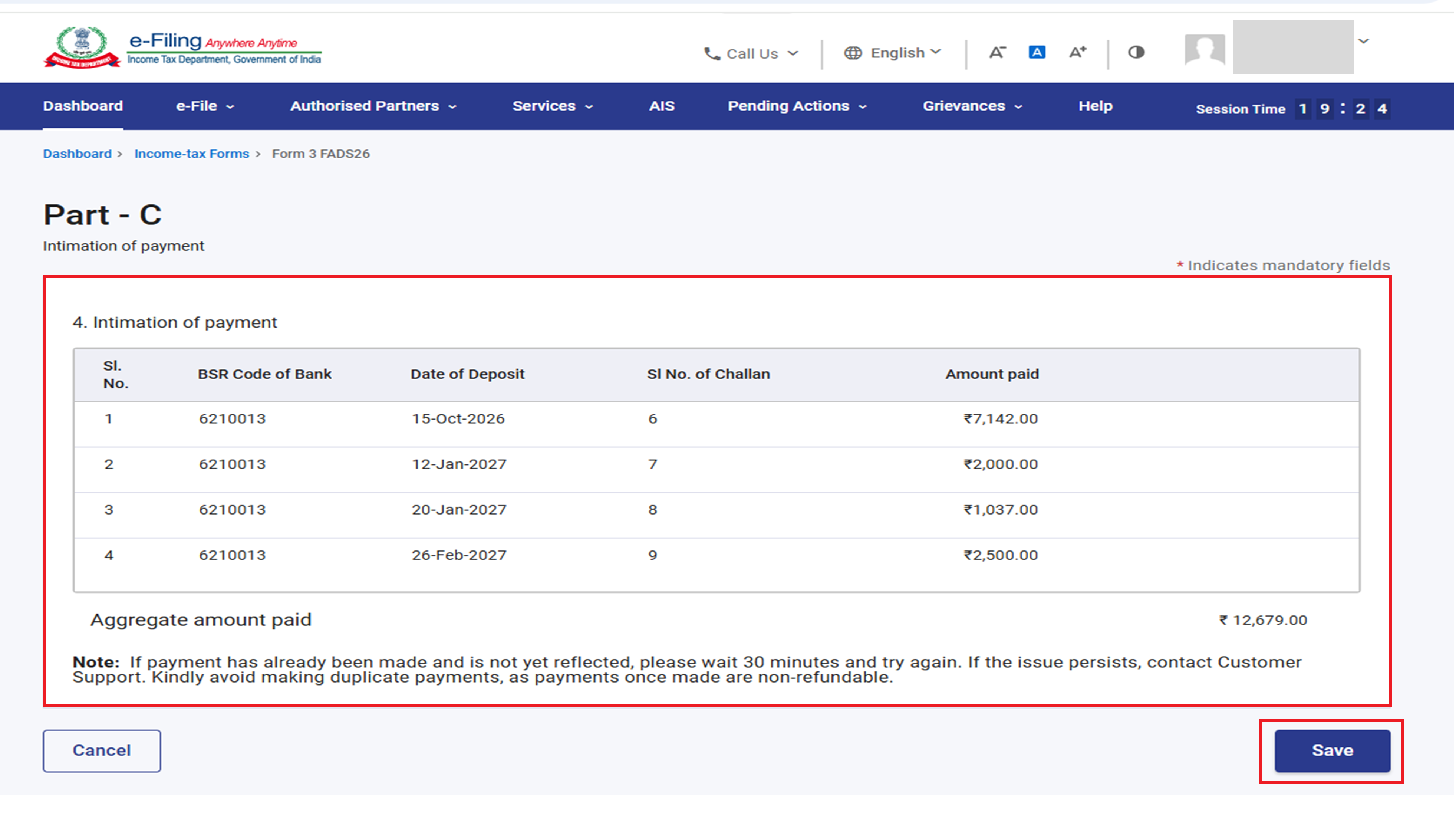
Note: If a payment has been made but is not yet shown, wait 30 minutes and try again. If it still does not appear, contact Customer Support. Do not make duplicate payments; payments once made are non-refundable.
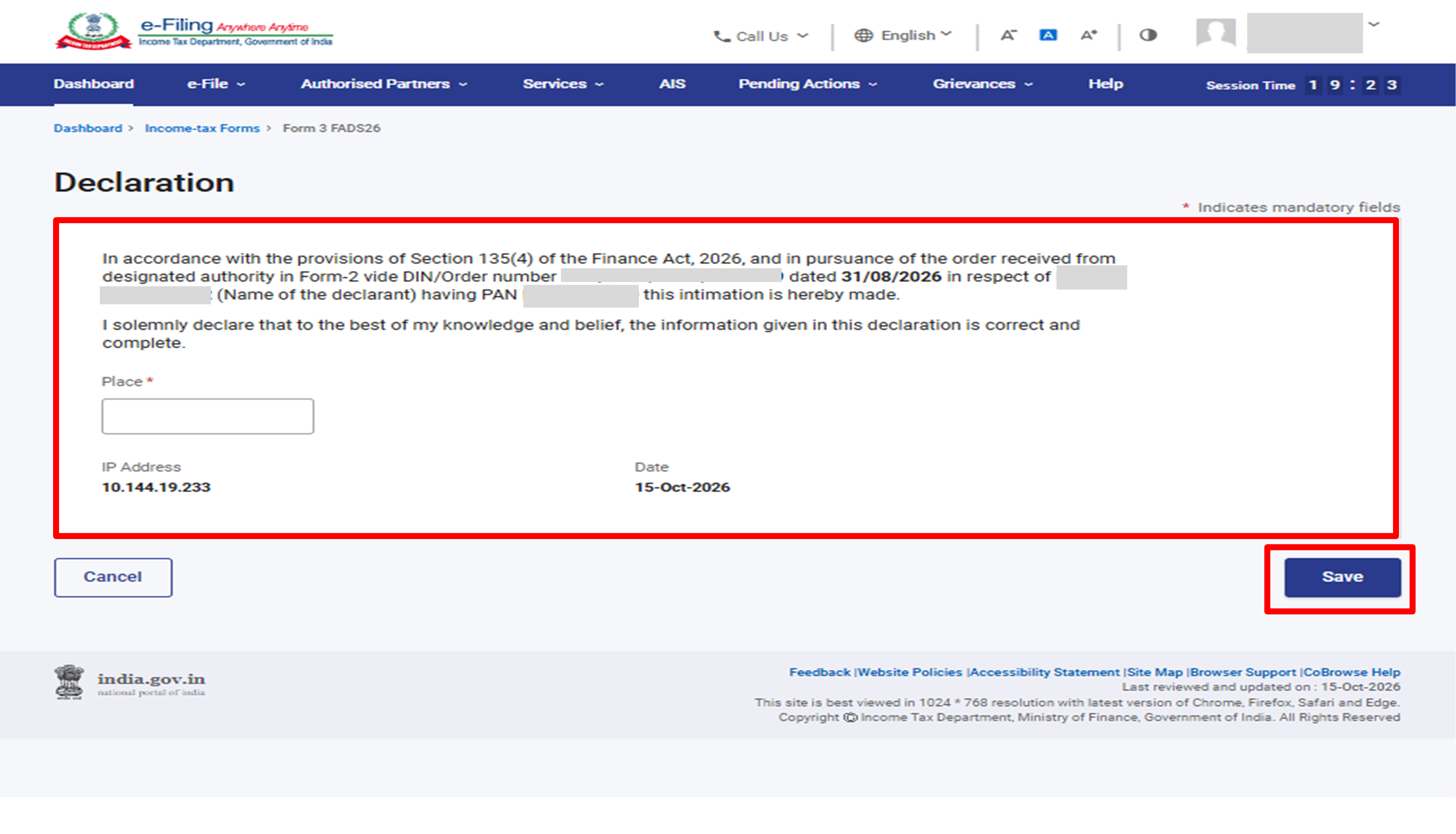
Step 8: Declaration. Read the declaration, Enter the Place (mandatory). Click ‘Save’.
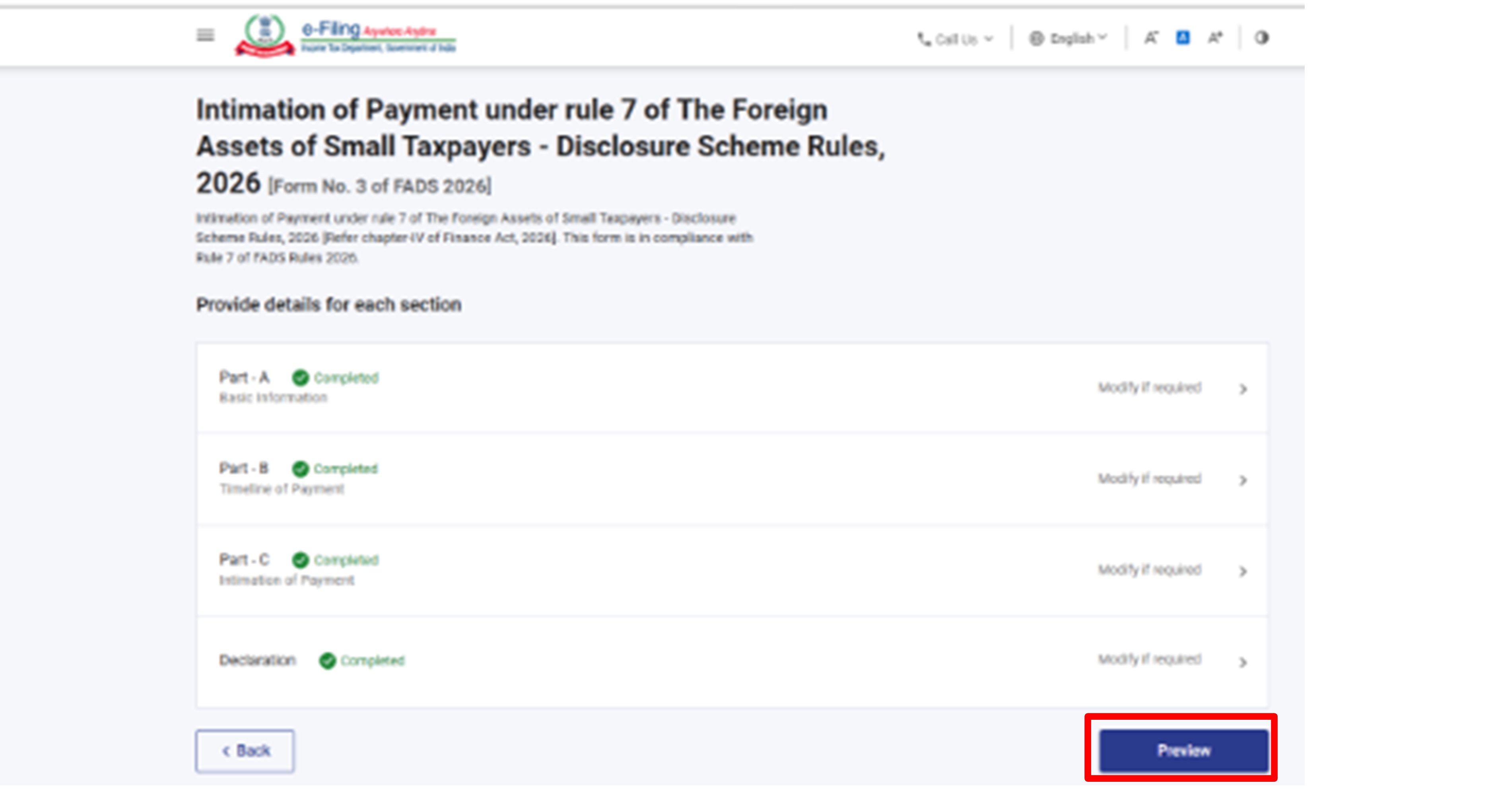
Step 9: Every completed mandatory section shows a green ‘Completed’ tag. Once all sections are complete, the ‘Preview’ button becomes active – click it to proceed.
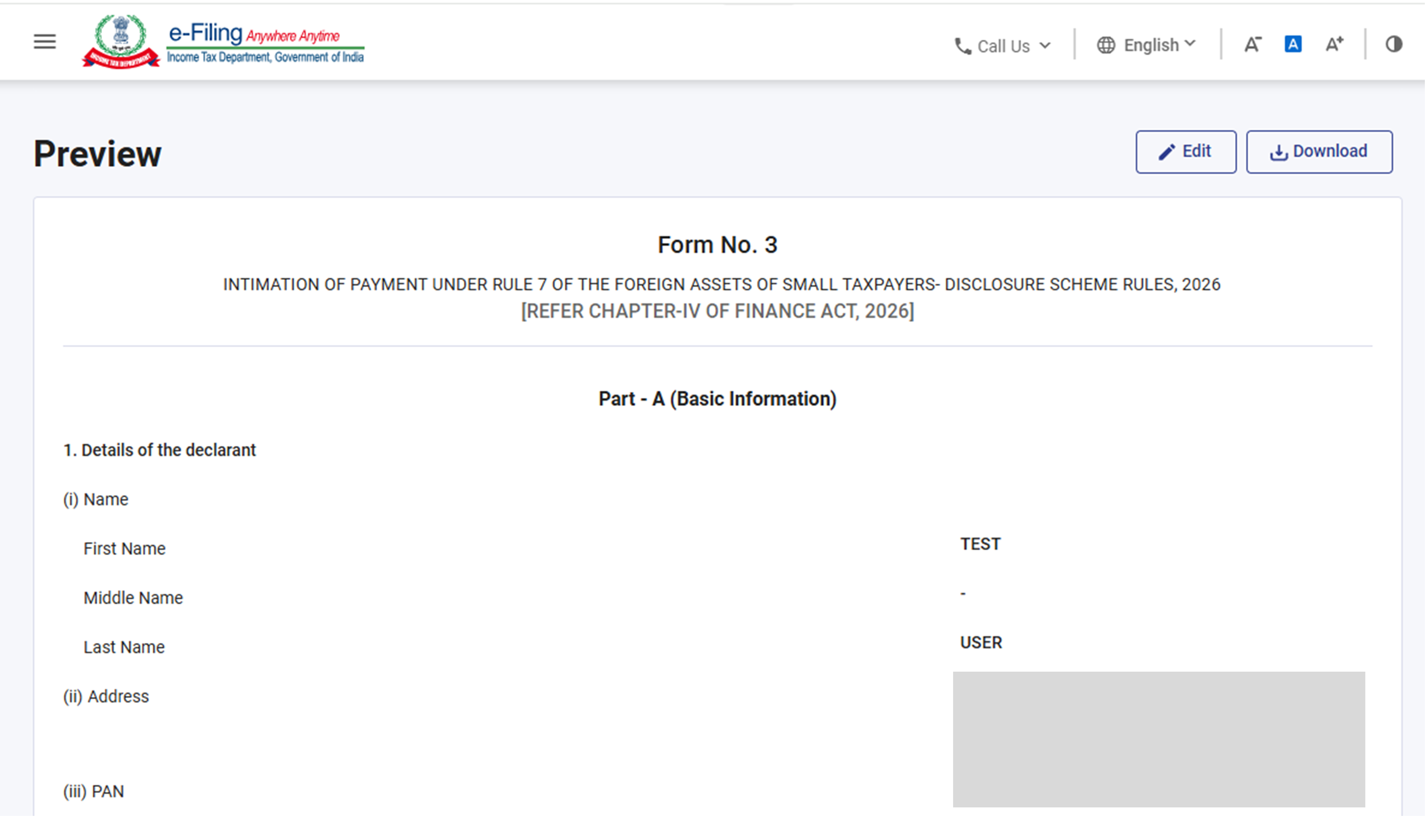
Step 10: On the Preview page, review the complete form – Part A, Part B, Part C. When ready, click ‘Proceed To E-Verify’.
Step 11: On the e- Verify page, select your preferred mode of verification, click ‘Continue’ to complete the e-Verification.
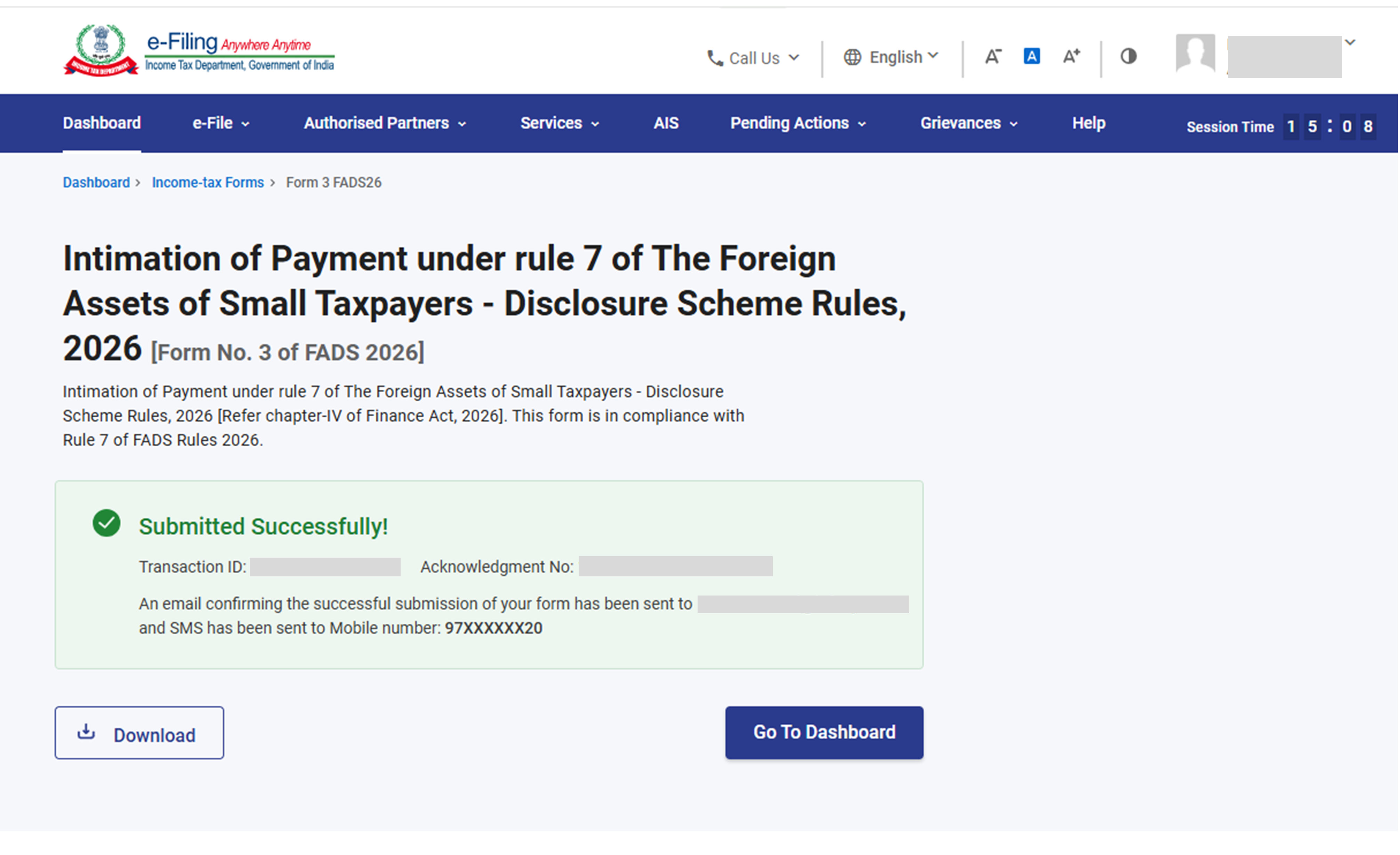
Step 12: Once the form is submitted you will see success message that form is submitted successfully.
4. View Form 3, download the receipt and Form 4
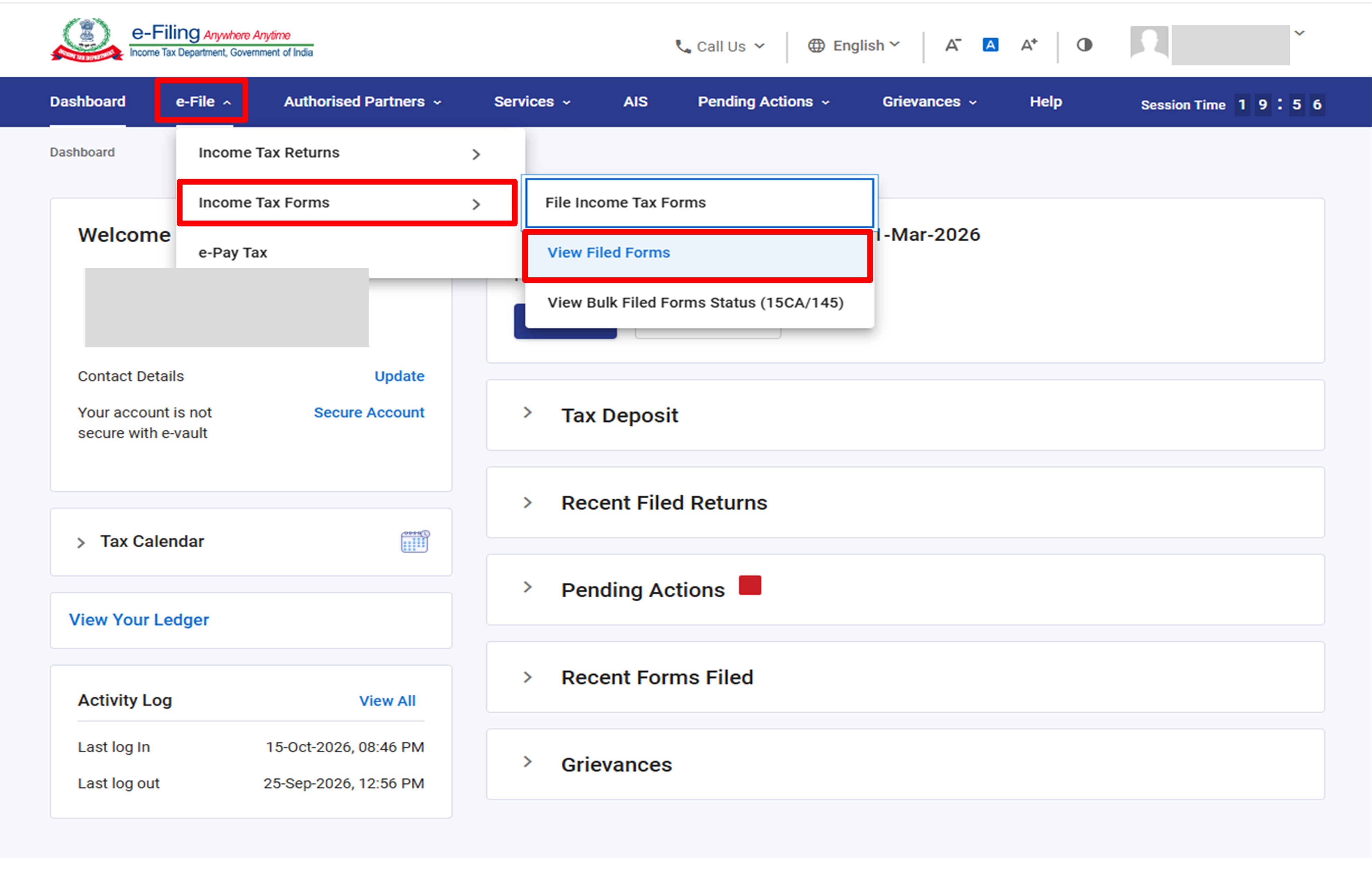
Step 1: Go to e-File > Income Tax Forms > View Filed Forms.
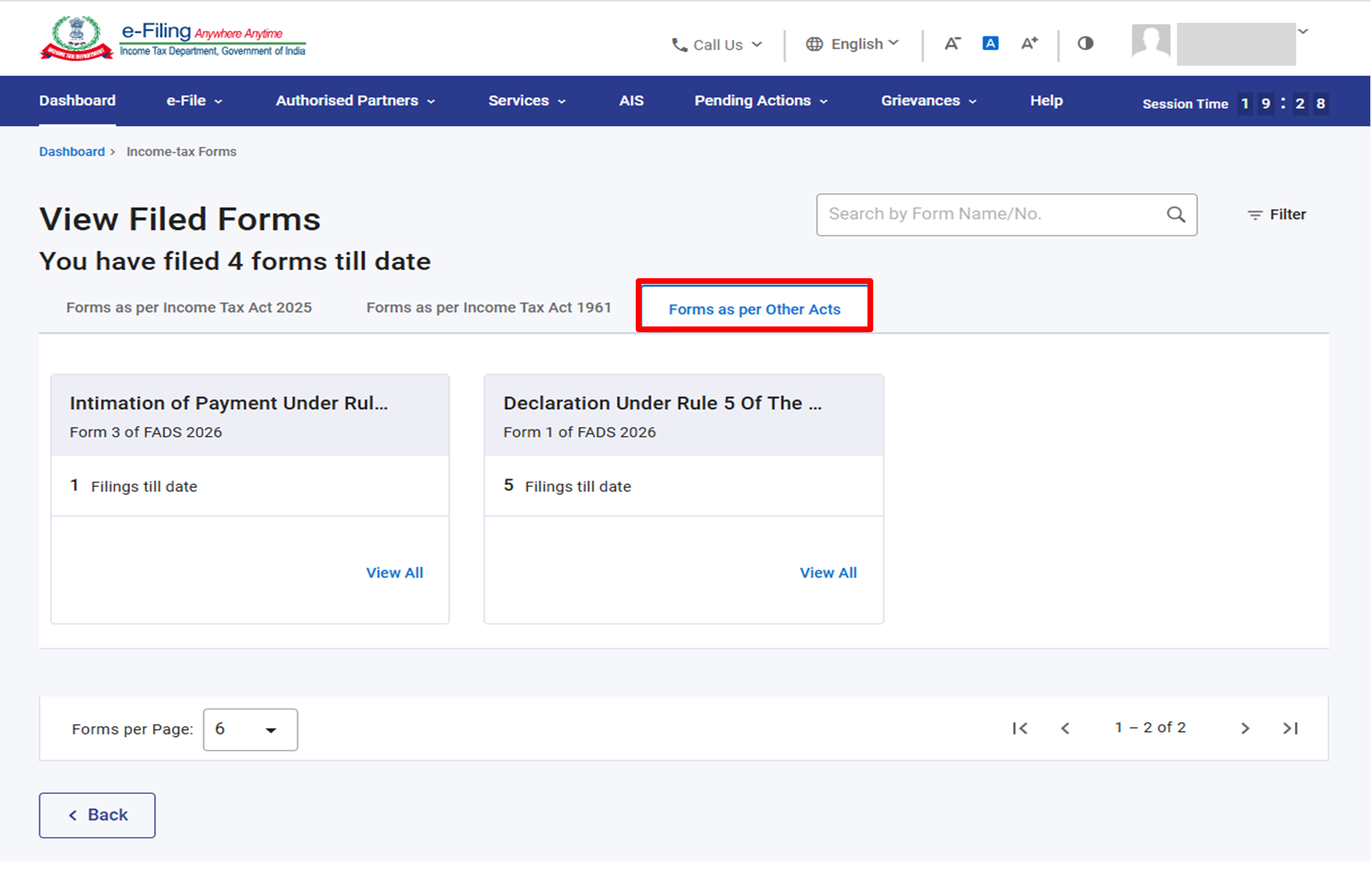
Step 2: On the ‘View Filed Forms’ page, In the ‘Forms as per Other Acts’ tab. The card ‘Form 3 of FADS 2026’ shows the number of filings to date. Click ‘View All’.
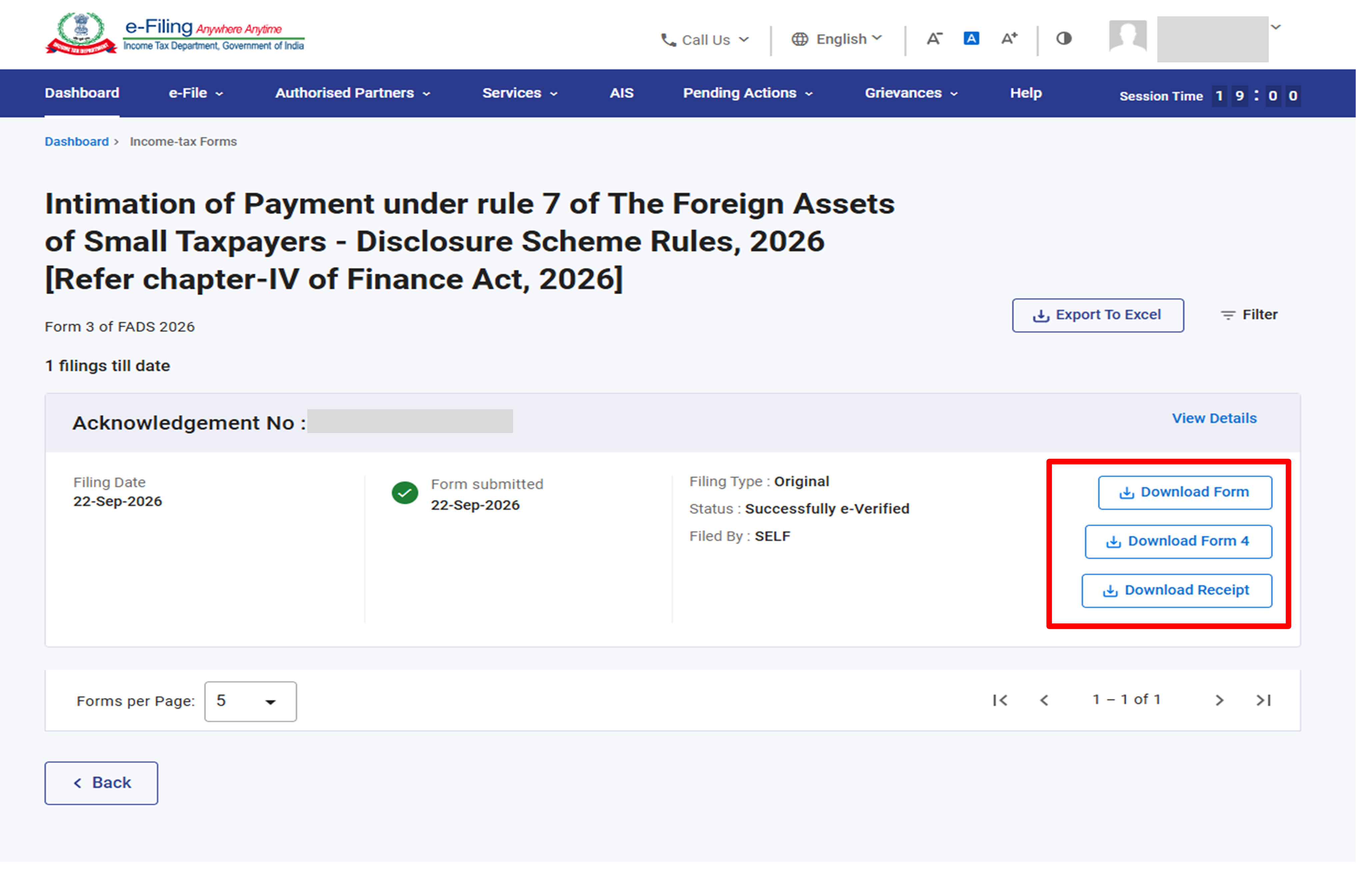
Step 3: The filed Form 3 is listed with its Acknowledgement Number, Filing Date, Filing Type (Original), Status (Successfully e-Verified). You Can-
• Download Form: the filed Form 3 as a PDF.
• Download Receipt: the acknowledgement receipt.
• Download Form 4: the order issued by the Income Tax Department. This button is used once Form 4 has been issued.
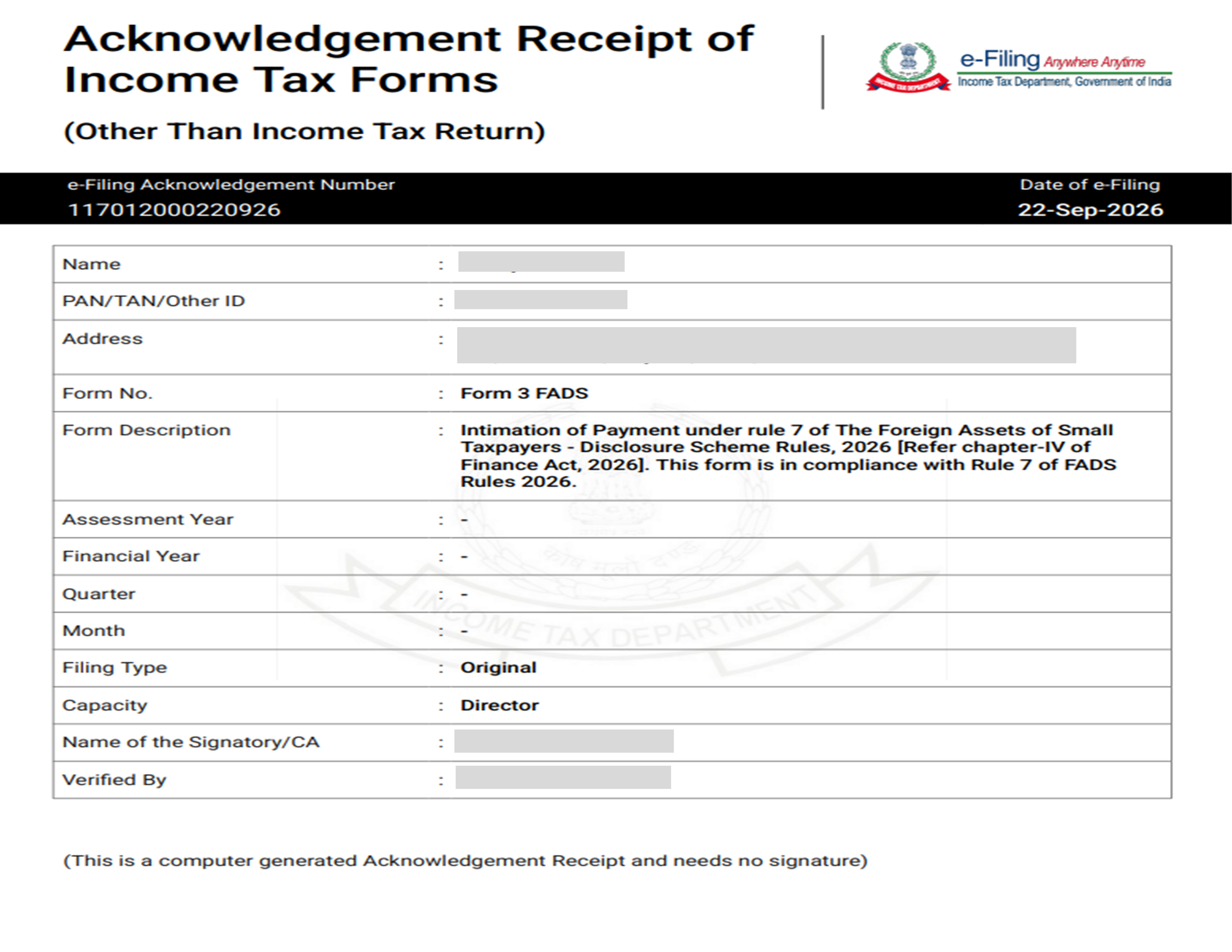
Download Receipt. The Acknowledgement Receipt shows the e-Filing Acknowledgement Number, date of e-Filing, name, PAN, address, form number and description, filing type, capacity and the name of the signatory who verified the form.
Download Form. The filed Form 3 shows details of Part A (Basic Information), Part B (Timeline of payment), Part C (Intimation of payment) and the Declaration.
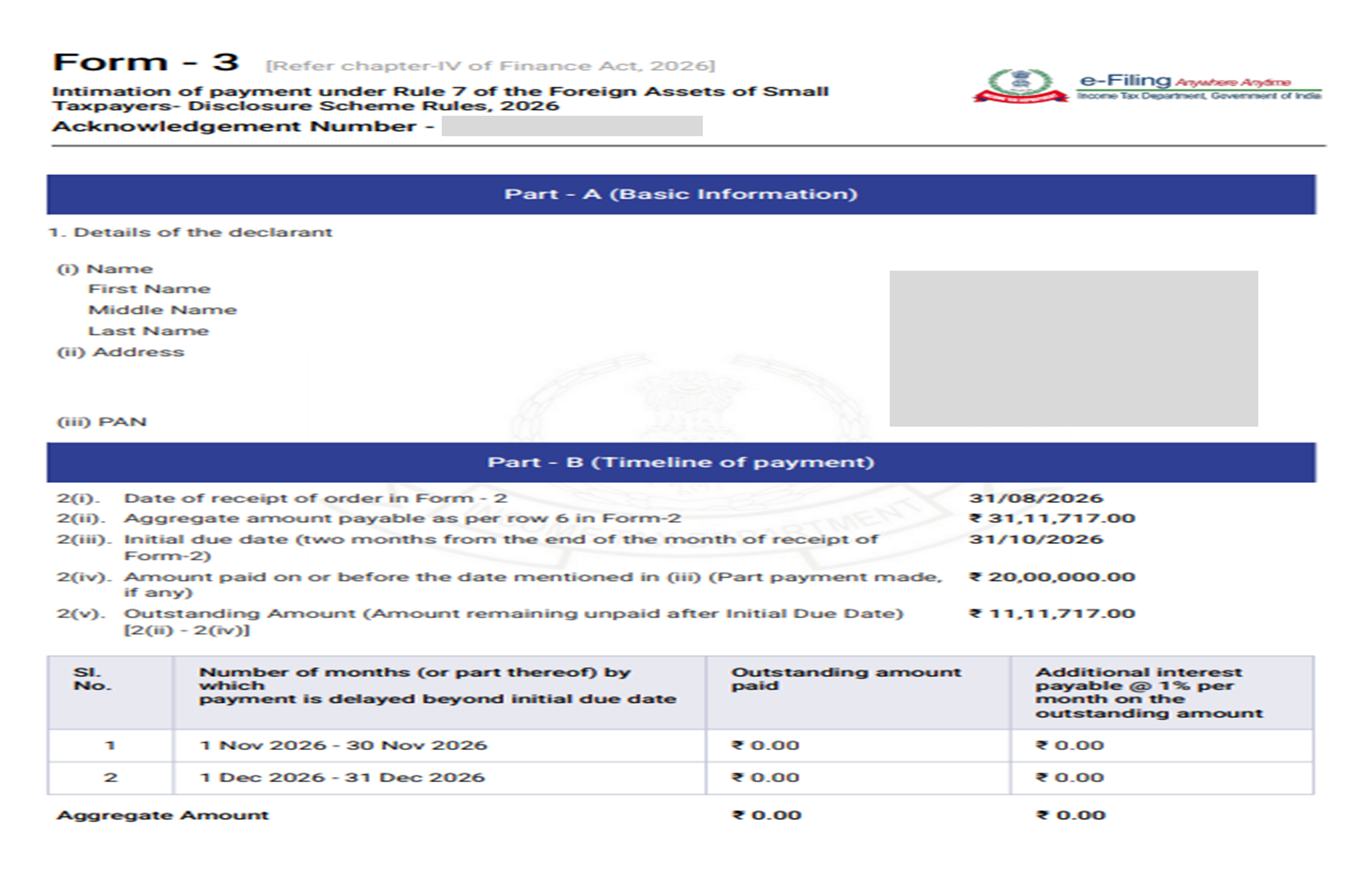
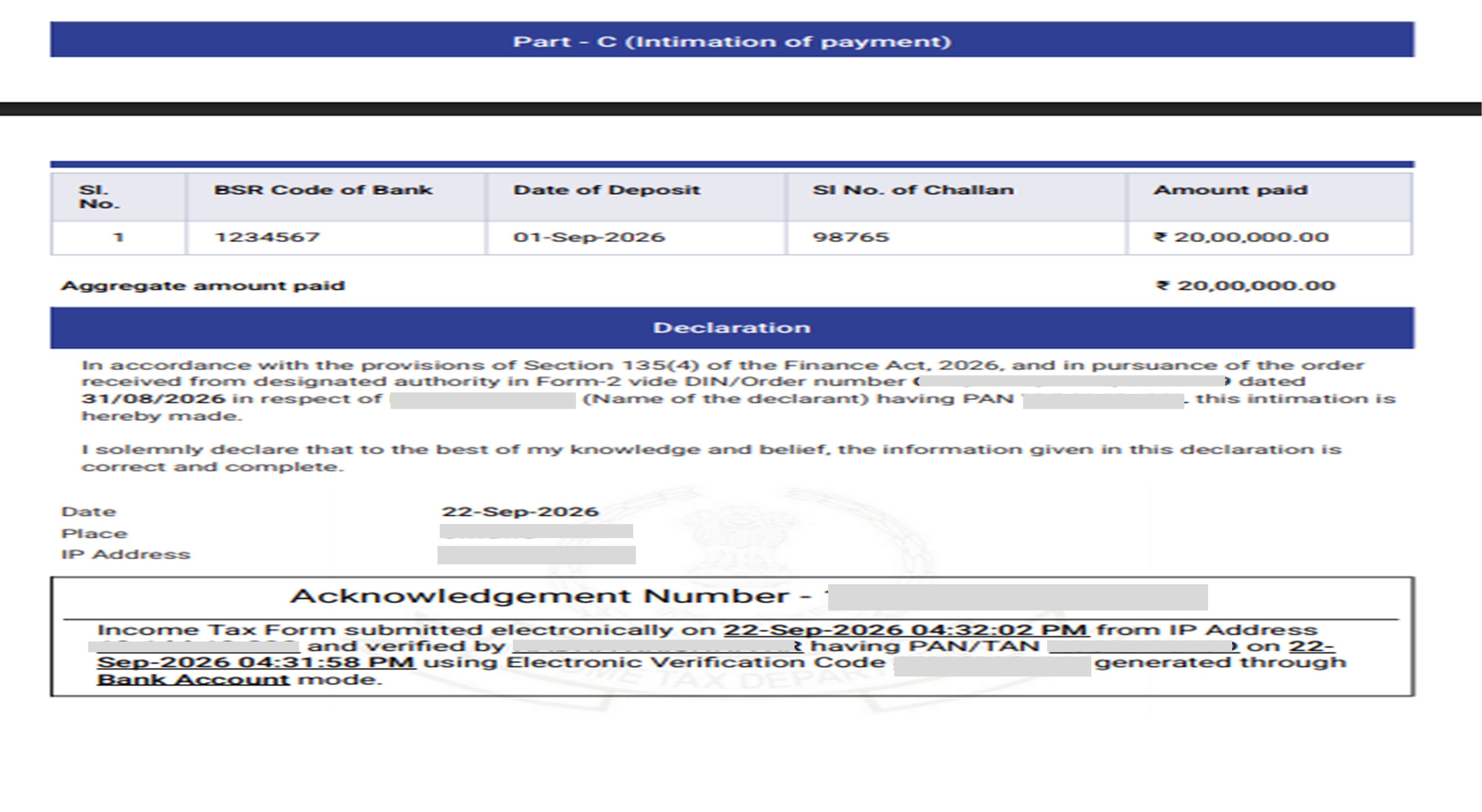
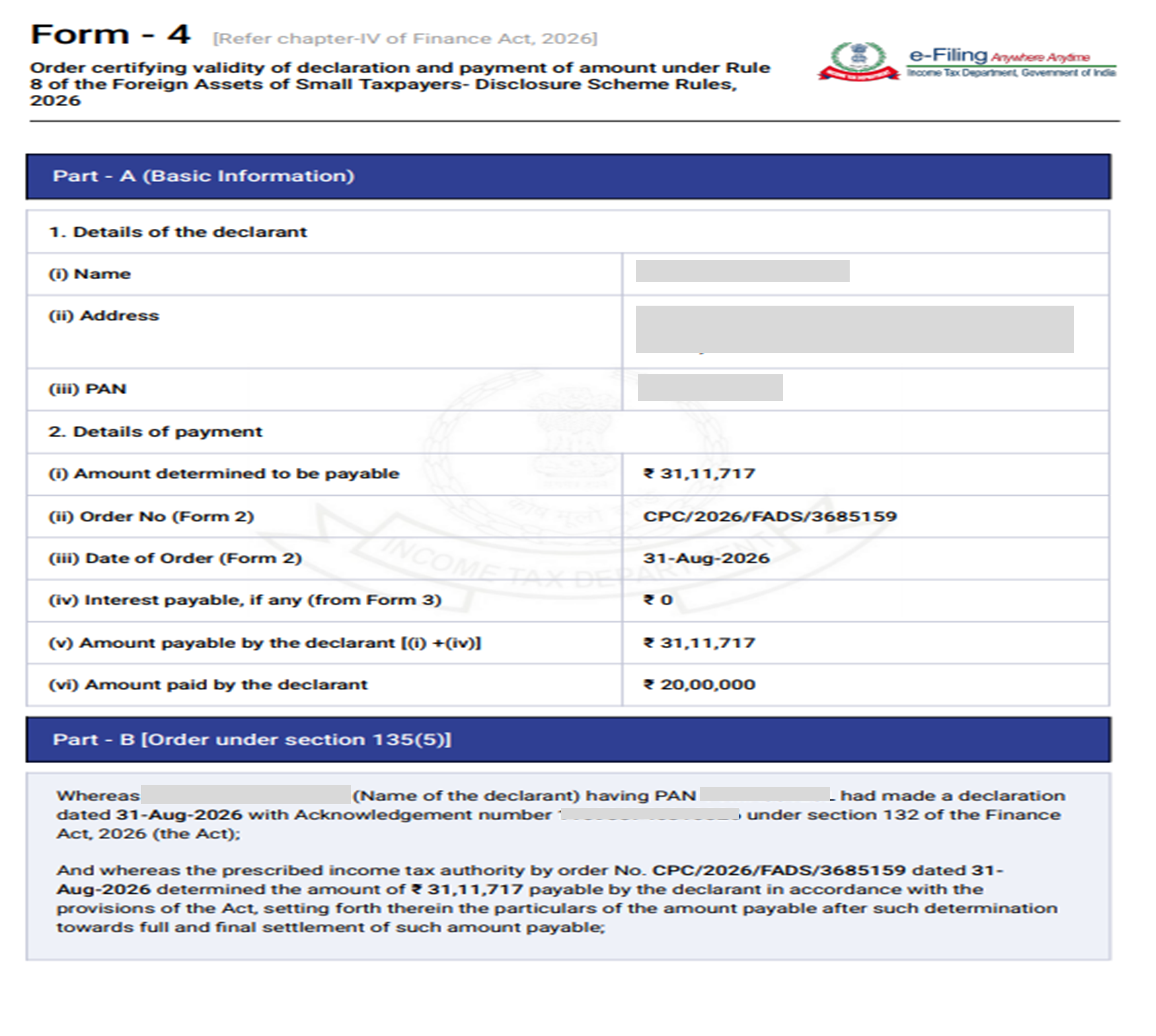
Form 4 issued by the Income Tax Department. Form 4 is the order under Rule 8 certifying the validity of the declaration and payment. Form 4 is issued within one month from the end of the month in which Form 3 is submitted.
Form 3: Errors and Resolution:
| Error | Resolution |
| Form 3 has been submitted for this PAN. Further Form 3 filing is not permitted. (Form 3 Landing screen) | Click ‘OK’. Form 3 cannot be filed again. View the filed form under View Filed Forms. |
| Outstanding Amount Mismatch: the amount in Row 2(v) does not match the Aggregate Outstanding Amount in Row 3. Kindly pay the balance amount and try again. (Form 3 Part B) | The payments after the initial due date must add up to the outstanding amount in 2(v). Pay the balance through a challan and file again. |
| Amount mismatch detected: the total value of the challans must equal the sum of the Amount Payable as per Form 2 [Sl. No. 2(ii)] and the Total Aggregate Interest Payable [Sl. No. 3]. (Form 3 Part C) | Pay the balance through a challan (use the ‘Click here’ link on the screen) and then continue with Form 3. |
| A payment you made is not shown. (Form 3 Part C) | Wait 30 minutes and try again. If it still does not appear, contact Customer Support. Do not make a duplicate payment; payments are non-refundable. |


