Form 121 User Manual
1. Overview
Form No.121 is a statutory declaration prescribed under the Income Tax Rules, 2026, through which a taxpayer declares that tax liability on its estimated total income for the relevant tax year is nil. Based on this declaration, the payer (deductor) is permitted to not deduct tax at source (TDS) on specified payments.
Declarants shall furnish declaration to deductor on time to ensure that tax is not deducted in the first place
• Ideally submitted before the income is credited or paid
• Preferably at the start of the tax year.
Filing of Form 121 by deductor on time is important, due date for this is 7th of the month following the quarter.
2. Prerequisites for availing this service
• The deductor must have a valid TAN and it should be registered on e-Filling portal.
• Declaration received from payee is complete and valid.
• Unique Identification Number is assigned to each declarant.
3. Step-by-Step Guide
3.1 How to File Form 121
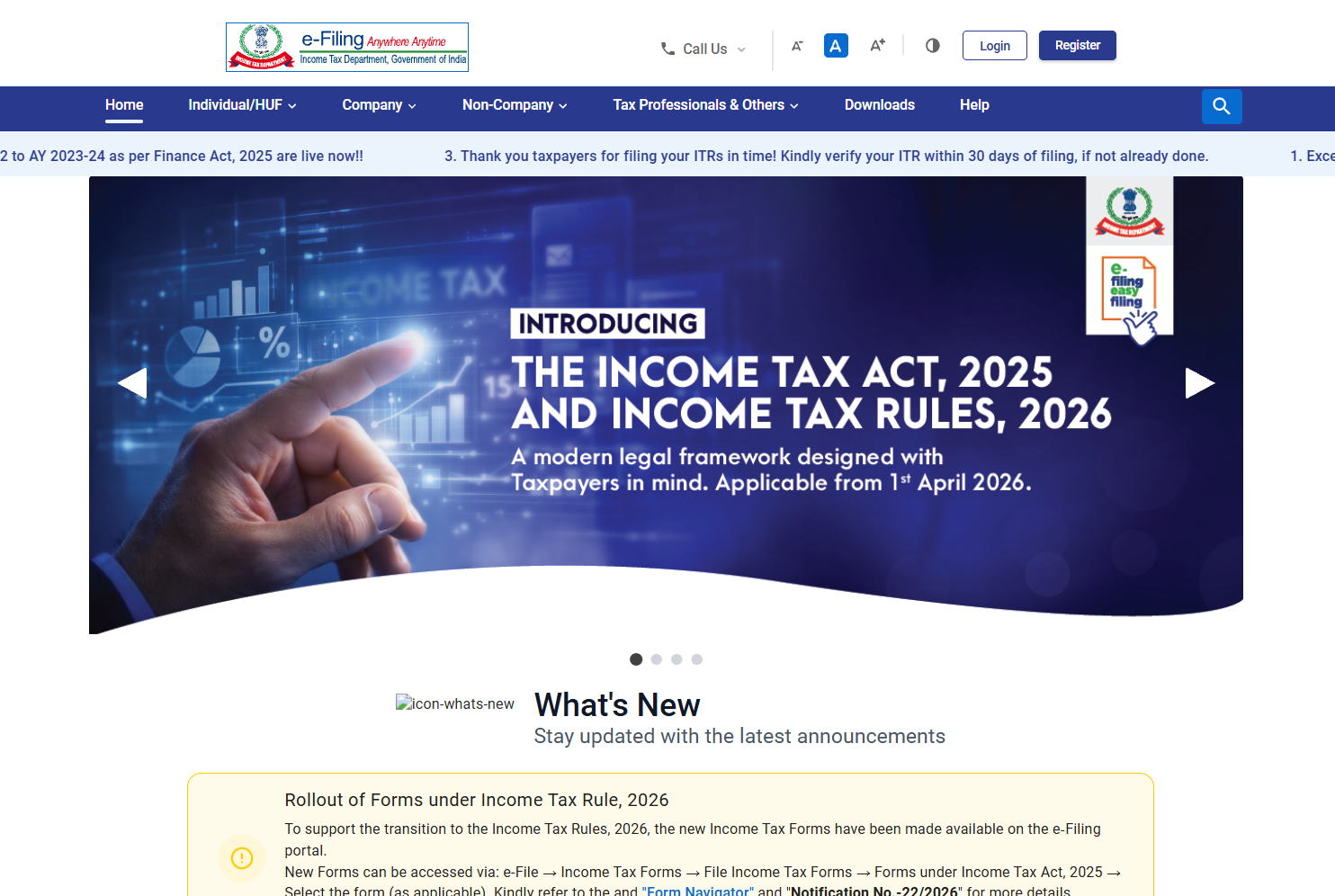
Step 1: Visit Income Tax e-filing portal (http://www.incometax.gov.in/).
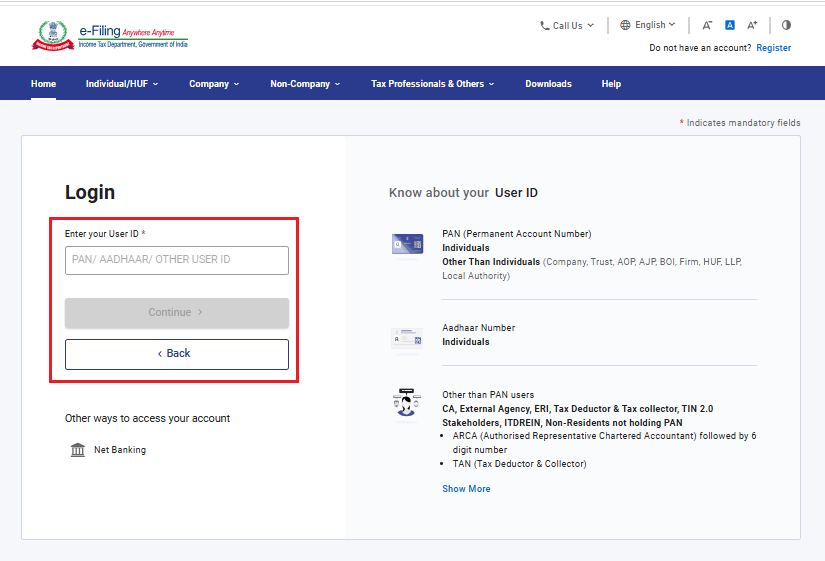
Step 2: Login to the e-Filing portal using User ID (TAN) and password.
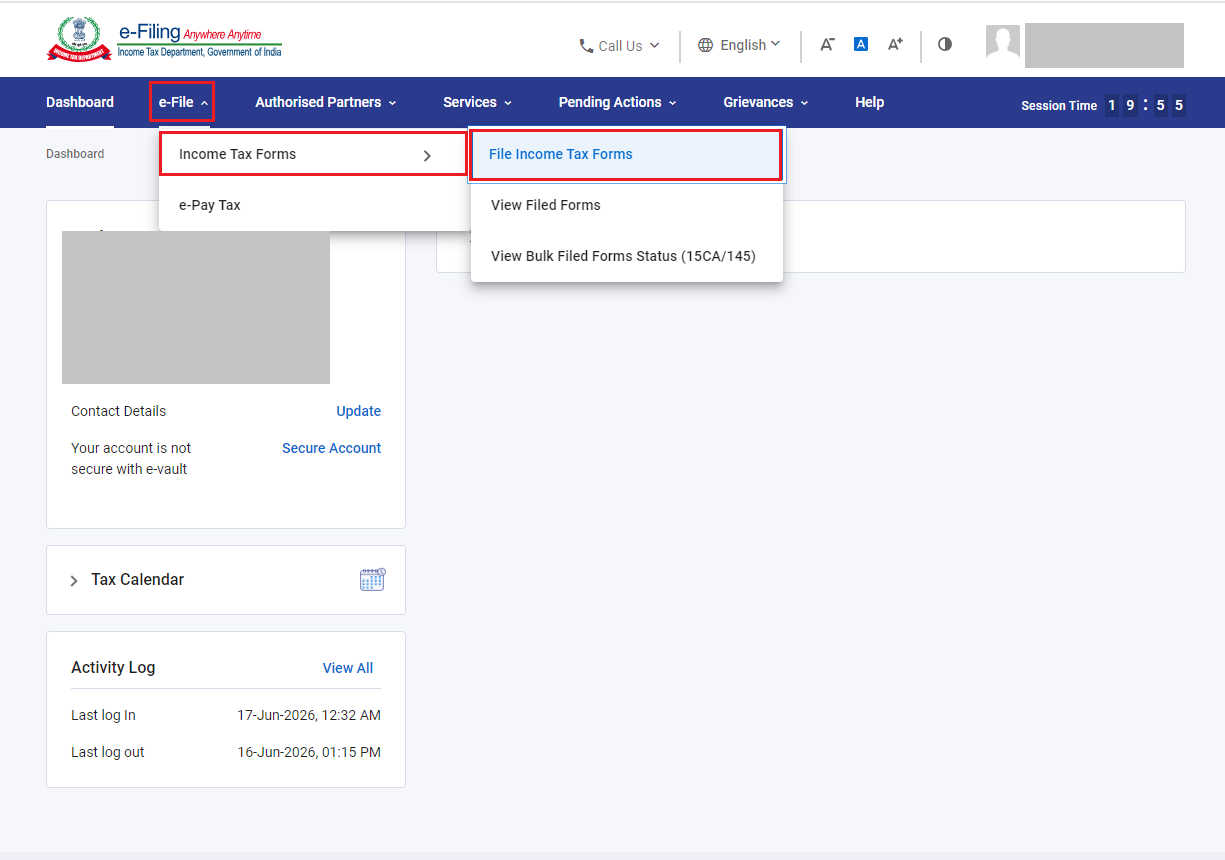
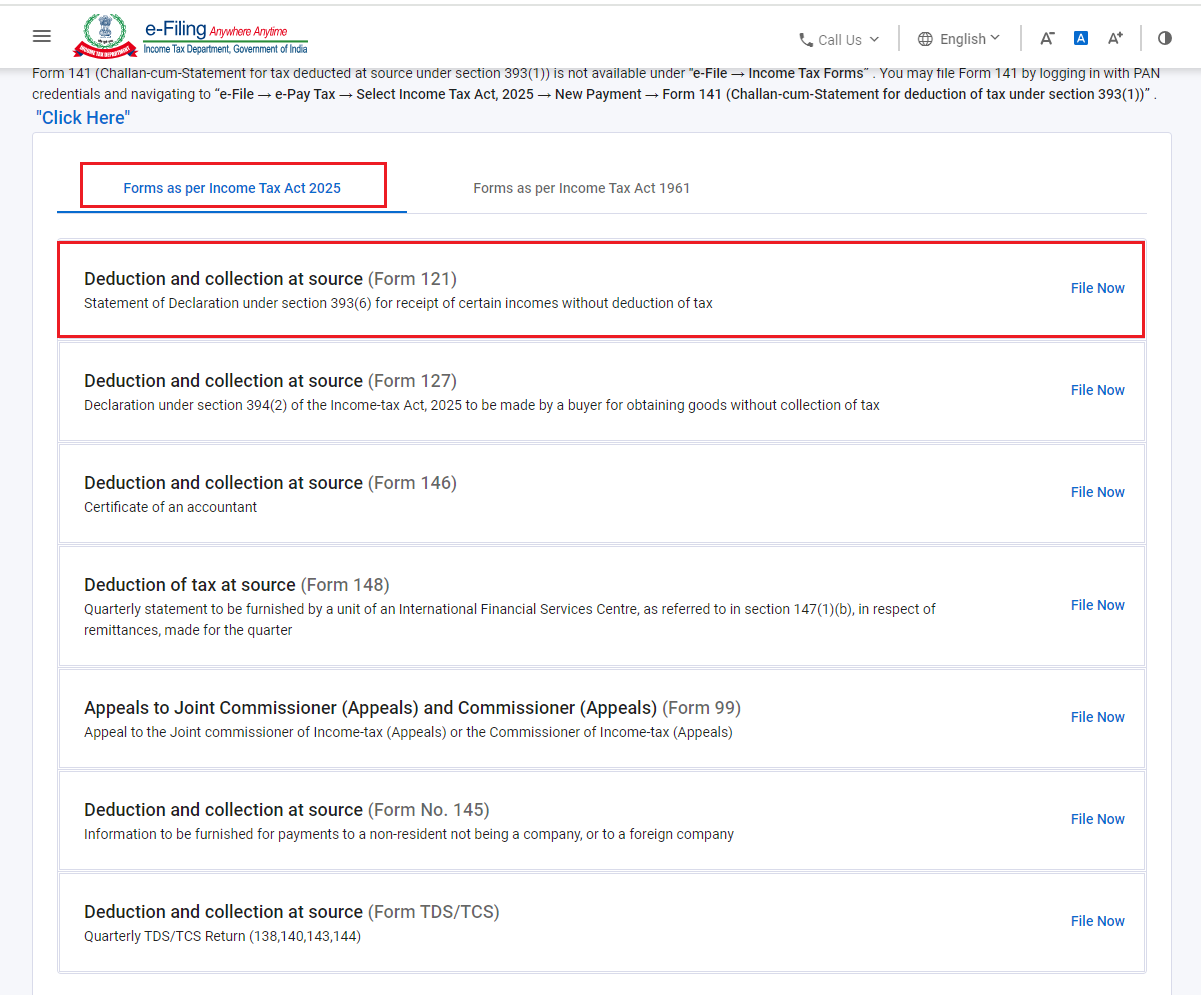
Step 3: Go to ‘e-File’ > ‘Income Tax Forms’ > ‘File Income Tax Forms’.
Step 4: Under ‘Forms as Per Income Tax Act 2025’ category, select ‘Deduction and Collection at source (Form 121)’ and click ‘File Now’.
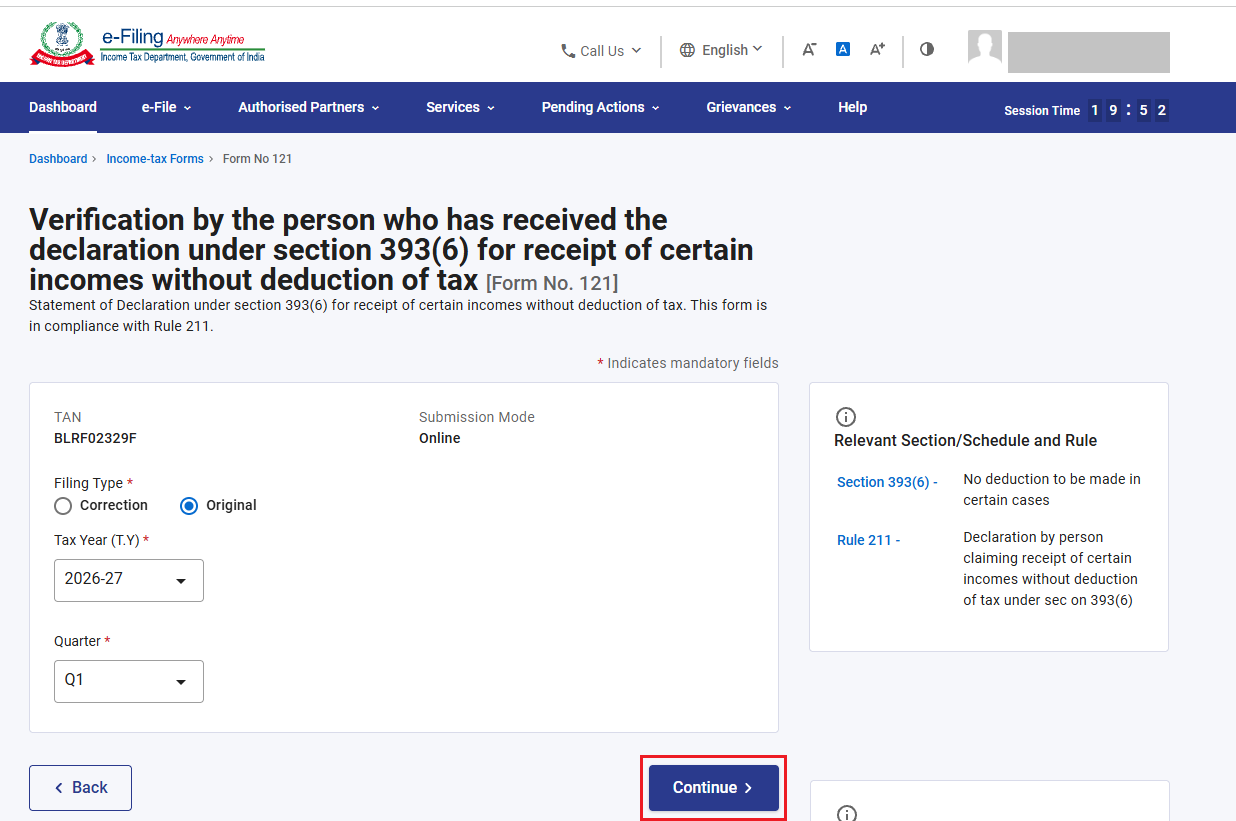
Step 5: On Form page, Select Applicable Filing Type, Tax Year, and Quarter. Click ‘Continue’.
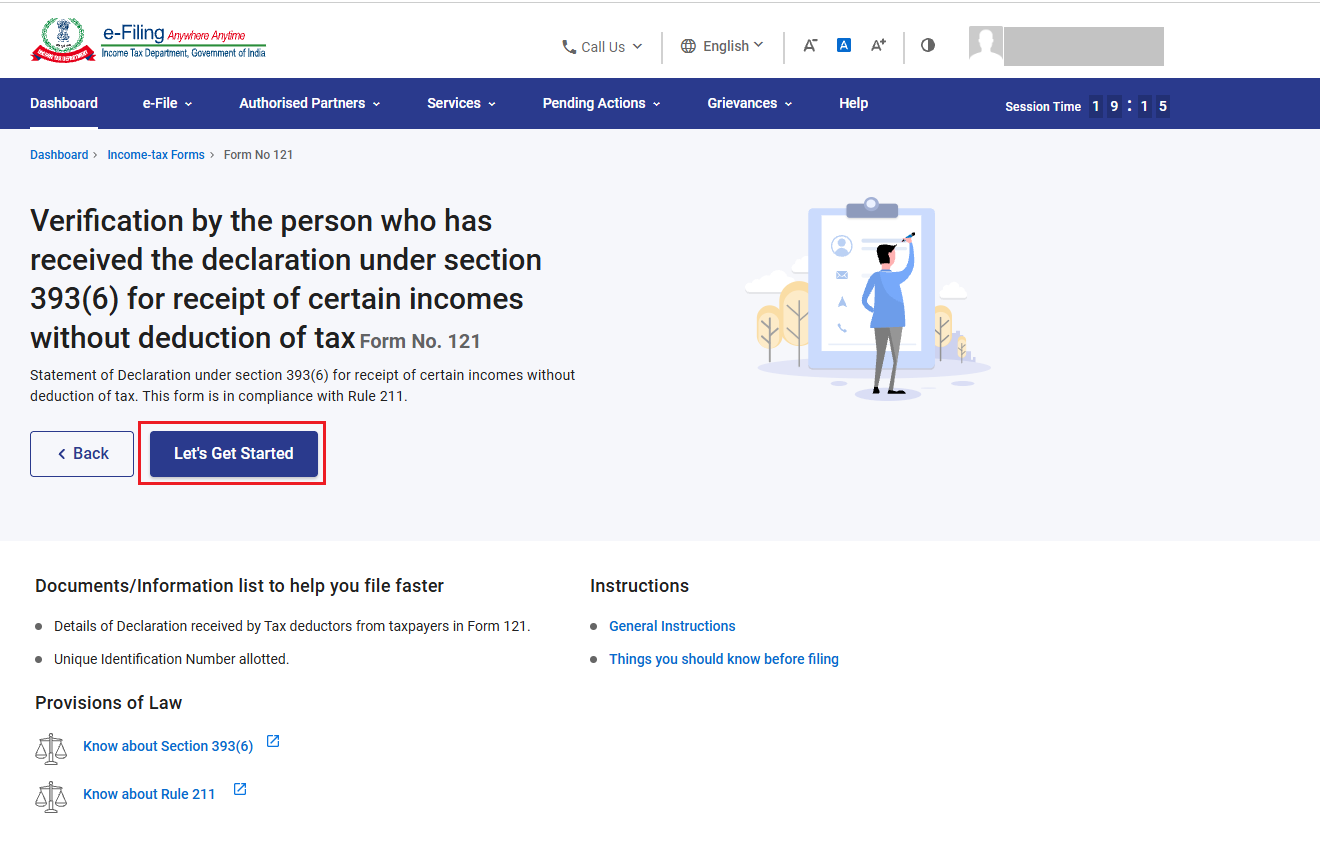
Step 6: Read the Instruction to file the Form and Click on ‘Let’s get Started’.
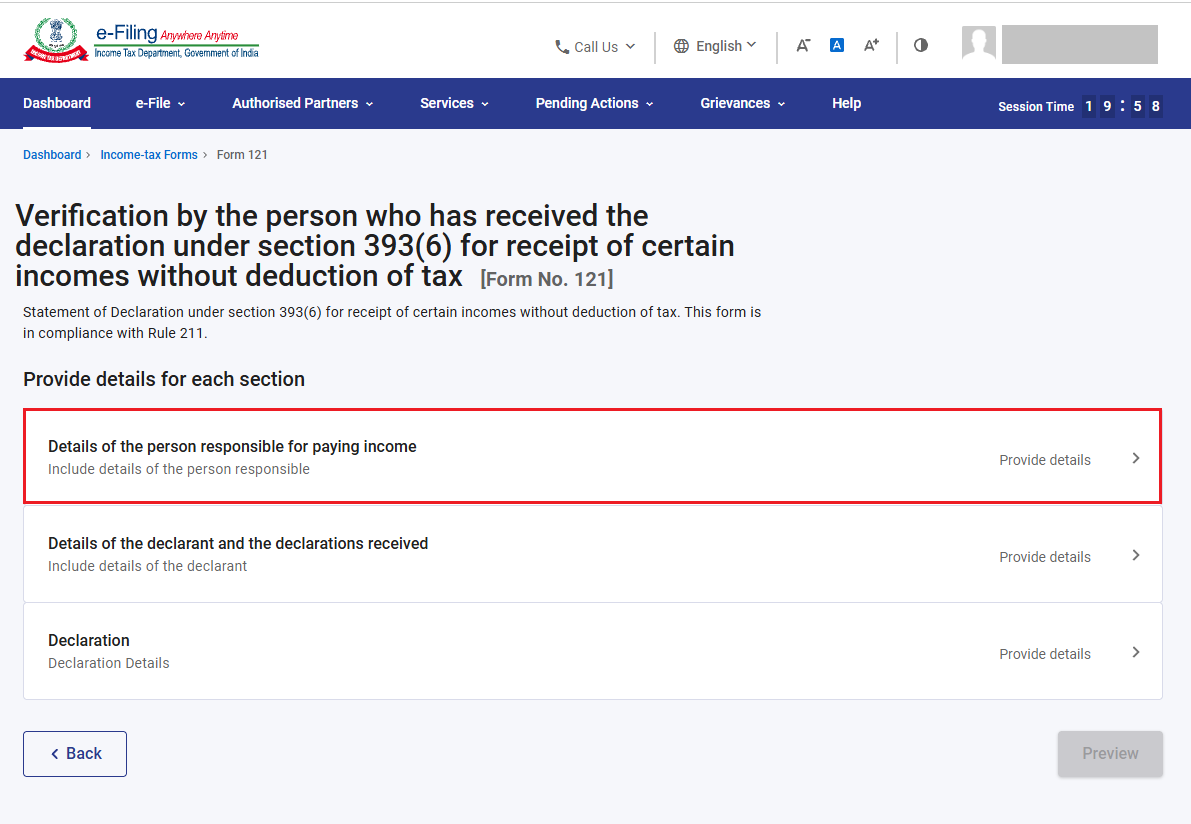
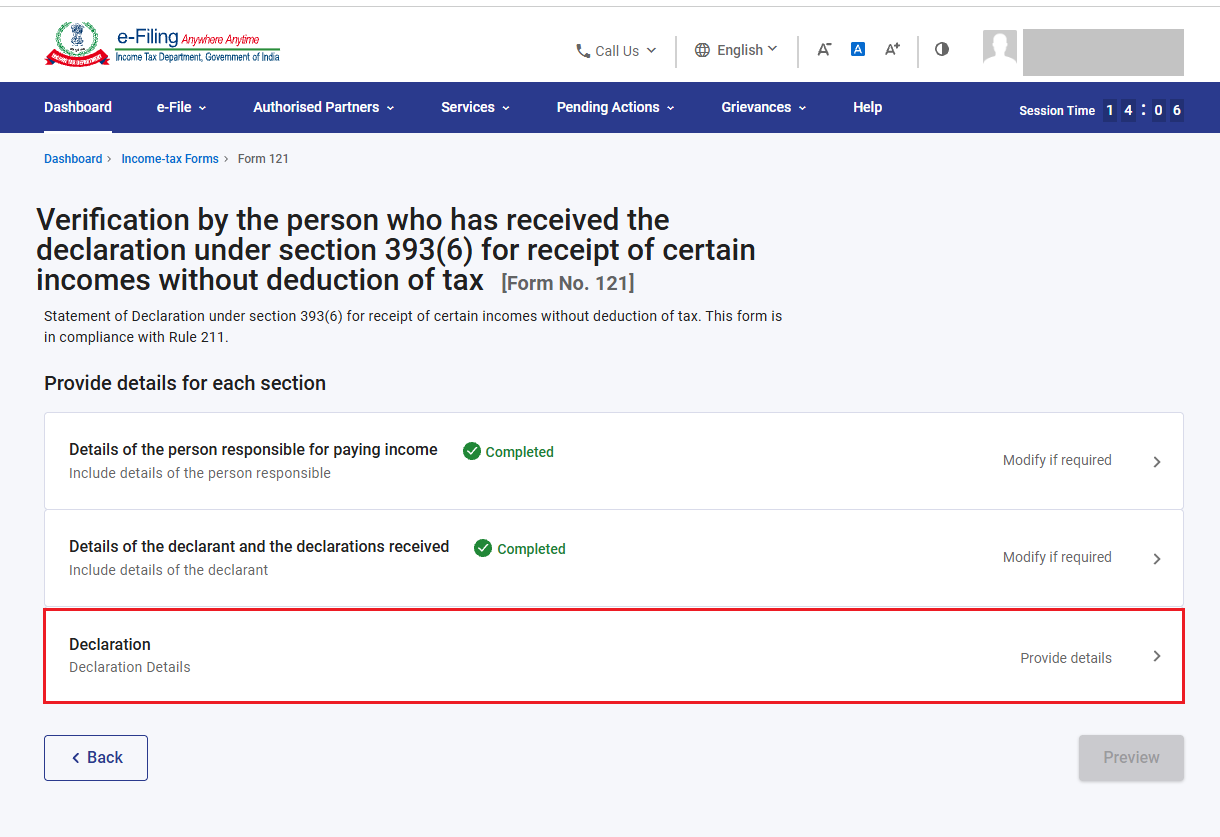
Step 7: Form 121 have 3 sections:
1. Details of the person responsible for paying income
2. Details of declarant and declaration received
3. Declaration
To complete the form, confirm each section of form.
Now, click on ‘Details of the person responsible for paying income’.
Step 8: Basic information (Name, Address, Email ID etc) of payer will be prefilled from profile section. If any changes to be made, please Go to ‘My profile’ and change the information.
Additionally, enter PAN no and click ‘Save’.
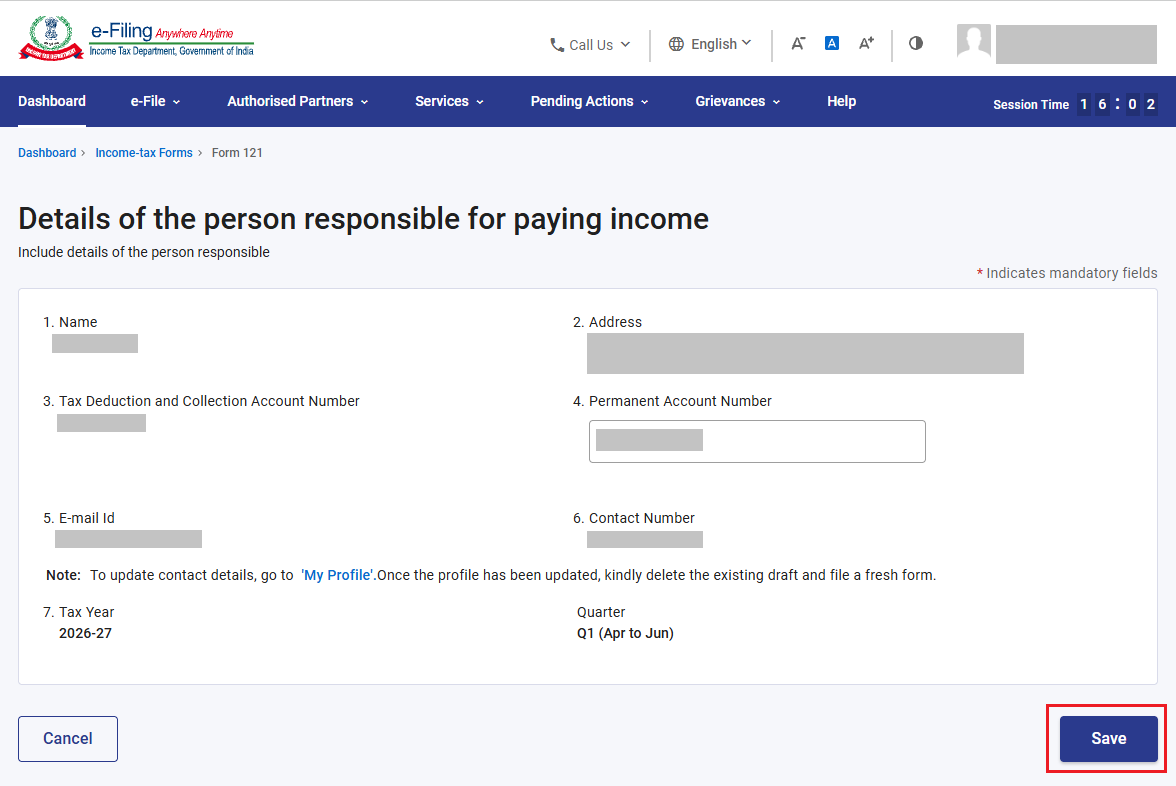
Step 9: Details of the person responsible for paying income is completed. Now, click on ‘ Details of declarant and declaration received’.
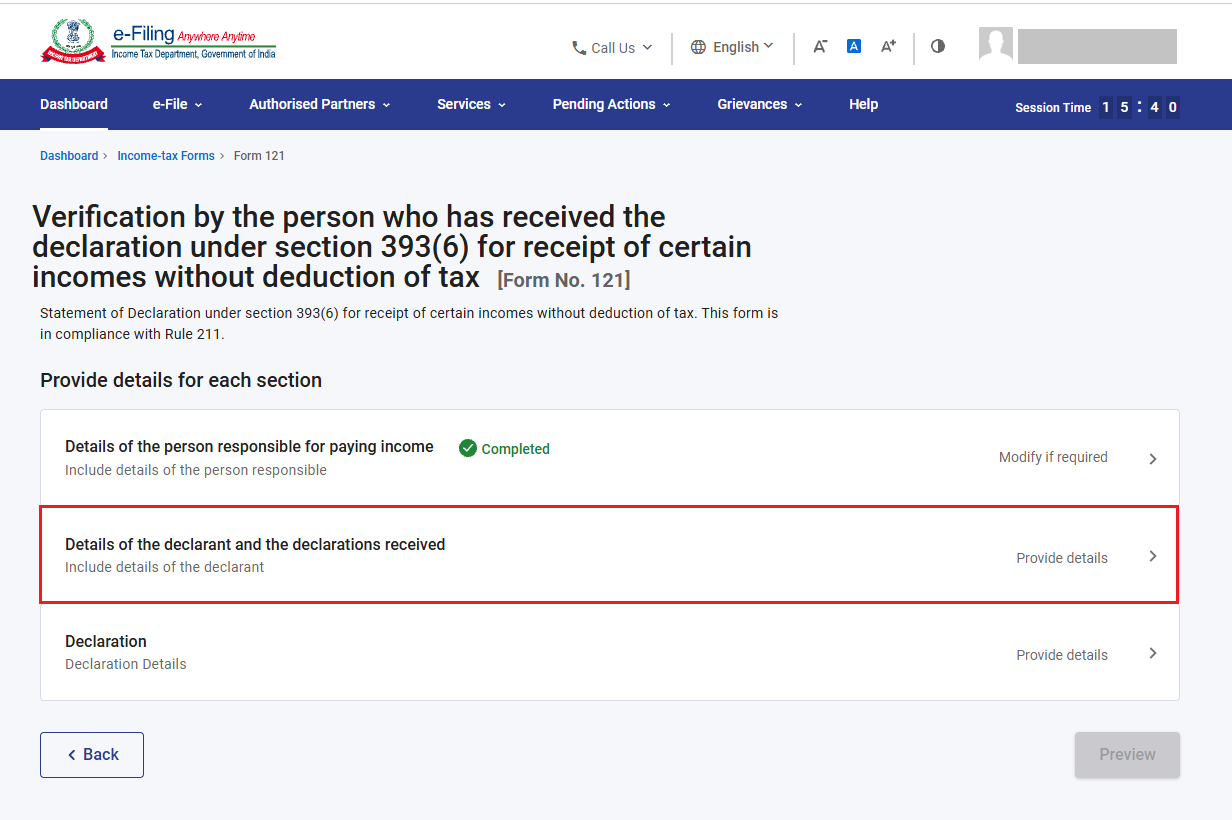
Step 10: Under ‘Details of declarant and declaration received’ section, please furnish the details of declarant and declaration received.
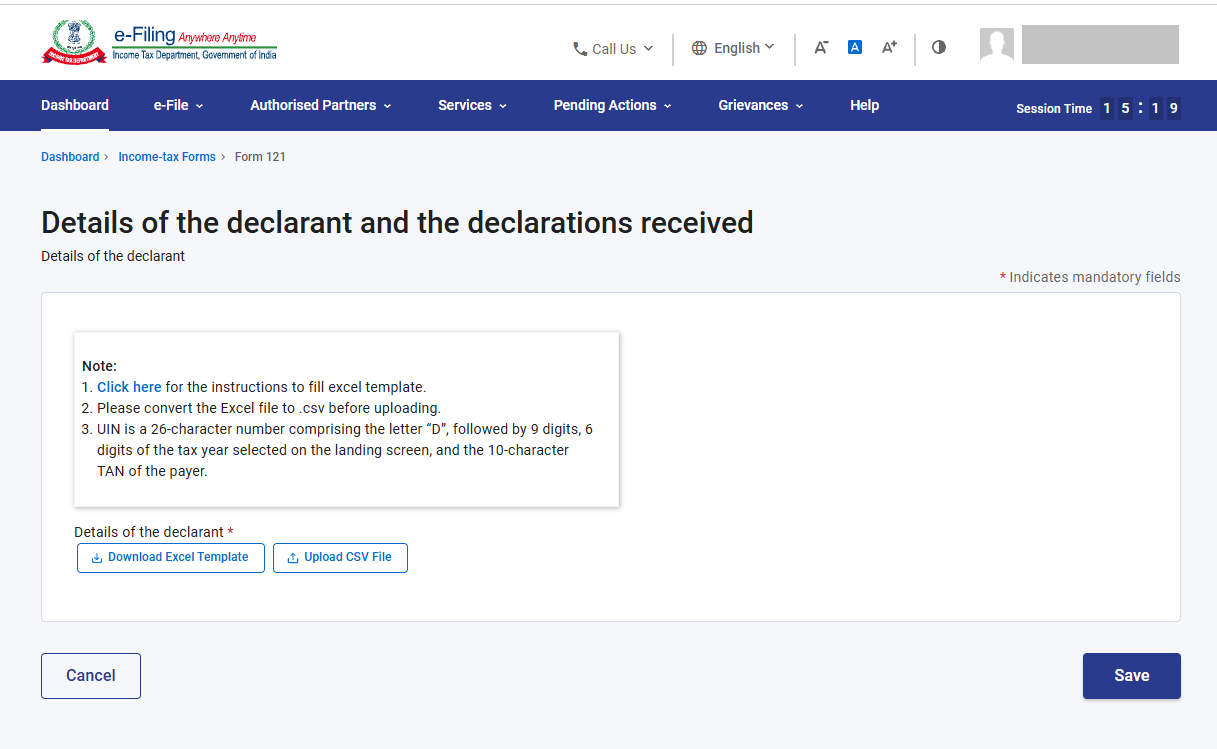
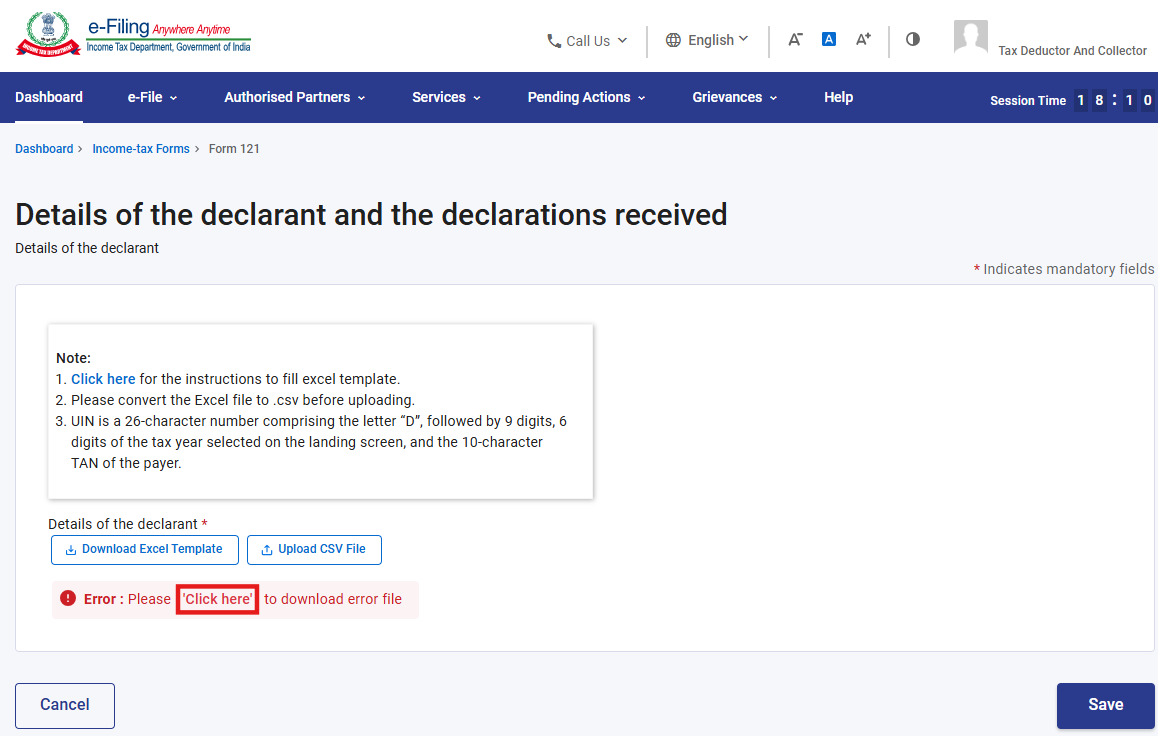
Please Note: Download the Instruction sheet by clicking on hyperlink ‘Click here’ and fill the information in excel sheet accordingly to avoid any error in uploading .CSV file.
Download below excel template and furnish the same information in excel format (Column A to Column T) and create .CSV file.
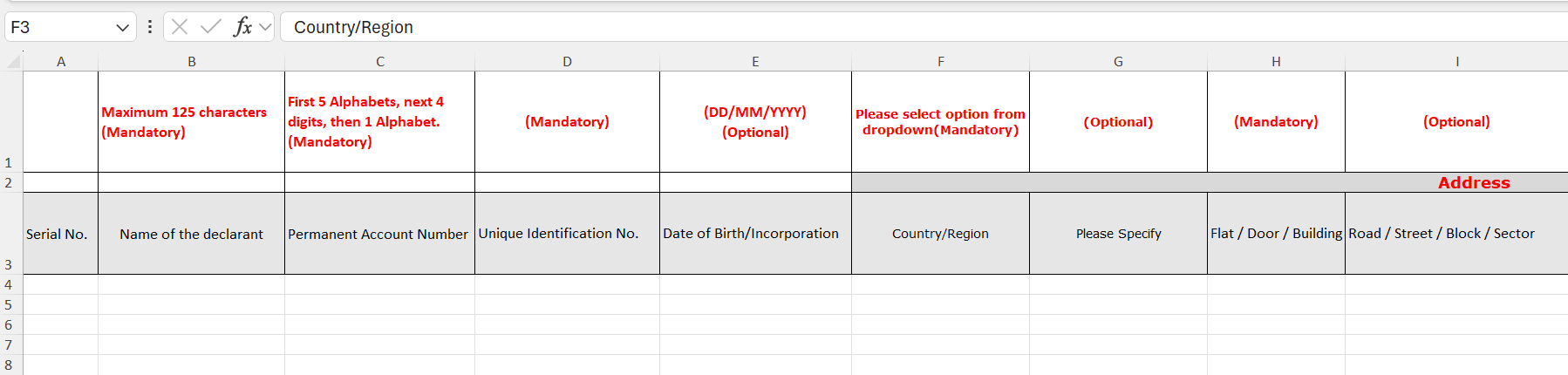
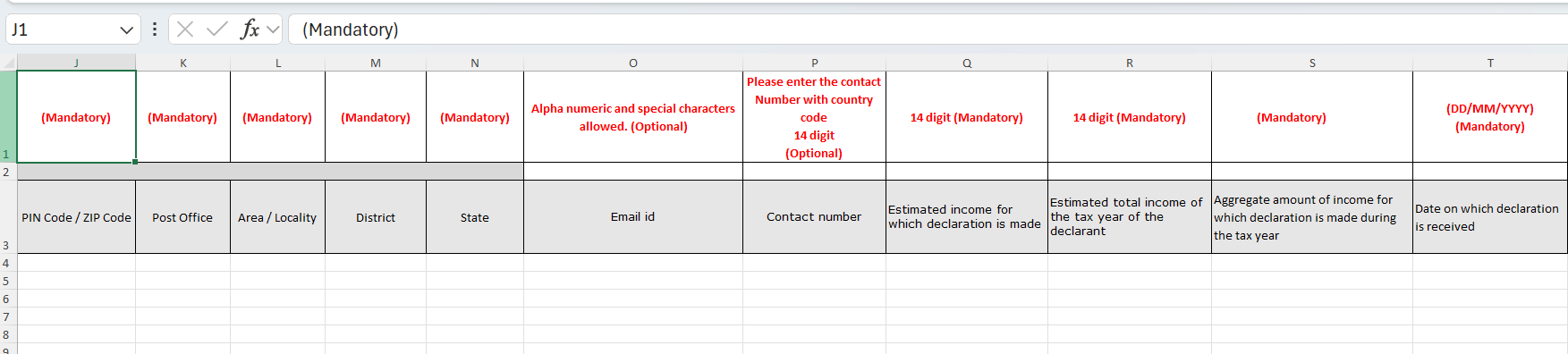
Please Note:
1. UIN is a 26 character number comprising the letter ‘D’, followed by 9 random numerical digits, 6 digits of the tax year selected on the landing screen, and the 10 characters of login TAN of the payer.
2. CSV file is acceptable Upto 200MB.
Now, Upload the .CSV file by clicking on upload CSV. If there is no error in uploaded file, click ‘Save’.
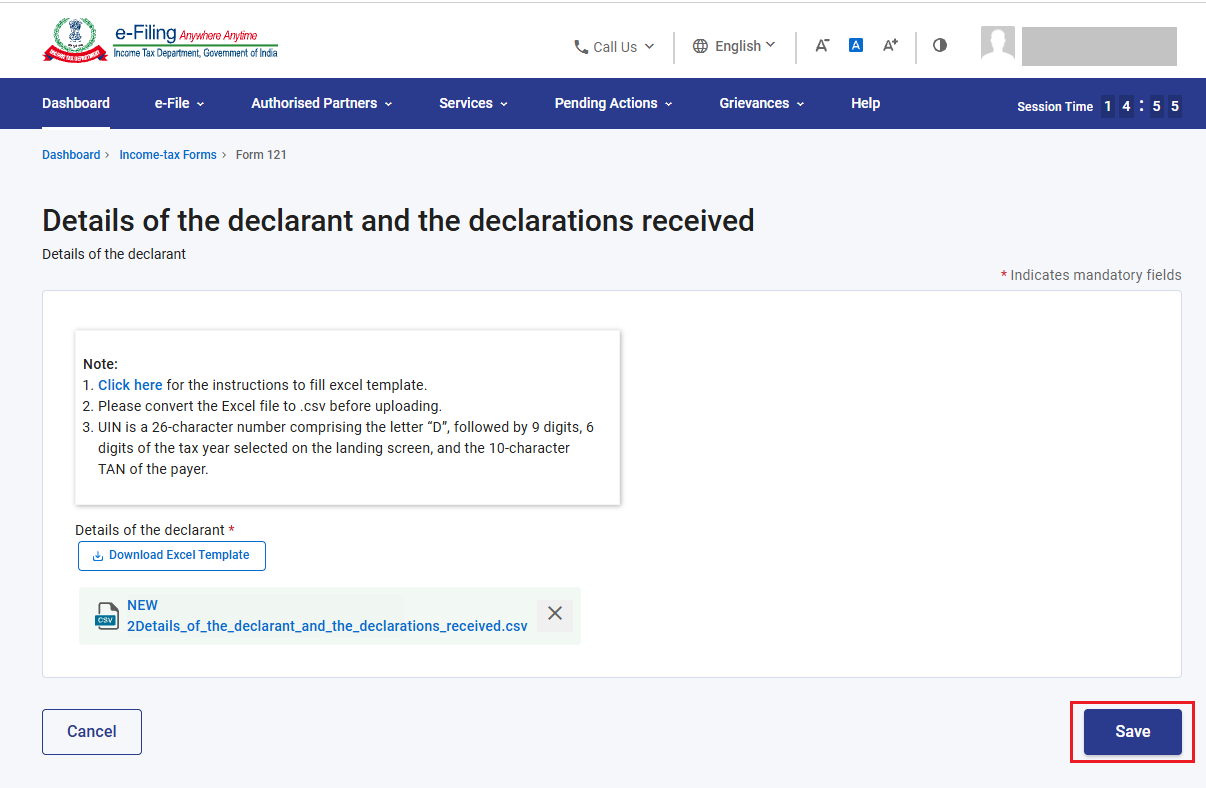
-If there is error in uploaded .CSV file, click on ‘Click here’ to download error file and check the error.
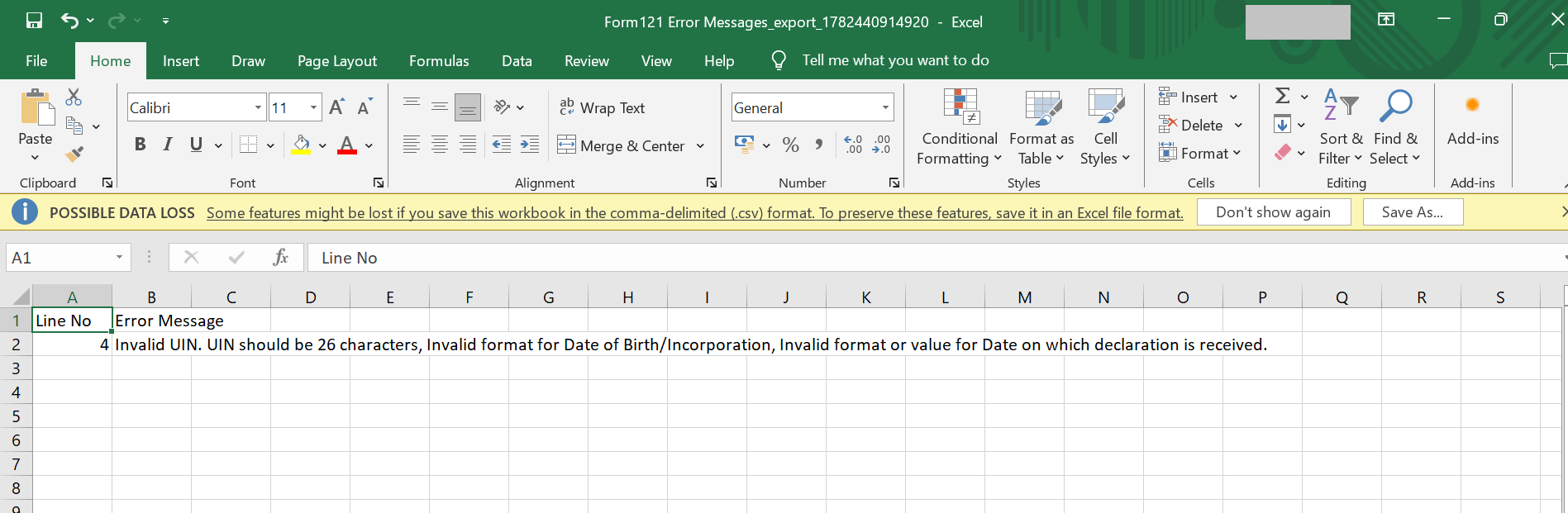
Rectify the error in csv mentioned in error file and upload again. You can refer the instruction sheet to rectify the error.
Step 11: Details of declarant and declaration received is completed. Now, Click on ‘Declaration’.
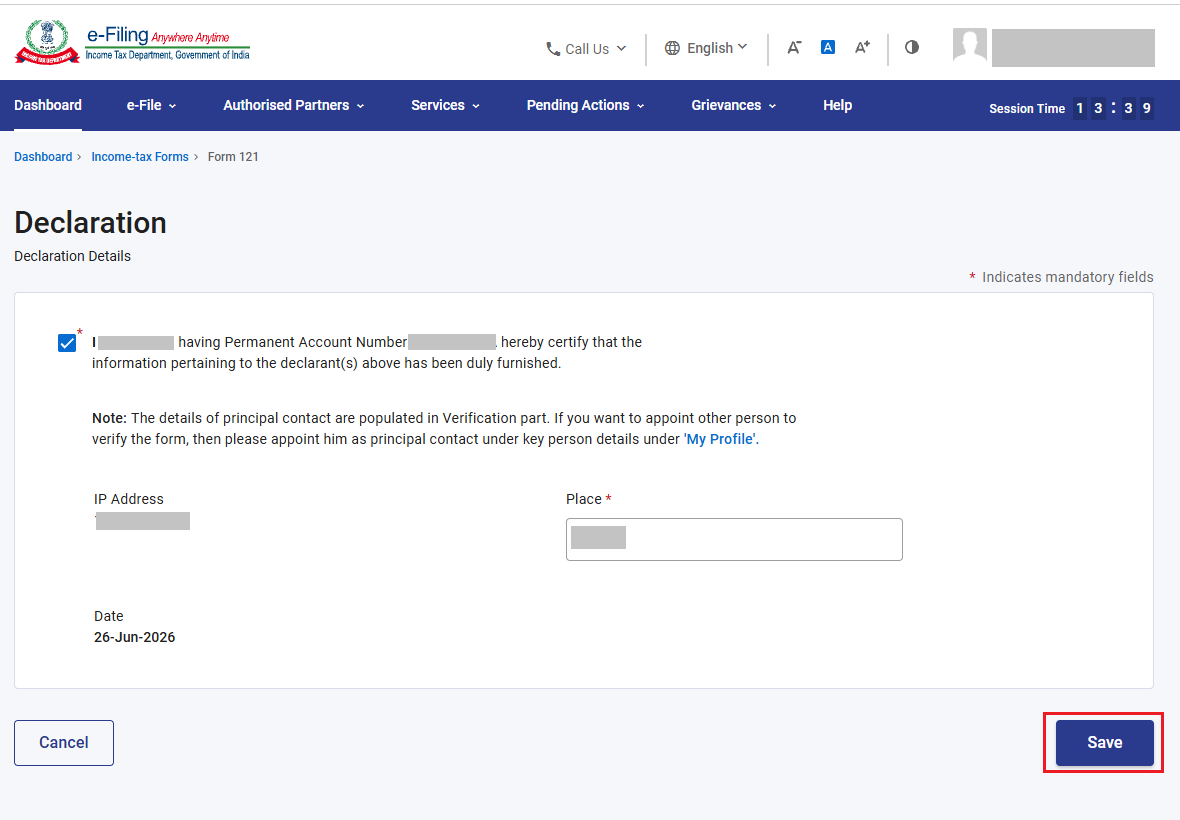
Step 12: Confirm the check box and enter place. Click ‘Save’.
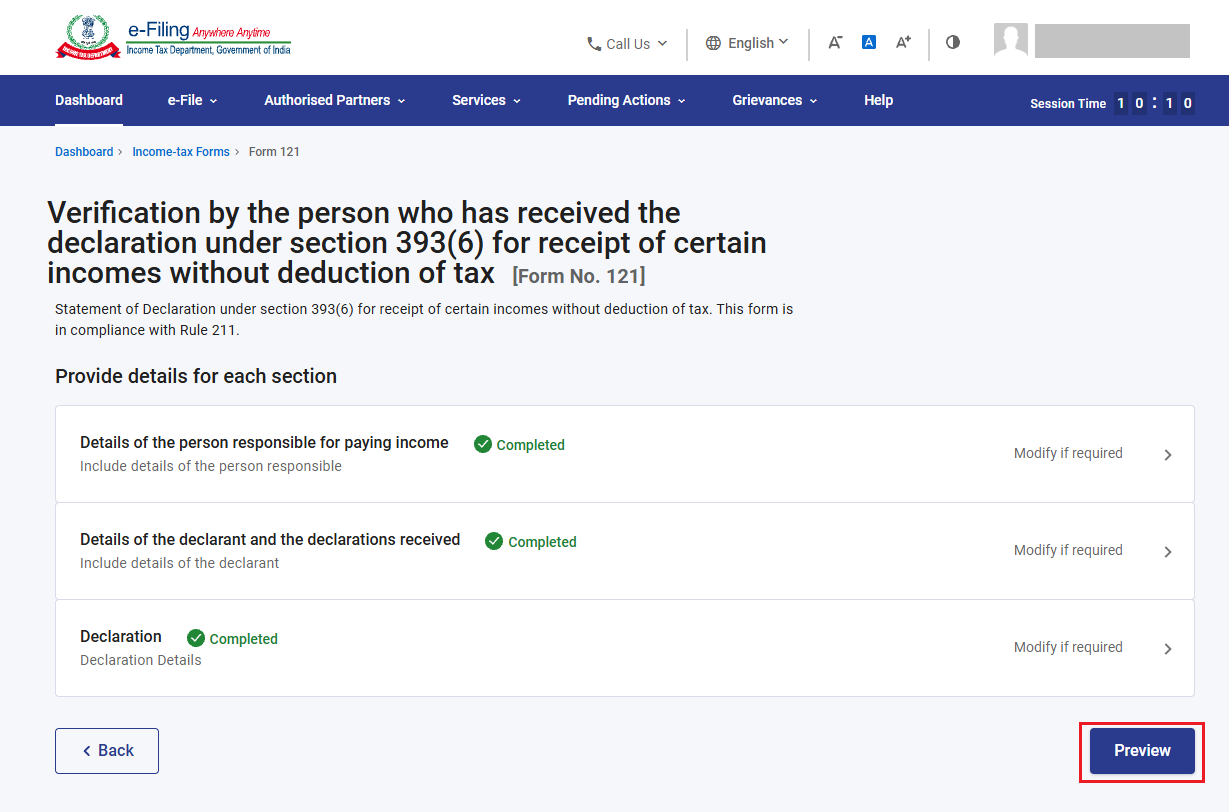
Step 13: All the three sections are confirmed. Click ‘Preview’.
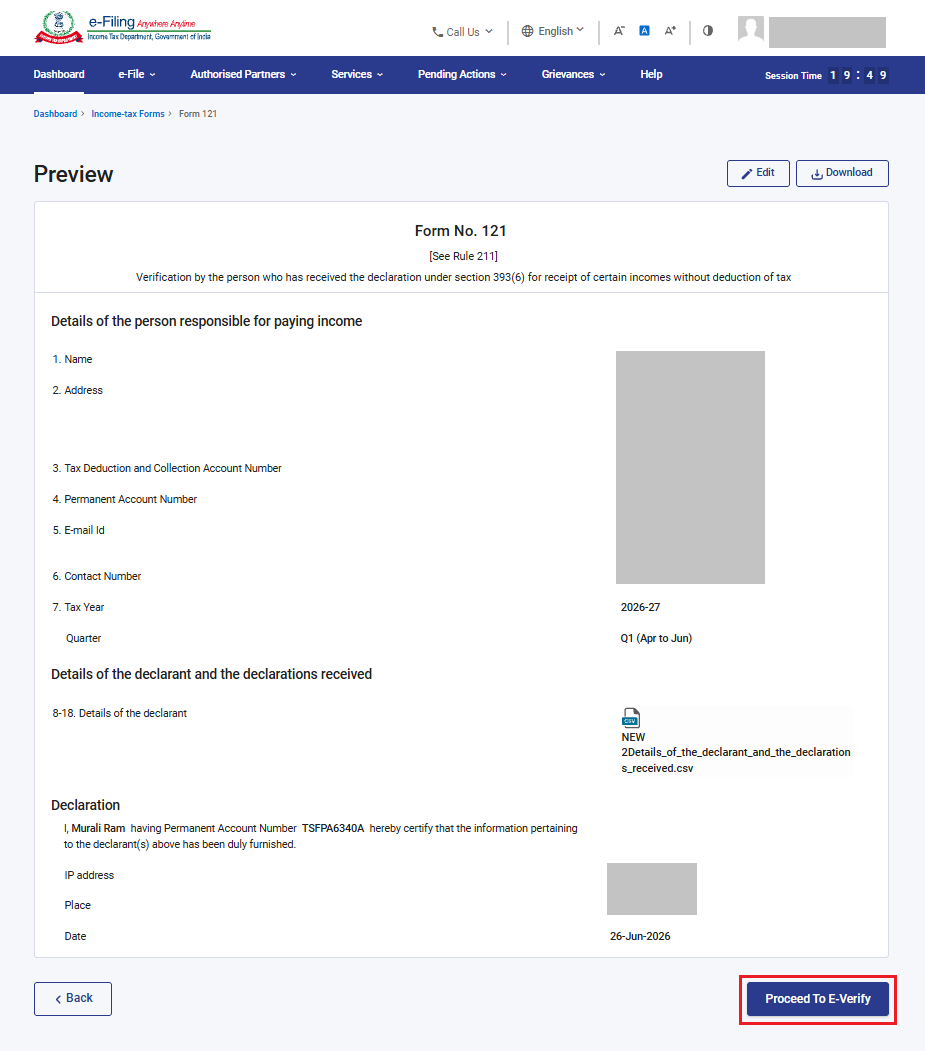
Step 14: Check the preview of form. Click ‘Proceed to E-Verify’.
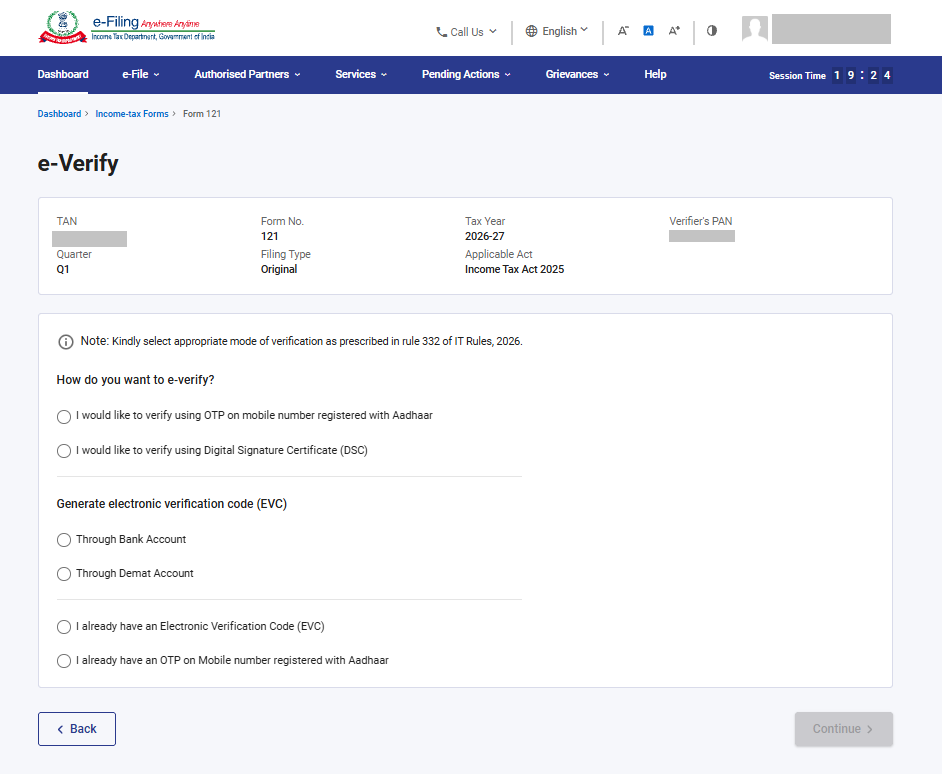
Step 15: Verify the form using appropriate method of verification.
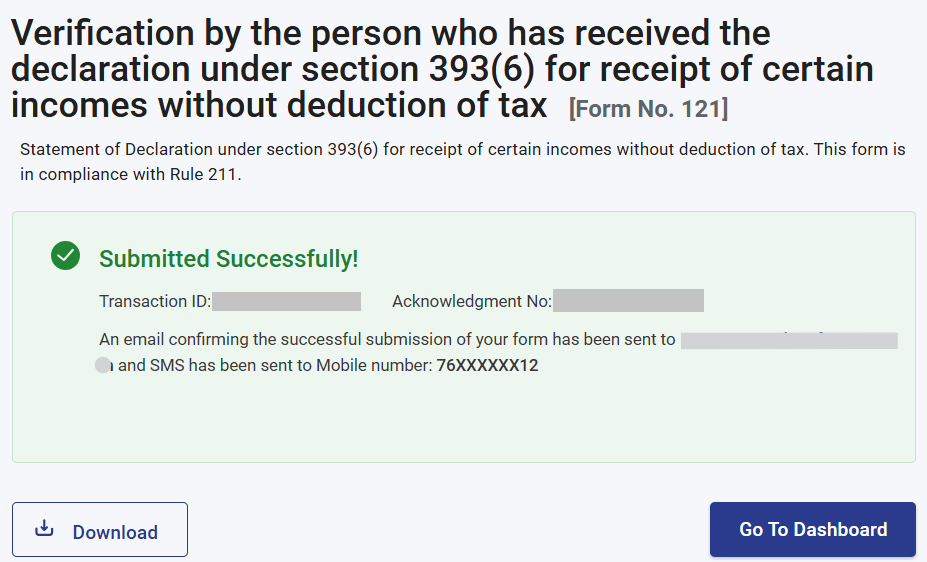
Step 16: After verification, form will be submitted. Kindly note the acknowledgement number and transaction ID for future reference. Same will be communicated on registered email ID.
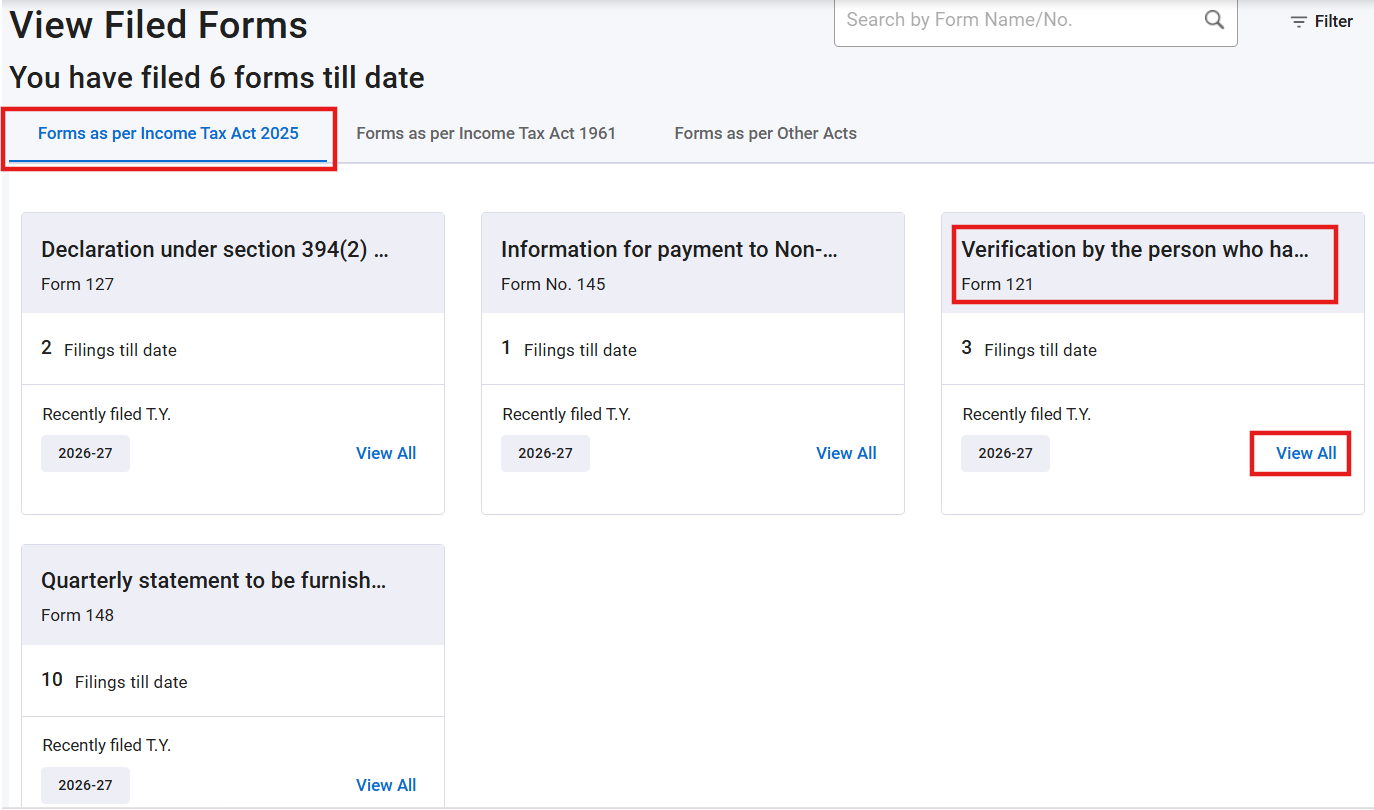
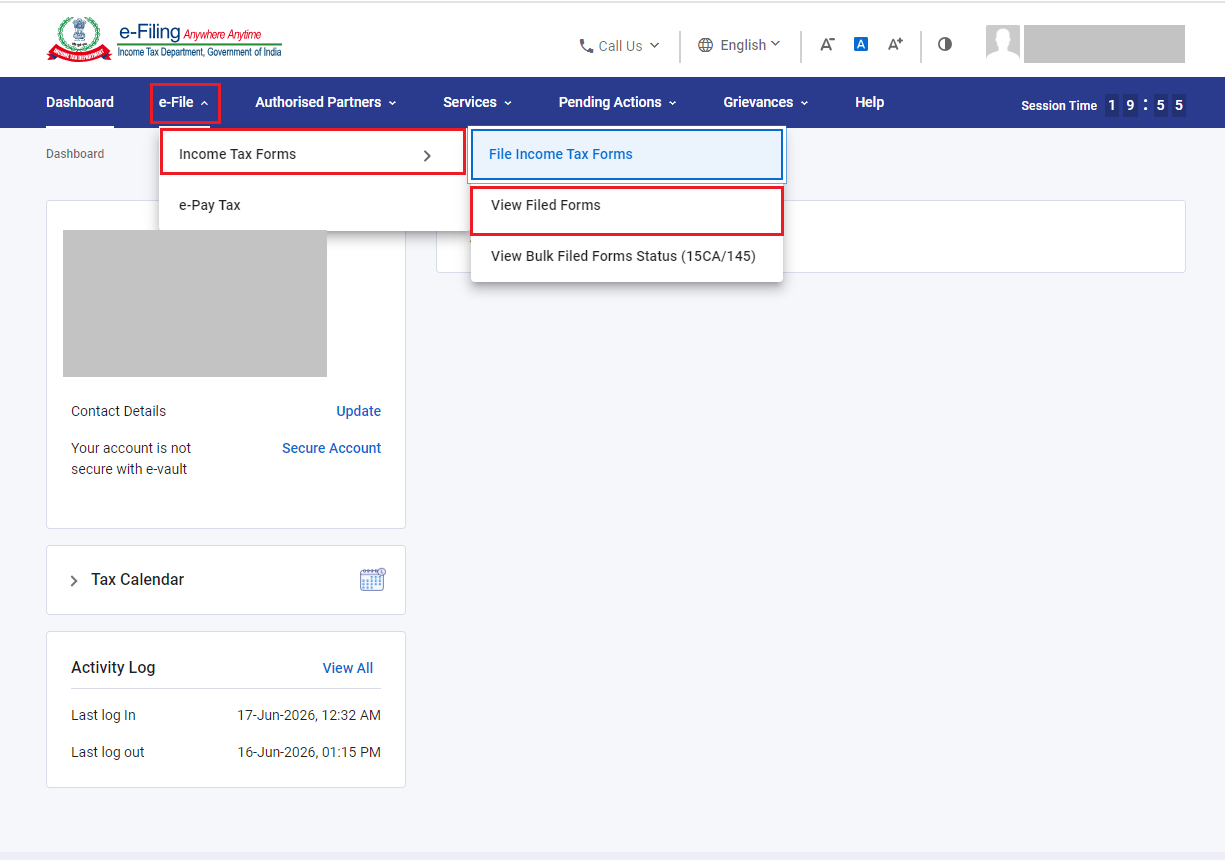
Step 17: To view the submitted form Go to ‘e-File’ > ‘Income Tax Forms’ > ‘View Filed Forms’.
Step 18: Click on ‘View all’ under Form 121.