Verify Your PAN User Manual
1. Overview
‘Verify PAN Status’ is a pre-login (login to the portal is not required) service on the e-Filing portal for all users other than External Agencies.
External Agencies can access this Verify PAN Status service after log in to e-filing portal.
2. Prerequisites for availing this service
- Valid PAN
- Valid mobile number (accessible to you)
- For External Agencies: Registered user on the e-Filing portal with valid user ID and password,Date of incorporation.
3. Step-by-Step Guide
3.1 Verify PAN Status
Step 1: Go to e-Filing portal homepage.
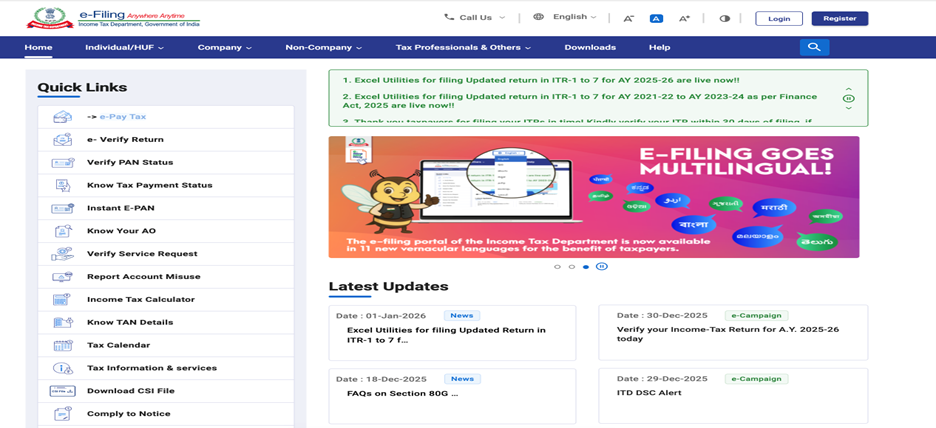
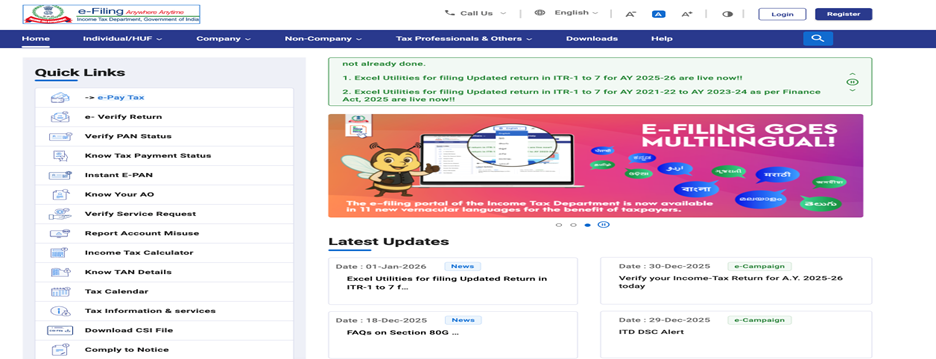
Step 2: In Quick links section, click 'Verify PAN Status'.
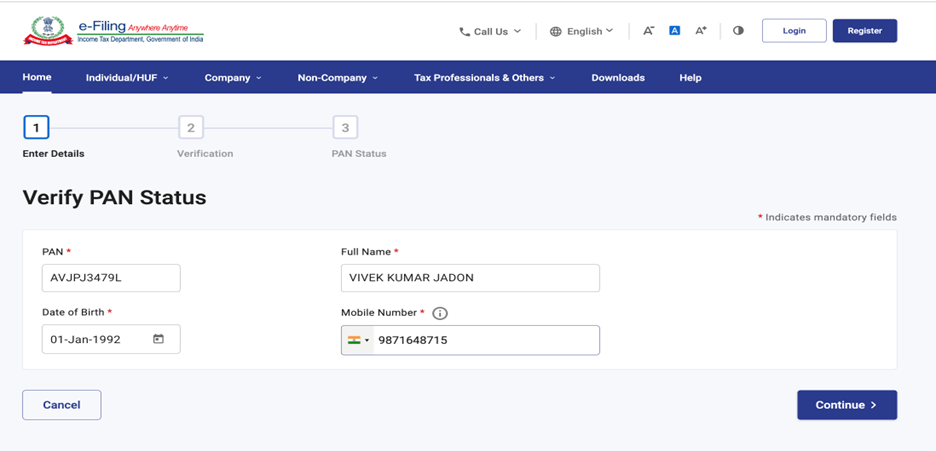
Step 3: On the 'Verify PAN Status' page, enter your PAN, Full Name, Date of Birth and Mobile Number (accessible to you) and click Continue.
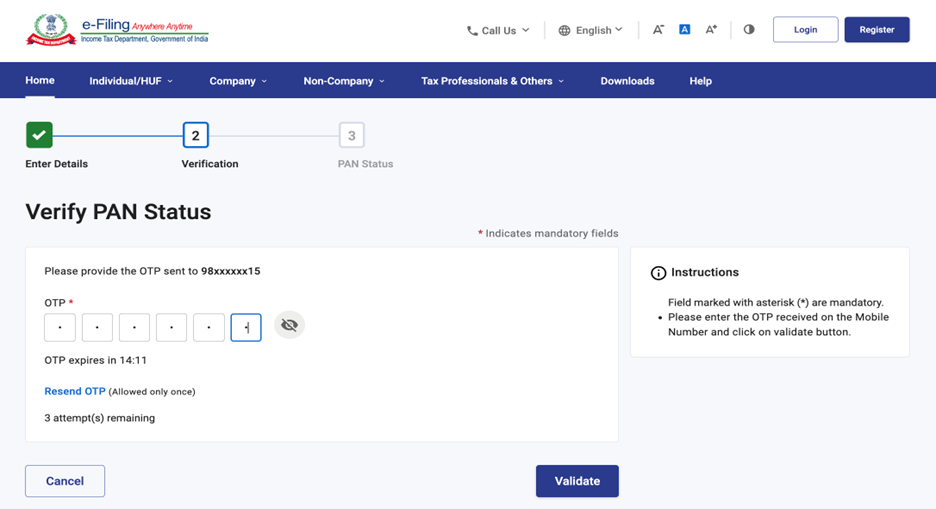
Step 4: On the 'Verification' page, enter the 6-digit OTP received on the mobile number entered in Step 3 and click 'Validate'.
Note:
• OTP will be valid for 15 minutes only.
• You have 3 attempts to enter the correct OTP.
• The OTP timer displays countdown timer on screen tells you when the OTP will expire.
• The OTP timer displays the time remaining to regenerate an OTP. On clicking 'Resend OTP', a new OTP will be generated and sent.
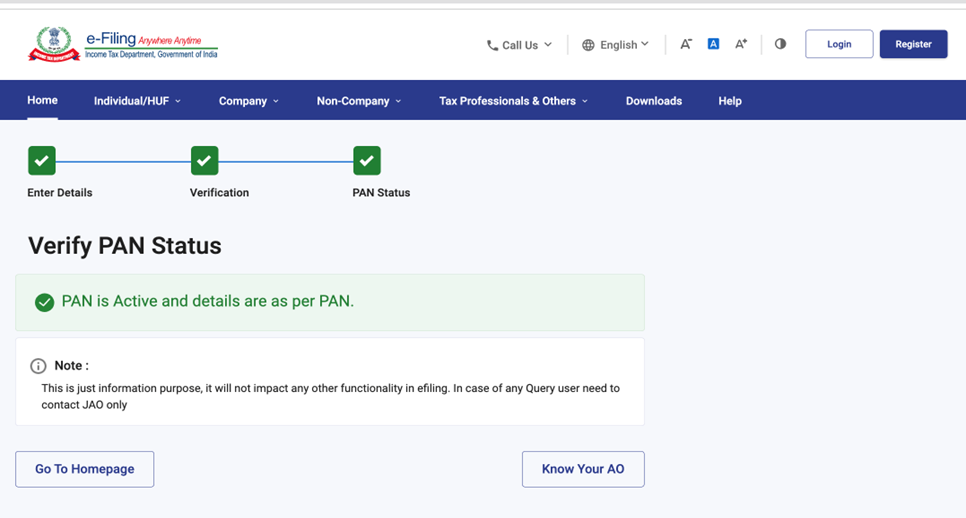
On successful verification, your PAN status will be displayed
Note:
This is just information purpose, it will not impact any other functionality in efiling. In case of any Query user need to contact JAO only
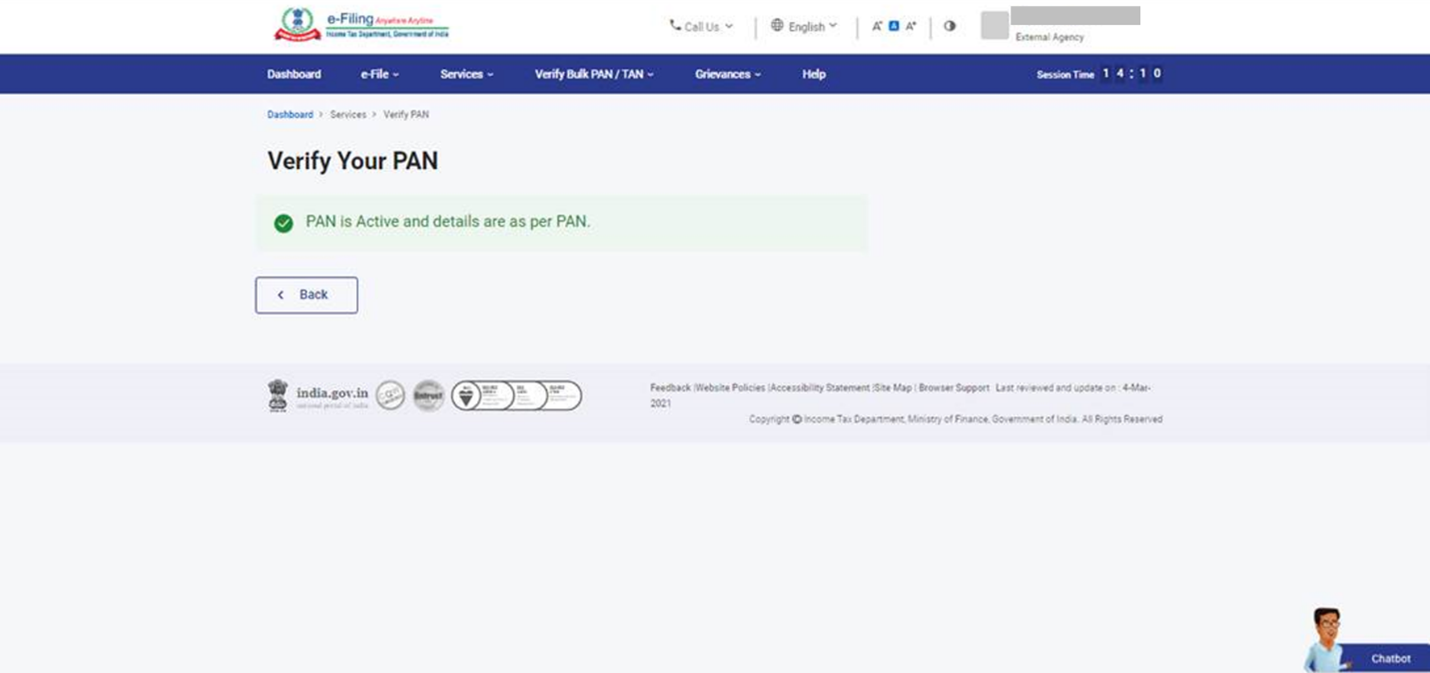
3.2 Verify PAN for External Agency
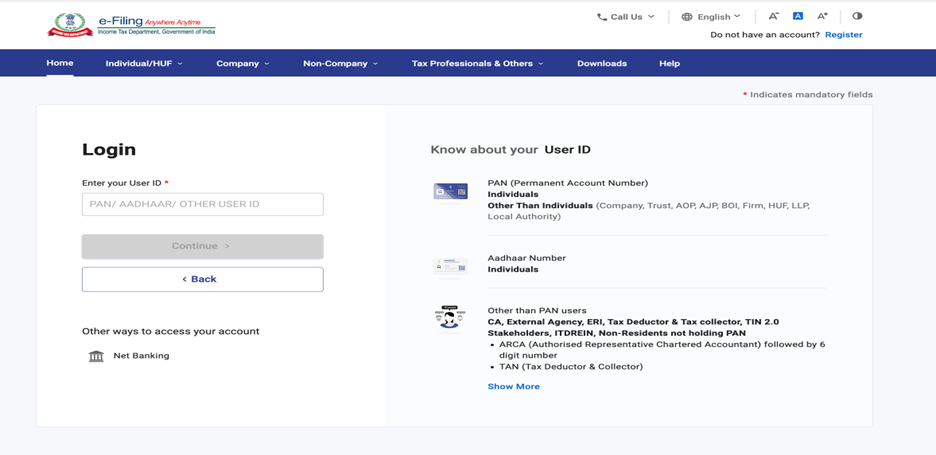
Step 1: Log in to the e-Filing portal using your user ID and password.
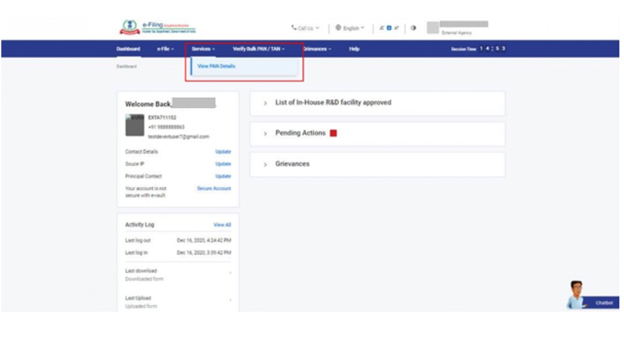
Step 2:Click ‘Services’ > ‘View PAN Details’.
Step 3: On the ‘Verify Your PAN’ page, enter the PAN (which you want to verify), Full Name and Date of incorporation (DOI) / Date of Birth (DOB) and click ‘Continue’.
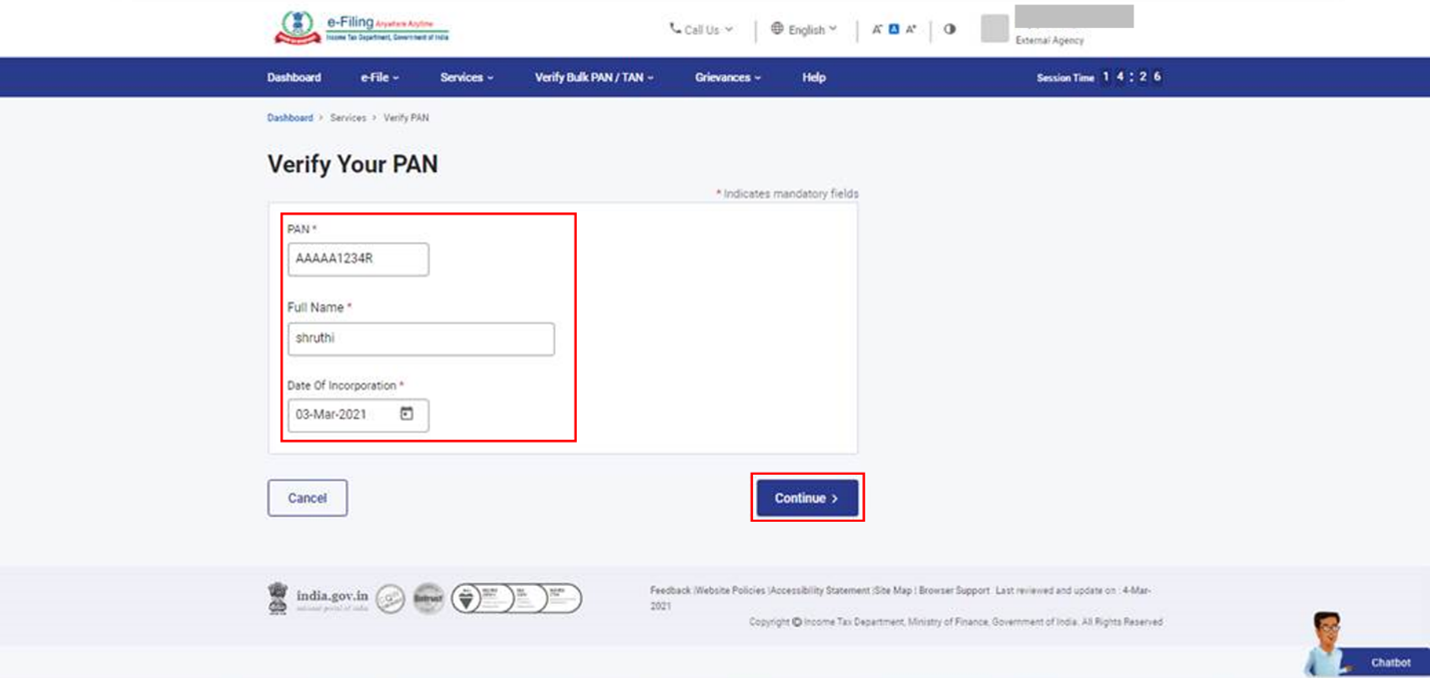
On successful validation, PAN status will be displayed.