Know Your JAO User Manual
1. Overview
The 'Know Your JAO' service is available to taxpayers (registered or unregistered with e-Filing) who have a valid PAN. This service allows you to view the details of the Jurisdictional Assessing Officer (JAO) for a particular PAN. You do not need to login to e-Filing portal to avail this service.
2. Prerequisites for availing this service
- Valid PAN
- Valid mobile number
3. Step-by-Step Guide
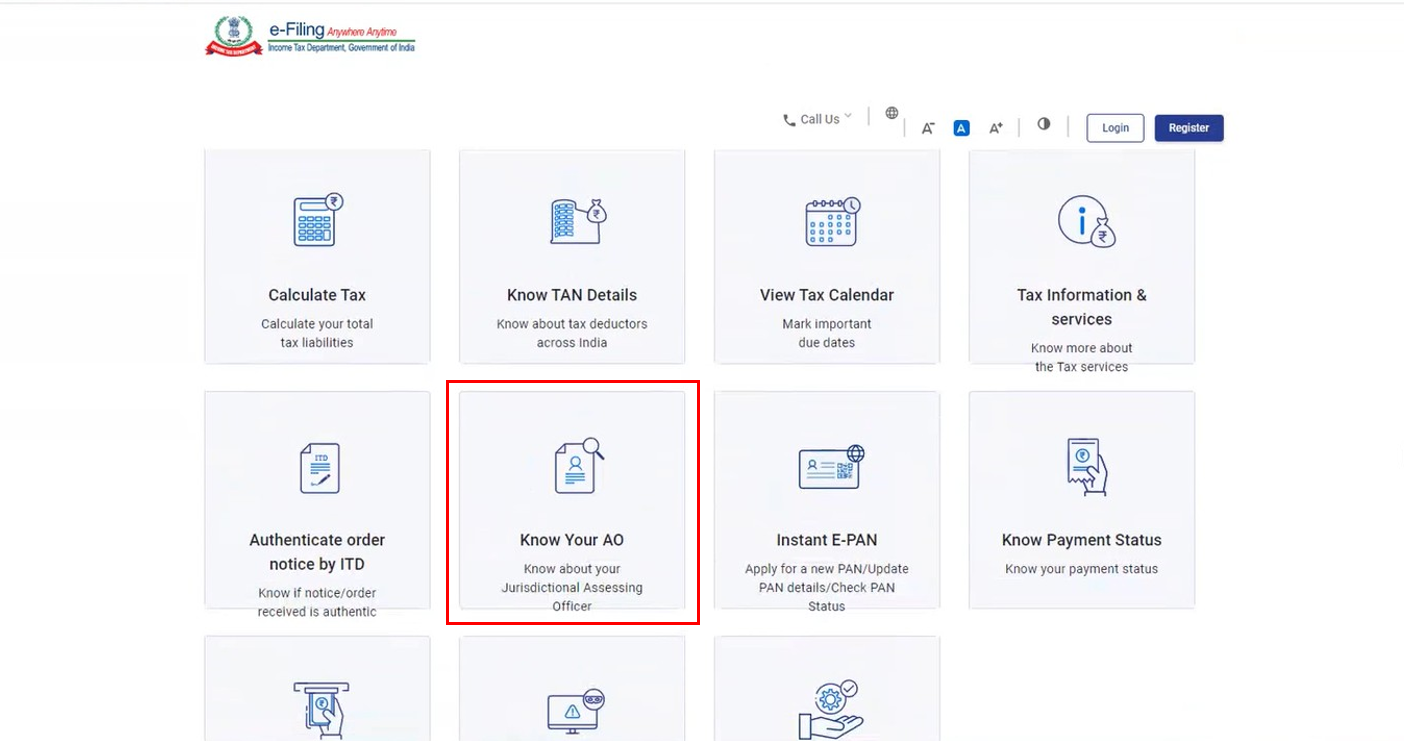
Step 1: Go to the e-Filing portal homepage and click 'Know Your JAO'.
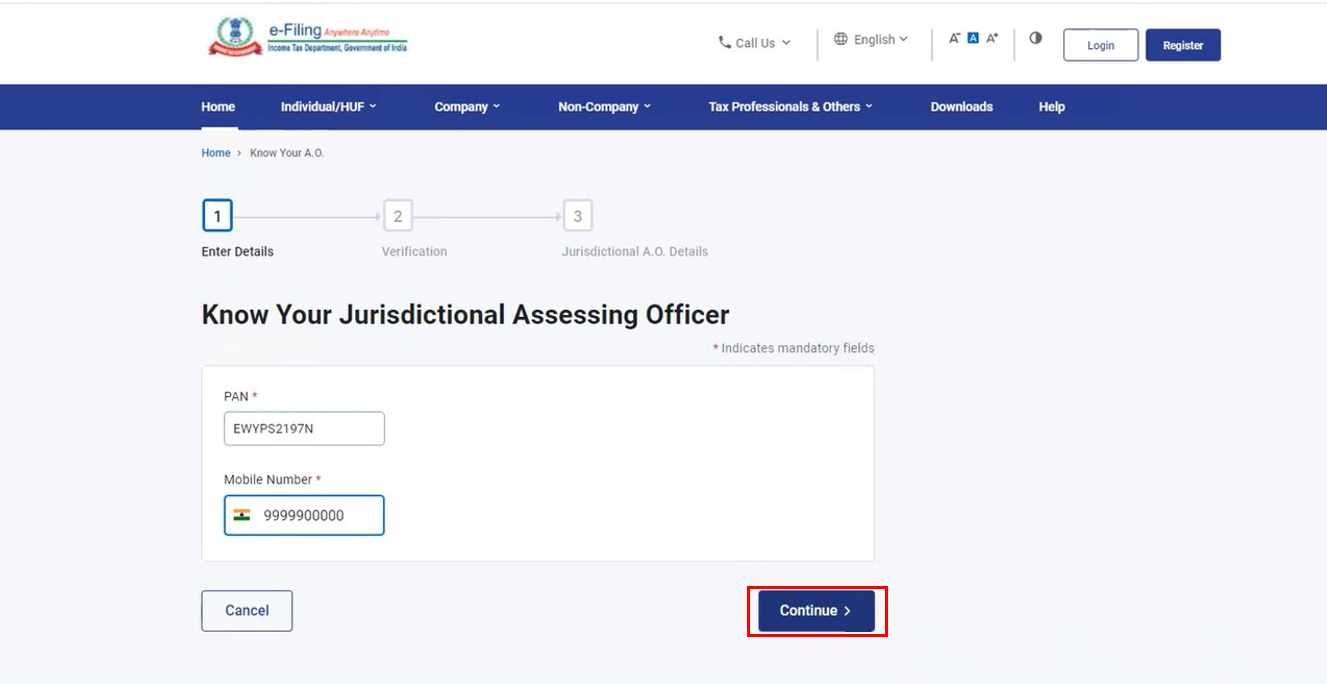
Step 2: On the 'Know Your Jurisdictional Assessing Officer' page, enter your PAN and a valid mobile number and click 'Continue'.
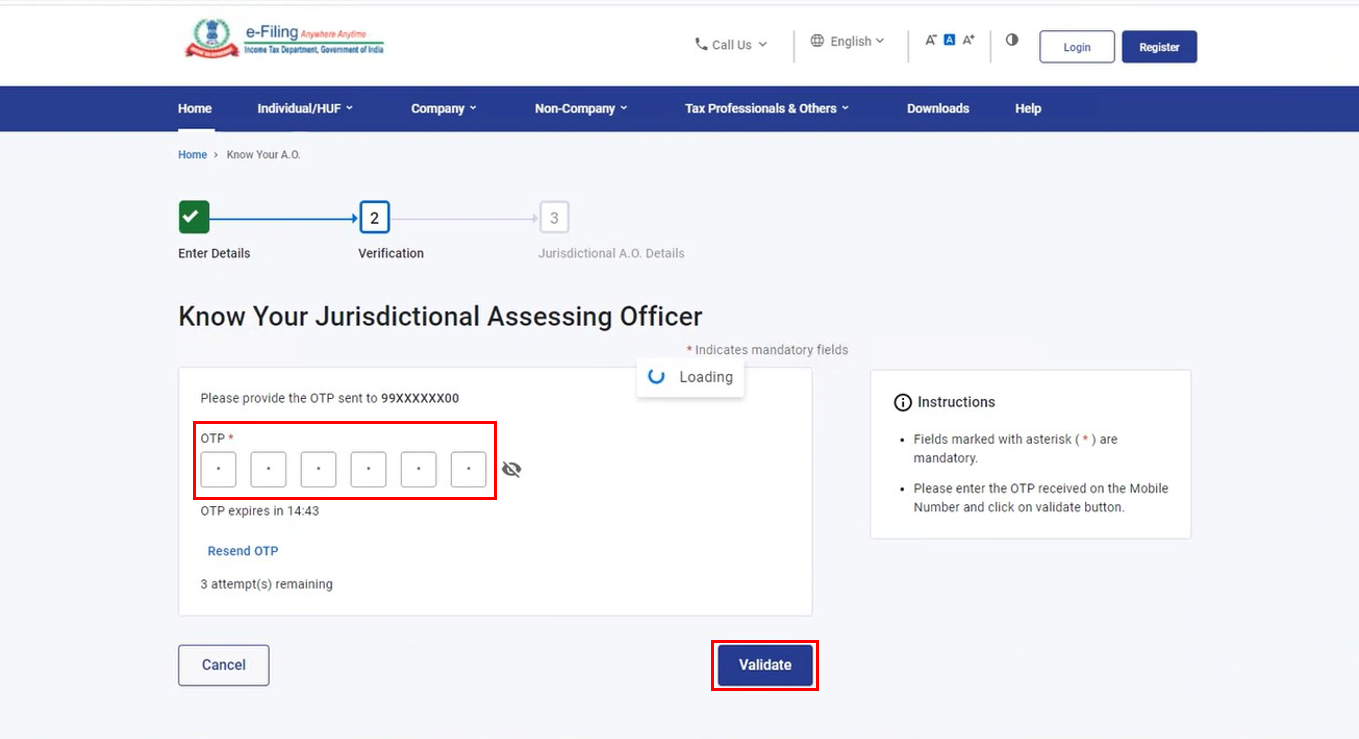
Step 3: You will receive a 6-digit OTP on the mobile number you entered in Step 2. Enter the OTP and click 'Validate'.
Note:
- OTP will be valid for 15 minutes only.
- You have 3 attempts to enter the correct OTP.
- The OTP expiry countdown timer on screen tells you when the OTP will expire.
- On clicking 'Resend OTP', a new OTP will be generated and sent.
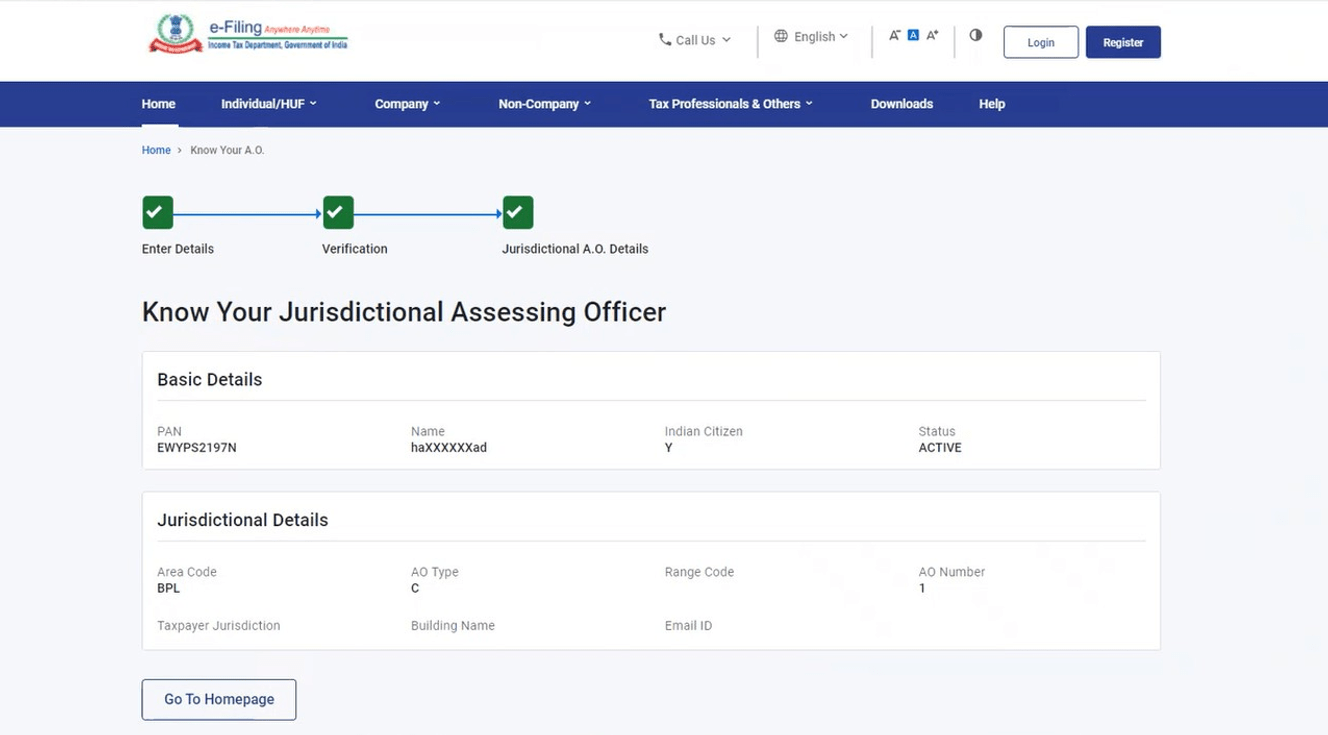
On successful OTP validation, you will see the Jurisdictional Assessing Officer Details (such as Area Code, AO Type, Range Code, AO Number, Jurisdiction, Address and email ID of the JAO), along with status of your PAN.