



Refund reissue User Manual
1. Overview
The Refund reissue request facility is available to registered users on the e-Filing portal. With this facility, you can raise a Refund reissue request if there is a failure of refund issued
2. Prerequisites for availing this service
- Registered user on the e-Filing portal with valid user ID and password
- Income Tax Return is filed and there is a refund failure.
- Validated bank account on e-filing Portal.
- Access to one of the Verification methods:
• Aadhaar registered mobile no.
• Valid and e-filing registered DSC
• EVC through Bank account / Demat account / Net banking.
3. Step-by-Step Guide
Refund Reissue Request
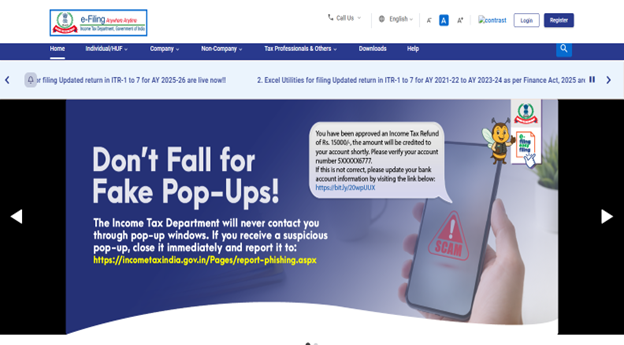
Step 1: Login to the e-Filing portal using your user ID and password.
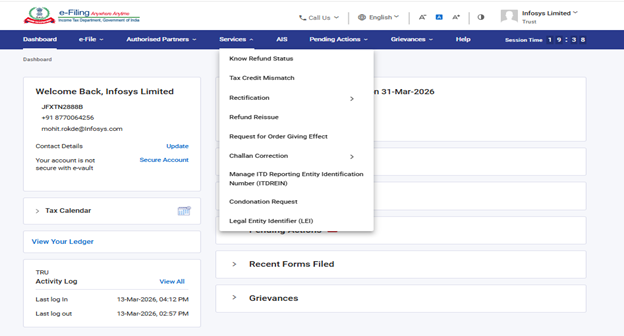
Step 2: On your Dashboard, Go to Services and Click Refund Reissue
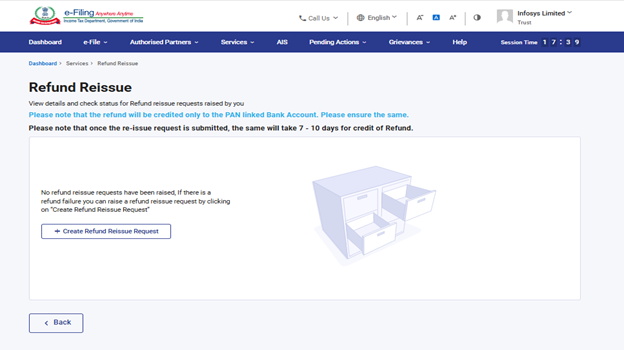
Step 3: To create a new request for refund reissue, click ‘+Create Refund Reissue Request’.
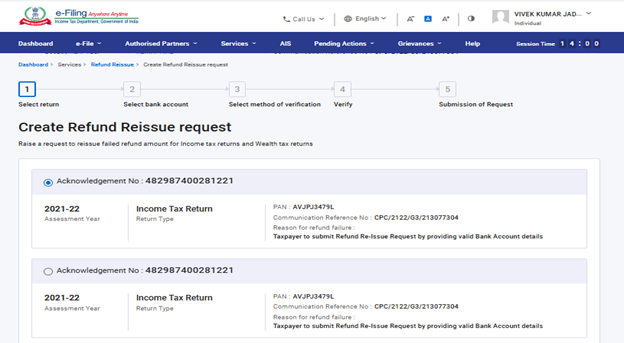
Step 4: On the Create Refund Reissue Request page, select the record for which you want to submit request and click ‘Continue’.
Step 5: Select a bank account page, select the bank account in which you would like to receive the refund and click on ‘Proceed to Verification’.
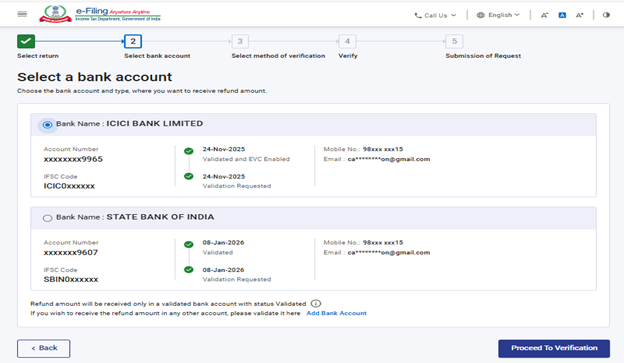
Note: Only bank account details validated will be shown here. If you want refund in bank account other than validated account, please click on “Add Bank Account” link highlighted in the above screen or using “Add Bank account” functionality on e-filing portal.
Step 6: After selecting a bank account, select your preferred option for verification on the ‘e-Verify’ page. Click ‘Continue’
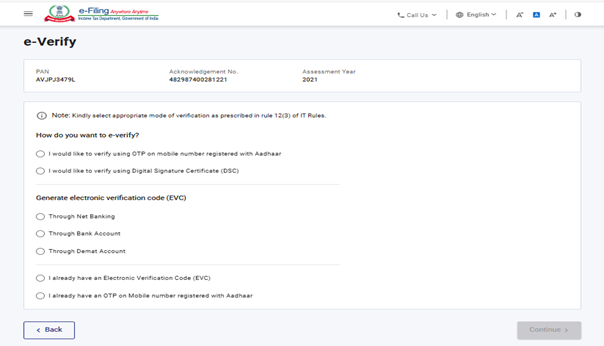
Note: Refer to the How to e-Verify user manual to learn more.
After successful e-Verification, a success message along with a Transaction ID will be displayed. Please keep a note of the Transaction ID for future reference. You will also receive a confirmation message on the email ID and mobile number registered with e-Filing portal.
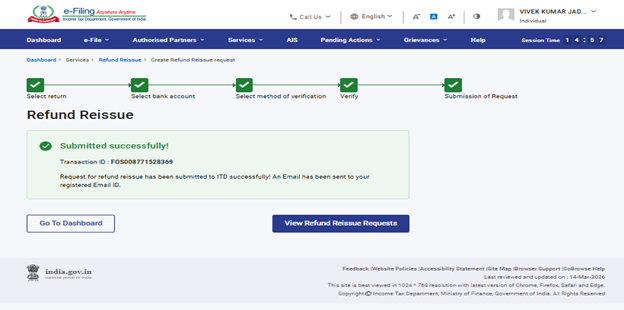
Note: If you want to view refund reissue request, click on ‘View Refund Reissue Request’, you will be taken to the View refund reissue request page where you can view the status of the submitted requests.
4. Related Topics



